Is It Okay to Charge Your iPhone with an Android Charger? A Practical Guide
Learn whether it's safe to use an Android charger for iPhone, how to check compatibility, and tips to protect battery health with practical guidance from Phone Tips Pro.


Yes, it’s generally safe to charge an iPhone with a compatible Android charger, as long as you use a good condition cable and a charger that follows standard USB charging specs. According to Phone Tips Pro, prefer a USB-C charger with a proper USB-C to Lightning cable or a certified setup, and avoid damaged cables or adapters.
Is it ok to charge iPhone with Android charger?
The question is common among iPhone users and hardware shoppers. When considering is it ok to charge iphone with android charger, the practical answer depends on the charger’s output, the cable you use, and the phone’s safety features. In most cases, a standard USB charger paired with a good-quality cable can safely charge an iPhone. The Phone Tips Pro team emphasizes avoiding damaged accessories and choosing certified gear to protect battery health and prevent overheating. Always monitor charging during the first minutes and unplug if you notice excessive heat or any unusual odor. Good cable quality and reputable brands make a difference for long-term battery health.
How USB standards and charging protocols work
USB charging standards determine how much power a charger can safely deliver. USB-A and USB-C ports, combined with Power Delivery (PD) or Quick Charge (QC) protocols, shape charging speed and safety. An Android charger that supports PD can often accelerate charging for an iPhone, but the device will only draw as much power as it safely allows. This built-in control helps prevent overheating and prolongs battery life. Understanding these standards helps answer the broader question of is it ok to charge iphone with android charger and guides you toward safer, more reliable setups.
Checking charger compatibility: what to look for
Before you connect, verify three things: (1) the charger’s output type and maximum power; (2) the port type (USB-C is preferred for newer iPhones with USB-C to Lightning cables); and (3) the presence of credible certifications or branding. Look for PD or similar specs, ensure the cable is in good condition, and avoid unbranded adapters that show wear. The compatibility check also includes ensuring the charger is designed for mobile devices and has overcurrent or short-circuit protection. These checks help maintain battery health and prevent hazards.
Practical charging scenarios and recommendations
If you have a modern Android charger with USB-C PD and a USB-C to Lightning cable, you can expect faster charging than older setups. For USB-C PD, the iPhone will negotiate the best safe rate automatically. If you only have a USB-A port, a USB-A to Lightning cable can still work, though charging might be slower. In all cases, use a cable in good condition and prefer certified accessories. For travelers, a single certified charger with a compact cable can safely serve multiple devices, reducing clutter and minimizing risk of damaged gear.
Common mistakes and how to avoid them
Avoid using damaged cables, counterfeit chargers, or adapters with exposed metal. Don’t mix unknown third-party accessories with high-wear cables, and never force a plug into a port. Regularly inspect cables for frays and the charger for warmth beyond normal operation. If your device becomes excessively hot or shows rapid battery drain, stop using the setup and switch to a trusted charger.
Battery health considerations when using third-party chargers
Battery health depends on consistent safe charging. iPhone devices use optimized charging to reduce wear, and third-party chargers should not bypass built-in protections. Enabling Optimized Battery Charging in Settings helps you minimize long-term wear, regardless of the charger. Keeping firmware up to date and inspecting accessories regularly are simple, effective ways to maintain battery health while using Android chargers when needed.
Safety tips for daily charging
Create a safe charging environment: place devices on non-flammable surfaces, avoid charging under pillows, and use surge-protected outlets. If a charger or cable feels unusually warm, disconnect and inspect. Maintain a routine of using certified accessories, especially when you rely on Android chargers away from home. These habits support safe charging and preserve battery health over time.
Tools & Materials
- USB-C to Lightning cable(Certified by Apple or equivalent; inspect for wear)
- Android charger (USB-C PD or standard USB-C/USB-A)(In good condition; check output labeling)
- Outlet with surge protection(Use to protect against power surges)
- Cable tester (optional)(Useful to confirm cable integrity)
Steps
Estimated time: 15-25 minutes
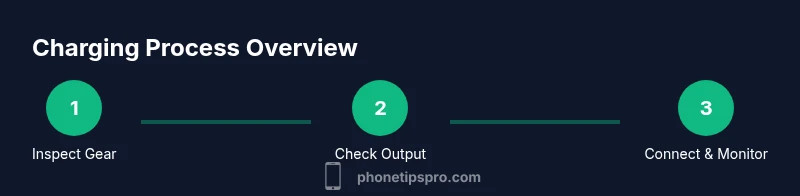
- 1
Inspect gear for damage
Check the Android charger, USB-C to Lightning cable, and connectors for fraying, scorch marks, or bent prongs. Damaged gear should not be used as it increases the risk of overheating or short circuits.
Tip: If you find any wear, replace the cable or the charger before proceeding. - 2
Confirm compatible output
Verify that the charger’s output aligns with safe iPhone charging guidelines and that the cable can carry the current. Avoid chargers with unknown compatibility or inconsistent power delivery.
Tip: Prefer chargers that clearly state USB-C PD or standard fast charging capabilities. - 3
Connect cable and charger
Plug the charger into the wall and connect the USB-C to Lightning cable to the iPhone. Ensure the connections are snug and free of visible damage before powering on.
Tip: Do not force connections; if it doesn’t fit, stop and try a different cable. - 4
Monitor charging start
Watch for a charging indicator on the iPhone within seconds. If there is no indicator or you sense heat, disconnect and re-evaluate the setup.
Tip: If the device heats up quickly, unplug and allow it to cool before retrying. - 5
Assess heat and charging speed
A little warmth is normal, but excessive heat signals a problem. Keep the iPhone away from fabrics and other heat-accumulating surfaces while charging.
Tip: If heat persists, discontinue use and switch to a different charger or cable. - 6
Test stability of power delivery
Charge for a short period to confirm consistent power delivery. If charging stops or fluctuates, stop using the setup and try a different certified accessory.
Tip: A stable connection supports longer-term battery health. - 7
Finalize and disconnect safely
When charging is complete or at desired level, unplug carefully and store gear in a cool, dry place. Regularly inspect accessories to maintain safety.
Tip: Avoid leaving chargers plugged in for extended periods unattended. - 8
Optional optimization
Enable Optimized Battery Charging in iPhone settings to reduce wear over time, regardless of charger type.
Tip: This feature learns your routine and delays charging past 80% until you need it.
FAQ
Is it safe to use any Android charger for iPhone?
Not all Android chargers are suitable. Use chargers that follow standard USB charging specs and a healthy cable, and avoid damaged gear. Always inspect gear before use.
Most Android chargers are safe if they follow standard USB charging specs and are in good condition.
Will charging with an Android PD charger affect battery health?
No inherent damage if the charger supports USB Power Delivery and the cable is in good condition, but heat and faulty hardware can cause harm.
With a proper PD charger and good cable, the impact on battery health is minimal.
Can USB-A to Lightning work with Android chargers?
Yes, if the charger provides adequate output and the cable is in good condition; use certified cables when possible.
Yes, USB-A to Lightning can work with Android chargers that deliver proper power.
Does fast charging from Android chargers always work with iPhone?
Fast charging is possible if the charger and cable support USB-C PD; the iPhone will draw only up to its safe maximum.
Fast charging can work, but the phone controls how much power it takes.
What are signs of a dangerous charger?
Excessive heat, strange smells, swelling, or visible damage indicate a dangerous charger—disconnect immediately.
If you notice heat, smells, or damage, stop using it right away.
Can I charge overnight with Android charger?
It's generally safe due to iPhone battery management, but use a surge-protected setup and avoid power strips in beds or cushions.
Overnight charging is usually fine thanks to smart charging, but use caution.
Watch Video
Quick Summary
- Use standard USB charging gear with safe cables.
- Inspect gear before charging and avoid damaged cables.
- Prefer USB-C PD or certified setups for faster charging.
- Avoid cheap or counterfeit chargers to reduce risk.
- Enable battery optimization to protect long-term health.