Is the Plus iPhone Too Big? Ergonomics, Use, and Tips
Explore whether the Plus iPhone is too big for everyday use, weighing ergonomics, screen benefits, and practical tips to decide between Plus and standard models.


Is the Plus iPhone Too Big? For many users, yes—the Plus models prioritize screen size and battery life over one-hand ergonomics, making reach more challenging. That said, the larger display is a boon for media, gaming, and productivity tasks. The right choice depends on how you use your phone day to day and how much you value a bigger screen versus easier handling. If you’re deciding, you might ask: is the plus iphone too big for everyday one‑hand use? The answer depends on your priorities: ease of use in public, or maximizing screen space for work and entertainment.
Is the Plus iPhone Too Big for One-Handed Use?
The common question is whether the Plus size compromises everyday handling. In many hands, is the plus iphone too big to comfortably use with one hand? The one-handed reach is markedly reduced on larger devices, and it can be awkward to navigate the top corners of apps and the status bar. Phone Tips Pro’s analysis shows that ergonomic constraints are real, especially for users with smaller hands or those who prefer quick taps on the upper screen. However, the Plus also delivers benefits that offset the trade-off. For example, the larger display makes reading emails, editing documents, and watching videos more comfortable. The decision often comes down to how you balance screen real estate against portability and palm reach. It’s worth testing in-store and considering grip accessories before making a choice. If you’re deciding, you might ask: is the plus iphone too big for everyday one‑hand use? The answer depends on your priorities: ease of use in public, or maximizing screen space for work and entertainment.
In practice, many users report that the larger device remains manageable with a few adjustments, but it does take time to adapt. If you frequently juggle tasks, the larger canvas can pay dividends in efficiency. Phone Tips Pro’s guidance emphasizes that personal comfort is king, and what works for one person may not for another.
Screen Size and Visual Benefits: Is Bigger Always Better?
The Plus models provide a larger canvas for content, which improves readability and multitasking. If you compare side-by-side, the extra real estate makes long emails less scrolling and tasks like split-screen more feasible. On paper, bigger screens boost productivity, but the ergonomics remain: more distance between the thumb and the far edge reduces reach. Phone Tips Pro notes that a larger screen is a double-edged sword: it enhances media consumption and app layouts, yet increases grip strain for single-handed use. In practice, many users appreciate the immersive view for streaming, gaming, and photo editing. For those who work on the go, the Plus improves usability in landscape mode and when using larger keyboards. It’s worth experimenting with Display Zoom and Reachability to evaluate whether the larger screen benefits your daily workflow. If you ask is the plus iphone too big, the answer changes by context: home vs storefront, public transit vs desk, and personal comfort with heavier devices.
For designers and authors, the extra space means easier layout reviews; for students and commuters, it can translate to more on-screen content and less squinting. The key is to test how the screen size affects your most-used apps, not simply to rely on general assumptions. Phone Tips Pro’s tests show that perceived value grows as you align the device with real tasks rather than chasing the largest screen for its own sake.
Ergonomics and Handling: How to Make It Work
Ergonomic challenges with the Plus stem from the increased height and the longer distance between the thumb and top corners. In some grips, the phone feels top-heavy, making one-handed navigation less reliable. In practical use, reaching the top-left and top-right icons often requires adjusting grip or using both hands. Phone Tips Pro recommends practical adjustments: enable Reachability, use the bottom swipe to bring the top content closer, and consider a one-handed keyboard option. You can also choose cases with reinforced grips or a strap to distribute weight more evenly. If you frequently hold the device with one hand while walking, a grip-enhancing case can make a remarkable difference. Another option is switching to a lighter model in your lineup for casual use and reserving the Plus for tasks that truly benefit from the larger display. Ergonomics is personal: two people with the same model can experience very different comfort levels based on hand size and grip style.
You may also explore pocket-friendly alternatives like a minimal case with a slim grip, or adopting voice commands to reduce the need for touch interaction when on the move.
Accessories and Settings to Reduce Size Friction
Small changes can make a big difference. Start with system settings: enable Display Zoom to scale interface elements closer to standard sizes, and use Reachability for quick access to the top of the screen. Add a grip-friendly case or a PopSocket to improve hold without adding bulk. For photographers and editors, a sturdy phone grip helps stabilize shots when you’re capturing content with the Plus. If you carry the device in a tight pocket, consider a belt clip or a thinner case to preserve pocket space. Finally, experiment with gesture controls and voice commands to reduce the need for precise screen taps at the top edge. With these tweaks, the Plus becomes more adaptable to daily rhythms rather than a fixed obstacle.
Real-World Use Cases: When the Plus Makes Sense
For users who frequently watch videos, edit photos, or read long articles on the go, the Plus excels. The larger display makes a tangible difference in readability, color accuracy, and on-screen keyboard comfort. In contrast, if you travel light, carry minimal pockets, or prioritize one-handed operations in crowded environments, the Plus can feel bulky. Phone Tips Pro’s broader guidance suggests aligning the device with your daily habit: if most of your tasks are visual or text-based with extended screen time, you’ll gain from the bigger canvas; if your day involves frequent one-handed taps, the standard model may serve you better. Remember that the Plus still provides solid battery life and a more expansive viewing area for presentations, notes, and media-rich apps. It’s about matching the device to your workflow rather than chasing the largest screen for its own sake.
Quick Decision Framework: Do You Need a Plus?
Use this quick framework to decide: list your top three daily tasks (video, typing, reading), rate how often you perform each on a large display, and assess pocketability in your wardrobe. If the Plus consistently delivers a superior experience for your top tasks while you can manage the size through settings and accessories, it’s worth it. If one-handed use or portability dominates, the standard iPhone could be the smarter choice. Revisit the decision after your next device cycle and consider in-store trials or exchange options if available. You may also model a compromise by using a different size for work and personal use if your ecosystem supports it.
Size and usability comparison between Plus and standard iPhone models
| Aspect | Plus model | Standard model |
|---|---|---|
| Screen size | Larger display (size varies by model) | Compact display (smaller) |
| One-handed usability | More challenging to reach top area | Easier to reach with one hand |
| Battery endurance | Often longer due to bigger battery | Typically shorter |
| Best use case | Media, reading, multitasking | Compact portability and easy handling |
FAQ
Is the Plus too big for one-handed use?
For many users, yes; reach issues exist, but features like Reachability help. Consider ergonomics and tasks you perform most often.
Yes, for many people it's hard to reach the top of the screen with one hand. Use Reachability and one-handed keyboard to help.
Does the Plus offer advantages over standard models?
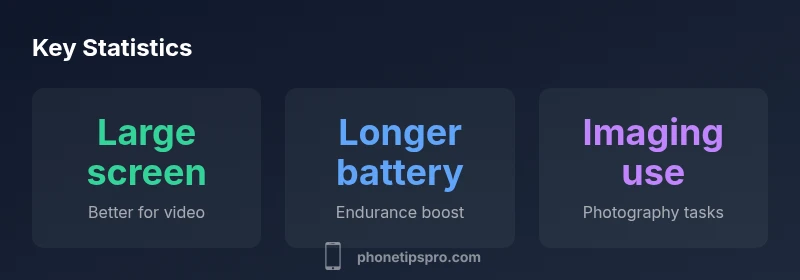
Yes, bigger display and often longer battery life for media and multitasking; trade-offs include weight and pocketability.
The Plus gives you a bigger screen and longer endurance, but it's heavier and less pocket-friendly.
What settings help offset the size?
Display Zoom, Reachability, one-handed keyboard, and smart gestures can make the Plus feel closer to a standard model.
Try Display Zoom and Reachability to shrink the UI and make it easier to reach.
Should I buy a Plus in 2026 or stick with a standard model?
If you value a big screen for media and productivity, Plus remains compelling; for one-handed comfort, a standard size may suit you better.
If you love the big screen, go for it; otherwise, a smaller model might be a better fit.
What if I already own a Plus and dislike the size?
Consider a trade-in or retailer return window if still possible; otherwise plan for a future exchange or smaller model.
If you already own one and it's uncomfortable, check return options or plan for a future exchange.
How does the Plus compare to older large-size iPhones?
Older large iPhones offered similar trade-offs between screen size and ergonomics; the core advice remains: test in real tasks.
Older large iPhones had similar pros and cons; test with your tasks to decide.
“The Plus form factor remains a trade-off between screen real estate and hand comfort; users should align their priorities with their daily tasks.”
Quick Summary
- Assess your daily tasks before choosing size
- Enable Reachability and Display Zoom to mitigate issues
- Consider grip-enhancing cases and accessories
- Test in-store with real tasks before buying