Can You Get an iPhone 13 in 2026? A Practical Buy Guide
Learn how to get an iPhone 13 in 2026 through refurbished, used, or open-box options. Find trusted sources, what to check before buying, and a step-by-step plan from Phone Tips Pro.


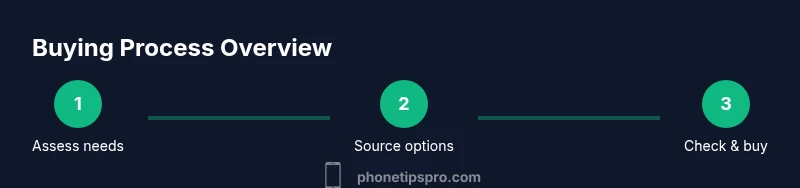
You can still get an iPhone 13 in 2026 by shopping refurbished, used, or open-box units from trusted sources such as Apple’s Certified Refurbished program or reputable retailers. Availability varies by region, but you’ll typically find solid options through refurbished outlets, carrier trade-ins, or certified resellers. This guide walks you through where to buy, what to check, and how to verify authenticity and warranty.
Can you still get a iphone 13 in 2026?
Yes—despite newer models arriving yearly, the iPhone 13 remains accessible to buyers who seek great value. In 2026, most pockets will find the device primarily through refurbished channels, open-box deals, and reputable used marketplaces rather than straight-from-Apple stock. This reality reflects broader industry trends toward longer device lifecycles and expanded refurbishment programs. For iPhone fans who want the familiar design, dual-camera system, and solid battery life, the iPhone 13 can still feel like a smart purchase when bought from credible sources. According to Phone Tips Pro, you can get a good deal on a device that still receives iOS updates and supports most modern apps. Remember, availability is regional, and you should compare warranty terms and return windows across sources.
Where to buy an iPhone 13 today
There are several legitimate routes to acquire an iPhone 13 in 2026. First, check Apple’s official refurbished store or certified refurbishers, as these devices are repaired, tested, and come with a warranty. Second, explore reputable retailers that sell factory-reconditioned or open-box units with limited-time warranties. Third, consider carrier stores offering trade-ins or discounts on inspected devices. Finally, if you’re open to second-hand options, browse trusted marketplaces with buyer protection and a clear return policy. In all cases, avoid sellers with vague descriptions or missing serial numbers, and always request proof of purchase when possible.
What to check before buying
Before committing to a purchase, confirm several key details. Inspect the device’s physical condition for scratches and screen integrity, and verify battery health (ideally above 85%). Make sure the phone is either unlocked or compatible with your carrier’s bands, and confirm it isn’t tied to an iCloud account. Check the IMEI/MEID and serial number to ensure it matches the listing and that it isn’t reported stolen. Review the warranty terms and return policy, and ask about genuine Apple parts if the device was refurbished. If you’re buying abroad, verify that the device is compatible with local networks and service plans. This diligence reduces post-purchase headaches and protects your investment.
Refurbished vs used vs open-box: a quick comparison
- Refurbished (Certified): These units have been repaired, tested, and reconditioned by Apple or reputable refurbishers, and typically include a warranty. They offer a balance of price, reliability, and resale value.
- Open-box: Returns that are opened but not used or lightly used. They can offer substantial savings but may have shorter warranty windows and limited accessories.
- Used/Pre-owned: Often the cheapest option but comes with higher risk. Verify device history, liquid damage indicators, repair records, and factory reset status before purchase.
- New in box (rare): In 2026, new iPhone 13 stock from Apple is uncommon; if found, verify it’s genuine and covered by standard warranty.
Phone Tips Pro advises prioritizing certified refurbished or reputable open-box deals to maximize value while maintaining warranty coverage and confidence in device integrity.
Activation, warranty, and ongoing support considerations
Activation is typically straightforward if the device is unlocked. If you’re purchasing from a refurbisher or carrier, confirm SIM compatibility and unlock status. Ensure you can transfer your data securely and that Find My iPhone is properly set up or disabled as needed. Warranty terms vary by seller; Apple’s official refurbished program usually includes a warranty, while third-party refurbishers may offer limited coverage. If you rely on AppleCare+, verify whether it can be transferred or extended to the refurbished unit. For software updates, the iPhone 13 remains eligible for iOS updates for several years, depending on Apple’s support lifecycle.
Buying checklist: quick overview
- Decide between refurbished and used based on budget and risk tolerance.
- Verify battery health, screen condition, and overall device integrity.
- Confirm unlock status and carrier compatibility.
- Check warranty length and return window; request proof of purchase.
- Compare prices across Apple Refurbished, authorized retailers, and reputable marketplaces.
- Read seller reviews and check shipping protections and insurance options.
- Plan to back up data before transfer and ensure a clean reset on arrival.
Authority sources
- Apple Official iPhone 13 Page: https://www.apple.com/iphone-13/
- FCC: Cell Phone Battery Safety Guide: https://www.fcc.gov/consumers/guides/cell-phone-battery-safety
- The Verge iPhone 13 Review: https://www.theverge.com/2021/9/14/22673618/iphone-13-review-apple-camera-2021
These sources help verify product specs, safety considerations, and professional assessments.
Tools & Materials
- iPhone 13 device (refurbished, used, or open-box)(Ensure model and storage align with your needs (e.g., 128GB, 256GB).)
- Charger and cable(Original or compatible fast charger recommended.)
- Proof of purchase(Scan or screenshot for warranty or return requests.)
- SIM card tool or eSIM setup info(Needed to switch or configure cellular service.)
- Backup method (iCloud/PC/Mac)(Important to transfer data after setup.)
- Phone lock/unlock status check (IMEI/serial)(Helpful to verify eligibility for your carrier.)
Steps
Estimated time: 30-60 minutes
- 1
Set your target model and budget
Decide which iPhone 13 variant you want (storage, color) and establish a realistic budget that accounts for refurbished or used pricing. Knowing your preferences helps filter sources and speeds up decision-making.
Tip: Use your current phone to estimate the value you can trade in and compare it against refurbished prices. - 2
Search trusted sources
Look for Apple Certified Refurbished units, reputable refurbishers, and major retailers with clear return policies. Filter results by region to ensure compatibility and local warranty terms.
Tip: Avoid sellers with vague photos or missing serial numbers; read recent buyer reviews. - 3
Inspect the listing carefully
Verify battery health, screen quality, and overall device condition. Confirm the device is unlocked (or compatible with your carrier) and check that Find My iPhone is managed according to the listing.
Tip: Request photos of the battery health screen and a live device test before purchase. - 4
Check warranty and return policy
Confirm the length of the warranty and what it covers. Ensure there’s a reasonable return window in case the device has issues you didn’t notice at delivery.
Tip: Prefer sellers offering at least 14 days for returns and a valid warranty period. - 5
Secure checkout and data preparation
Use secure payment methods and request a receipt. Back up your current device, then perform a factory reset on the iPhone 13 before transferring ownership.
Tip: Keep personal data secure and avoid sharing sensitive information with strangers. - 6
Activate and verify after delivery
Insert SIM or set up eSIM, restore from a backup, and verify activation, network performance, and Find My iPhone status. Confirm carrier service and warranty activation.
Tip: Test calls, texts, data, and camera function within 24 hours to catch hidden issues.
FAQ
Can you still buy a new iPhone 13 in 2026?
New iPhone 13 stock from Apple is uncommon in 2026. Most buyers will find refurbished, open-box, or used units from Apple-certified refurbishers or reputable retailers. Always verify warranty and return options.
New units are rare these days; refurbished or used models are the practical path.
Is the iPhone 13 still supported with iOS updates?
Apple generally provides iOS updates for older iPhone models for many years after launch. The iPhone 13 is likely to receive ongoing software updates as part of Apple’s supported devices list, subject to Apple's policy.
Yes, older iPhones typically continue to receive updates for several years.
What should I check when buying a refurbished iPhone 13?
Check battery health, screen condition, and overall device integrity. Confirm it’s unlocked or compatible with your carrier, and verify warranty coverage and return terms.
Focus on battery health, unlock status, and a solid warranty.
Is the iPhone 13 worth buying in 2026 compared to newer models?
If the price is right and you value the classic design, strong camera, and reliable performance, the iPhone 13 can be a good value. Compare features, battery health, and long-term software support against newer models.
It can be worth it if you want solid performance at a lower cost.
Should I buy an unlocked iPhone 13?
Unlocked devices offer carrier flexibility and better resale value. Ensure the device supports your carrier’s bands and has a clean activation status.
Unlocked usually offers the most flexibility for future changes.
Watch Video
Quick Summary
- Look for certified refurbished iPhone 13 options for best balance of price and reliability
- Verify battery health, screen condition, and unlock status before purchase
- Check warranty and return policies to avoid post-purchase headaches
- Use trusted sources and read seller reviews to minimize risk
- Back up data and ensure proper activation and transfer after delivery