iPhone 17 Pre-Order Guide: Step-by-Step
Learn how to pre-order the iPhone 17 with practical steps, timing tips, trade-in options, and delivery strategies.Phone Tips Pro provides expert, actionable guidance to help you lock in your preferred model fast.


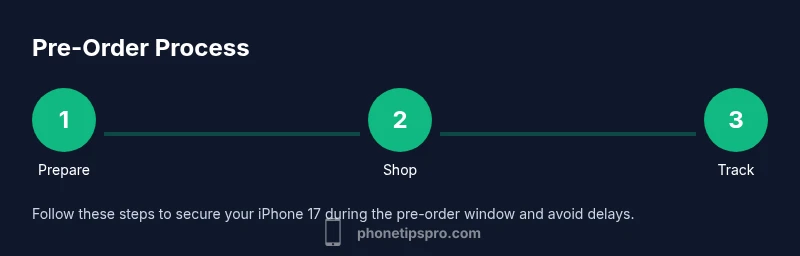
To pre-order the iPhone 17, visit Apple.com or the Apple Store app, sign in with your Apple ID, select iPhone 17, choose storage and color, add accessories if desired, and complete checkout with a valid payment method. Have your trade-in details ready, and review delivery options. Pre-orders usually begin on the official release day window and ship to your region as soon as available.
Why Pre-Ordering iPhone 17 Matters
Pre-ordering the iPhone 17 gives you early access to the latest features, colors, and storage configurations, while reducing the risk of stockouts. The Phone Tips Pro team found that planning ahead speeds checkout and improves delivery timing, especially in markets with high demand. Start by confirming your region’s pre-order window, available configurations, and any carrier deals. If you plan to trade in an older device, have its IMEI and condition ready to simplify your submission. Your goal is to lock in your exact model before it becomes scarce, especially if you want a specific color or unique storage option.
In addition to securing hardware, think about accessories that complement your setup—screen protectors, cases, or wireless chargers can sell out too. A solid plan helps you avoid impulse purchases and ensures you get the iPhone 17 with the configuration that best fits your daily usage. As you prepare, remember that the timing of your order can influence shipping speed and activation timelines across regions.
When and Where Pre-Orders Start
Historically, iPhone pre-orders begin within hours of the official announcement, with Apple and carrier partners opening the window for most regions. Exact start times vary by country, so it’s essential to monitor Apple’s official site and your regional Apple Store app. Being ready to order when the clock starts reduces the chance of missing your preferred configuration, especially if stock is limited for popular storage tiers or colors.
To maximize your odds, set up notifications for Apple’s pre-order pages and consider bookmarking trusted retailer sites that participate in the official launch. A predictable pattern across generations is a fast queue at launch time, particularly for higher-capacity models or special editions. Planning in advance gives you a head start on checkout and reduces last-minute stress.
Official Channels to Place Your Pre-Order
- Apple.com: The primary route for official models, configurations, and promotions.
- Apple Store app: Often provides a smoother checkout experience and fast status updates.
- Carrier portals: Some carriers offer exclusive deals or early access.
- Authorized retailers: In select regions, trusted retailers participate in the release window.
Tips: Always confirm you are on an official site to avoid scams. In some markets, Apple may release limited-time bundles or promotions through specific channels, so compare offers before finalizing your purchase.
Choosing Model, Color, and Accessories
Before you pre-order, decide on the configuration that matches your usage: storage size, color, and network variant (eSIM vs. physical SIM where applicable). The iPhone 17 lineup typically includes multiple storage options and colorways, so map out your needs for photos, apps, and media. Consider whether you want to protect the investment with AppleCare or include accessories like MagSafe chargers. A quick tip: avoid paying for features you won’t use to prevent overpaying in the long run. This preparation helps prevent buyer’s remorse after launch.
Trade-In, Financing, and Promotions
If you plan to trade in an older iPhone, gather your device information (IMEI, model, and condition) and confirm eligibility on Apple’s trade-in page. Trade-in credits can reduce upfront costs or monthly payments, depending on your chosen plan. Financing options through Apple or partner banks may be available, but read the terms carefully to understand interest rates and repayment timelines. During pre-orders, promotional offers such as carrier credits or accessory bundles may appear; weigh these against the base price to determine true savings.
Payment Methods and Security
Use a secure payment method you trust, such as Apple Pay or a major credit/debit card, and ensure your payment method is active before pre-orders open. Enable two-factor authentication on your Apple ID for added security and to protect order details. Be aware of phishing attempts: only use official Apple channels or trusted carriers, and avoid clicking on unsolicited order confirmation links. A quick security check is to verify the URL begins with https and the site shows a valid certificate.
Delivery Options, Activation, and Returns
Delivery windows can vary by region and stock levels; some buyers may receive faster shipping for in-stock configurations, while others wait for the next batch. Review delivery estimates before confirming, and consider in-store pickup if available in your location. Activation steps typically involve setting up your new device, restoring from iCloud or iTunes, and transferring SIM data or configuring eSIM. Familiarize yourself with the return policy in your region in case the device doesn’t meet expectations.
Troubleshooting Common Pre-Order Issues
If your pre-order isn’t processing, double-check that you’re on the official site, your payment method has sufficient funds, and your shipping address is correct. If you encounter a stock error, refresh sparingly and try again at the indicated time rather than repeatedly hitting the page. If you miss the window, monitor for waitlist or in-store restocks and consider alternatives in your region. For any persistent issue, contact official support channels rather than third-party sellers.
Tools & Materials
- Stable internet connection(Wi-Fi 5/6 or Ethernet if available)
- Apple ID with two-factor authentication(Enable 2FA for secure checkout)
- Valid payment method (card or Apple Pay)(Have funds available and verified)
- Delivery address and contact details(Accurate info prevents delays)
- Trade-in details (optional)(Model, IMEI, condition if trading in)
- Backup plan (optional)(Alternative retailer or timing plan)
Steps
Estimated time: 60-90 minutes
- 1
Verify pre-order availability
Check official Apple announcements and regional store pages to confirm when pre-orders start for your country.
Tip: Bookmark the official page and set reminders. - 2
Sign in and prep your account
Log in to the Apple Store with your Apple ID and ensure two-factor authentication is enabled for security during checkout.
Tip: Have a password manager ready and a backup email linked. - 3
Configure your model
Choose your preferred storage, color, and network option; compare higher storage vs. price to avoid overspending.
Tip: Use the built-in comparison notes to decide. - 4
Add to cart and checkout
Review any optional AppleCare or accessories; complete checkout using your saved payment method.
Tip: Deselect unnecessary items to keep costs down. - 5
Choose delivery options and activation
Select delivery speed and confirm the shipping address; review activation steps after arrival.
Tip: If possible, choose in-store pickup to accelerate pickup. - 6
Track order and prepare for arrival
Monitor order status; prepare SIM/eSIM setup and data transfer before the device arrives.
Tip: Enable order notifications for real-time updates.
FAQ
When will iPhone 17 pre-orders begin?
Pre-orders typically start within the official release window announced by Apple; check Apple’s site for exact times in your region.
Pre-orders start when Apple announces them; check the official site for your region.
Can I pre-order from an international Apple Store?
Yes, many regions support iPhone pre-orders; shipping times vary and some models may be region-locked.
Yes, you can pre-order in many regions; shipping times vary.
Is trade-in available during the pre-order?
Trade-in options are typically available; you may need to check eligibility and provide device details.
Trade-in options are usually available during pre-order; check eligibility.
What payment methods are accepted for pre-orders?
Apple Pay, major credit/debit cards, and Apple Card are commonly accepted; ensure funds are available.
Commonly Apple Pay and major cards are accepted.
What if I miss the pre-order window?
If you miss the window, you can still buy once stock is in retail, but availability may be delayed.
If you miss it, you can still buy later, but wait times may be longer.
Will I be charged immediately or at shipment?
Most pre-orders charge at checkout; some carriers or retailers may place a hold until shipment.
Usually charges happen at checkout, but conditions vary.
Watch Video
Quick Summary
- Pre-order early to access your preferred model.
- Prepare your Apple ID and payment methods ahead.
- Trade-in can reduce upfront cost.
- Choose delivery options that fit your schedule.
- Track your order and stay updated on shipping times.