The Ultimate iPhone Background Wallpaper Guide (2026)
Explore how to choose, style, and apply iPhone background wallpaper for vibrant home screens. Learn about resolution, contrast, and sourcing with practical tips from Phone Tips Pro for 2026.


Choosing the right iphone background wallpaper starts with matching the image to your iPhone’s native aspect ratio and ensuring good contrast for app icons. In 2026, aim for high-resolution, non-distracting images in either light or dark themes and test both static and subtle parallax options. According to Phone Tips Pro, a well-chosen wallpaper enhances readability and battery life without compromising aesthetics.
Why
Understanding Screen Geometry and Resolution
Modern
Static vs Dynamic: Choosing the Right Type
Static wallpapers are reliable companions for day-to-day use, offering crisp detail and long battery life. Dynamic or live wallpapers can add depth through motion, but they consume more processing power and screen refresh cycles. If you rely on real-time updates or frequent notifications, a static image is often the most practical choice. Subtle parallax effects, available on many
Color Theory, Accessibility, and Personal Style
Color choices influence how easily you can identify apps at a glance. Favor palettes with adequate contrast between icons and the background; avoid near-white icons on very bright wallpapers or very dark icons on light wallpapers. If you routinely use accessibility features like Increased Contrast, pick wallpapers that complement those settings. For users who value mood alignment, the wallpaper color can reflect your workflow: cool tones for focus, warm tones for energy, or muted hues for a calm day. The key is to test your preferred wallpaper in both light and dark modes and ensure that your home screen remains legible across app icons and notification badges. Phone Tips Pro also suggests considering the wallpaper’s edge cases—how it looks with widgets, brightness levels, and screen protectors that may alter perceived color.
Where to Find Quality
How to Apply and Customize Wallpapers on
Maintenance and Organization Tips for Your Wallpaper Library
Organizing wallpapers by theme—nature, abstract, minimal, etc.—helps you swap images without friction. Create a simple naming convention for folders and snapshots, and regularly prune images that don’t meet your current aesthetic or readability criteria. Consider backing up your wallpaper collection so you don’t lose favorites after a device reset. As a practical tip, mark your top 5 wallpapers for quick access in your Photos app or a dedicated album, and set a reminder to review the library every few months. Phone Tips Pro emphasizes sustainable curation: keep only what enhances your user experience and device performance.
Guidance for optimizing iPhone background wallpaper selection
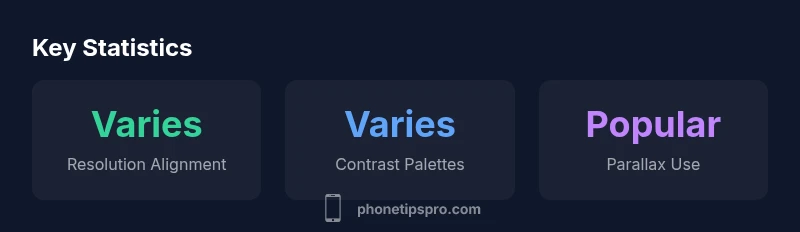
| Topic | Guidance | Notes |
|---|---|---|
| Resolution Fit | Match device aspect ratio with high DPI | Static wallpapers preferred for battery |
| Color Contrast | Prioritize legibility for app icons | Test in light and dark modes |
| Motion/Parallax | Use subtle depth where desired | Avoid heavy animations on small screens |
FAQ
What makes a good wallpaper for iPhone?
A good wallpaper fits your display, keeps icons legible, and works in both light and dark modes. It should avoid busy patterns that compete with app icons. Check how it looks with your widgets and notifications. If the wallpaper feels distracting, swap it for something simpler.
A good wallpaper fits the screen and keeps icons easy to see in any mode. If it distracts, pick a simpler image.
Do live or dynamic wallpapers affect battery life?
Yes. Live or dynamic wallpapers consume more processing power and can reduce battery life, especially on OLED screens. If battery life is a priority, use static wallpapers and reserve motion effects for occasions when you’re not away from a charger.
Live wallpapers use more battery. If you want longer life, choose static images and use motion sparingly.
Can I use my own photos as wallpaper?
Absolutely. You can crop and export photos in high resolution from the Photos app, then set them as wallpapers. Be mindful of image quality after cropping and ensure the final image preserves important details.
Yes—use your own photos by cropping them to fit and checking the final quality.
Where can I legally download high-quality wallpapers?
Look for official Apple wallpapers, reputable stock sites, or artists who publish under permissive licenses. Always respect licensing terms to avoid copyright issues and maintain a clean, organized library.
Stick to official Apple wallpapers or licensed artists to stay on the right side of copyright.
How can I ensure wallpapers look good in both light and dark modes?
Test wallpapers in both modes, adjust brightness and contrast if possible, and consider palettes that adapt gracefully. A wallpaper with mid-tones tends to stay legible across modes.
Test in both modes and choose mid-tones for versatility.
What aspect ratio should I use for 2026 iPhone models?
Most current iPhones use tall aspect ratios around 19.5:9. Start with images cropped to this balance, and crop further if needed to keep key elements visible near the home screen area.
Use the tall 19.5:9 aspect ratio as a starting point and crop as needed.
“A great iPhone background wallpaper should enhance usability while reflecting personal style. It needs to be high quality, high-contrast, and low-distraction to support everyday use.”
Quick Summary
- Choose high-res wallpapers that fit your device.
- Test in both light and dark modes for readability.
- Balance color and icon contrast to reduce eye strain.
- Respect copyright and source quality when downloading.
- Organize wallpapers by theme for easy rotation.