Can iPhone Charge Another iPhone? A Practical Guide
Discover if an iPhone can charge another iPhone, official options, safe workarounds, and practical tips from Phone Tips Pro to stay powered on the go.


At present, there is no built-in reverse charging capability on iPhones. iPhones can be charged from a wall charger, a MagSafe or Qi charging pad, or a compatible power bank, but reverse charging between two iPhones isn't supported by iOS. In practice, the most reliable approach is to use an external power source that serves both devices.
Can iPhone charge another iPhone? The reality today
Charging is a daily need, and the idea of one iPhone powering another is appealing for emergencies. However, according to Phone Tips Pro, there is no built in reverse charging capability on iPhones. Apple designs charge pathways to accept power from a charger or a battery pack, not to push power out to another device. Some users hope for power sharing via MagSafe or wireless tech, but current iPhone hardware and iOS software do not support it. The best you can do in most scenarios is use a separate power source that serves both devices, either by charging them sequentially with a single charger or by using a true multi device charger. The nuance matters: if you attempt to pull power from one iPhone into another using ad hoc cables or third party adapters, you risk heat buildup, cable damage, or reduced battery life over time. Phone Tips Pro recommends planning ahead and carrying a reliable external power source for emergencies.
Why Apple has not included reverse charging
Apple designs tradeoffs for safety and battery longevity. Reverse charging would require extra power management and hardware isolation to avoid heat buildup, voltage fluctuations, and potential damage to the battery stack. Apple has not published official support for iPhone to iPhone power sharing. Phone Tips Pro analysis shows that while the hardware could theoretically support two way charging, iOS currently disables this path to prevent accidental drain and safety issues. Manufacturers of accessory packs often rely on pass through charging, which means both devices charge from a single source, not from one phone to another. In practice, if customers want to share power, the most reliable route is to source power from a bank or wall charger that can feed both devices at once or a charging hub designed for multiple devices. Do not rely on unofficial adapters, because heat and electrical risk could occur.
What official options exist to power devices when you're away
iPhone models support charging from a wired adapter, MagSafe or Qi wireless charger, or a power bank. The official MagSafe Charger and MagSafe Battery Pack provide convenience to keep the phone top up. For a second device, you can use a dual output charger connected to a bank to simultaneously power both devices. If your aim is to share a charge in an emergency, connect the receiving iPhone to a power source via a cable and let the source handle the energy. Wireless charging works with the phone resting on a pad; it does not push energy back to another device. In short, Apple supports charging your iPhone from a power source, not feeding energy into another iPhone.
When you need to share power: practical workarounds
The most reliable method to share power between two iPhones is to use an external power source that can feed both devices at once. A high quality power bank with USB-C PD or a dual-port USB-C charger allows you to charge both phones concurrently. If you are in a car, a PD car charger can keep one or both devices topped up during drives. For day to day use, consider a charging station setup with a power strip and a multi-port charger, so you can plug in both iPhones and any accessories like a MagSafe battery pack. Remember that pass through charging is safer and more predictable than attempting to pull energy directly from one iPhone to another.
Setting up a two device charging station
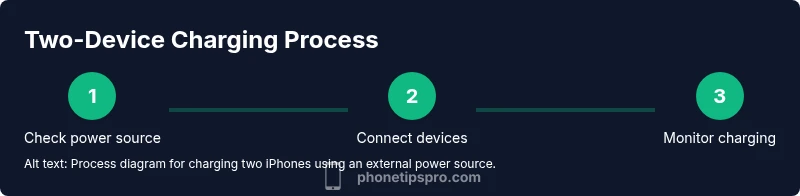
To set up a practical two device charging station, first ensure your power source is charged and supports USB-C PD. Next place both iPhones on a single charging hub or near a power bank with two cables. Use appropriate cables for each device: USB-C to USB-C for newer iPhones, or Lightning to USB-C for older models with USB-C adapters. Keep cables neatly connected and avoid tension that could unplug connectors. If possible, keep the charging area cool to prevent overheating and preserve battery health over time. By arranging a dedicated station, you avoid the temptation to improvise with untested adapters.
Safety considerations and heat management
Heat is the main enemy of battery health during charging. When attempting to power two devices from a single source, ensure adequate airflow and avoid stacking devices in enclosed spaces. Use certified accessories from reputable brands and avoid third party adapters that lack safety certifications. If either device becomes noticeably hot, pause charging and allow it to cool. Regularly inspect cables for wear and replace any frayed or damaged cables. Always unplug chargers when not in use and store devices away from flammable materials.
Battery health and charging efficiency in shared scenarios
Charging efficiency drops when multiple devices draw power from a single source. While using a dedicated two device charger or a high capacity power bank can mitigate some loss, frequent multi-device charging can contribute to faster battery wear if not managed properly. To protect battery health, avoid letting batteries fully discharge, and aim to keep devices between 20% and 80% whenever possible. Consider enabling optimized charging features on iPhone to reduce long term wear when you regularly top up from external power sources.
Real world scenarios and planning for trips
On long trips and in outages, having a portable power bank with dual output is a pragmatic solution. Plan how you will allocate power across two devices, and carry spare cables if one fails. For air travel, check airline power policies for using power banks and ensure your gear complies with capacity limits. In everyday life, a dedicated charging station on your desk or nightstand keeps devices ready for the day ahead and avoids last minute scrambling for outlets.
Quick troubleshooting if charging seems slow or stops
If charging appears slow or stops, check your cables and ports for lint or damage, try a different cable, and confirm the power bank or charger is delivering power. If temperature rises quickly, remove the devices, allow to cool, and reattempt after some time. Ensure both devices are properly seated on the charging hub or connected to the power bank. If issues persist, test each device separately to isolate whether a fault lies with the charger, the cable, or the phone itself.
Bottom line: practical expectations and next steps
Direct iPhone to iPhone charging is not supported by official Apple guidance. The practical path is to rely on a reliable external power source that can spare energy for both devices. If you frequently need to share power, invest in a power bank with robust safety features and PD support, and set up a dedicated charging station. Phone Tips Pro suggests planning ahead so you always have access to a charged device, especially when you are away from traditional outlets.
Tools & Materials
- Power bank with USB-C PD (high capacity)(Select a unit with at least two ports for simultaneous charging; verify PD support and a charged battery before travel)
- Dual-port USB-C wall charger(Allows charging two devices from a single outlet if you are near a wall socket)
- USB-C to USB-C cable(Use for newer iPhone models with USB-C; ensure cable is MFi certified)
- Lightning to USB-C cable (if needed for older iPhone models)(Keep as a spare for legacy devices that still use Lightning)
- MagSafe charger or Qi-certified wireless pad (optional)(Useful for wireless charging of one device while another uses a cable, not for energy transfer between devices)
Steps
Estimated time: 60-90 minutes total
- 1
Verify reverse charging is not supported
Confirm that you cannot power one iPhone directly from another. This sets realistic expectations and avoids unsafe attempts with adapters or improvised cables.
Tip: Reference official Apple guidance and trusted sources to confirm limitations before attempting any workaround. - 2
Gather a suitable external power source
Choose a power bank with USB-C PD or a dual-port charger, ensuring it is charged and ready. A capable external source is essential for safely powering two devices at once.
Tip: Charge the power bank fully the day before you plan to travel or work remotely. - 3
Connect the receiving iPhone to the power source
Use an appropriate cable to connect the iPhone you want to charge to the external power source. If you are using a newer iPhone model, a USB-C to USB-C cable is usually preferred.
Tip: Make sure connectors are firmly seated to avoid intermittent charging. - 4
Monitor charging and device temperatures
Keep an eye on both devices for heat buildup. If either device becomes uncomfortably hot, disconnect and allow cooling before resuming charging.
Tip: Avoid placing devices on soft surfaces that trap heat; use a hard, vented surface instead. - 5
Safely disconnect and store
Once charging is complete or the devices reach a comfortable level, safely disconnect all cables and store the power source and cables.
Tip: Unplug from outlets when not in use and check cables for wear regularly.
FAQ
Can iPhone charge another iPhone with MagSafe?
No. MagSafe is designed to charge the device it belongs to, not to transfer energy to another iPhone. There is no official support for reverse charging between iPhones.
No, iPhone to iPhone charging with MagSafe is not supported.
Is reverse wireless charging available on iPhone?
As of 2026, Apple has not implemented reverse wireless charging. The recommended approach is to use an external power source to charge both devices.
Reverse charging is not available on iPhone.
What are safe ways to share power when traveling?
Carry a PD-enabled power bank or a dual-port charger. This lets you charge both iPhones securely without attempting to pull power directly from one phone.
Use a power bank or dual-port charger to share power safely.
Can charging from another iPhone damage the battery?
Unverified methods can cause heat and electrical risk. Stick to official or certified external power sources to protect battery health.
Unverified methods can damage batteries; use certified power sources.
Do any iPhone models support power sharing in any form?
No iPhone model currently supports reverse charging. For emergencies, rely on external power sources and proper charging accessories.
No iPhone supports power sharing via reverse charging.
What alternatives exist to quickly share power with others?
Use USB-C PD power banks, car chargers, or dual-output charging hubs to power two devices at once rather than attempting to power one from another.
Use a power bank or multi-port charger to power two devices at once.
Watch Video
Quick Summary
- Direct iPhone to iPhone charging is not supported
- Use external power sources to share energy between devices
- Choose PD-capable power banks for safer, more efficient charging
- Monitor temperature to protect battery health