iPhone to iPhone Charging: What’s Possible in 2026
Discover whether iPhones can charge each other, why reverse charging isn’t supported, and practical alternatives using power banks, USB-C/Lightning setups, and MagSafe. Get step-by-step guidance, safety tips, and future trends for iPhone charging.


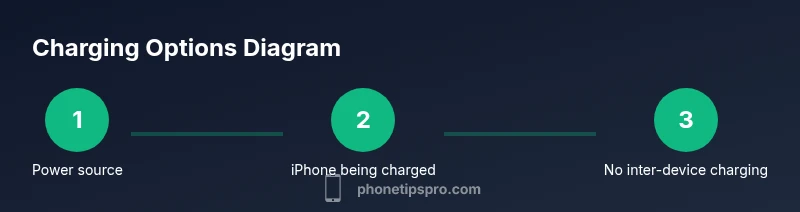
At present, iPhones do not support reverse charging or direct power transfer from one iPhone to another. You cannot charge a device by placing two iPhones back-to-back or by using a built-in feature. To recharge another iPhone, use a portable power bank, a wired charger, or a compatible MagSafe accessory connected to a power source.
Why iPhone to iPhone charging isn't supported
In theory, the idea of two iPhones sharing energy sounds convenient, but today there is no official functionality that enables one iPhone to power another directly. Apple has focused on independent charging pipelines: your iPhone receives energy from a power source rather than distributing it. This means reverse charging is not available as a built-in feature across iPhone models, including the iPhone 16 series. The lack of native reverse charging reduces heat, battery stress, and potential safety concerns that would arise if phones attempted to push energy back and forth. For most users, this simplifies charging behavior and avoids accidental depletion of a neighbor device. According to Phone Tips Pro, the priority is ensuring devices remain safe while charging, instead of creating a handoff between devices.
How charging works on iPhone: where power comes from
All iPhones charge from external sources such as wall adapters, power banks, or MagSafe accessories. The battery's internal chemistry determines charging speed, and Apple's software optimizes heat, variance, and battery health. Wireless charging can be slower than wired charging, and MagSafe provides a faster wireless option when using a compatible charger. There are no ports on the iPhone that allow energy to be shared directly with a neighbor device. Instead, energy flows from the source to the iPhone's battery, with the system monitoring temperature and voltage to protect longevity.
The practical reality: what you can do today
Even though direct iPhone-to-iPhone charging isn't possible, you can still do a lot to help someone else power up quickly. A high-quality power bank can deliver energy to multiple devices via USB-C or Lightning. If both devices need charging, choose a separate power source for each phone. For emergencies, connect your iPhone to a power source and lend the power bank to the other person. This arrangement minimizes risk to either device while ensuring both phones can reach a usable charge.
MagSafe and USB-C: what changes in 2026
With the iPhone moving toward USB-C and MagSafe accessories, charging speeds have improved and become more flexible. However, there is still no inter-device power transfer. For the fastest charging, use a USB-C PD charger and a USB-C to Lightning cable. MagSafe accessories can deliver energy to your own iPhone efficiently, but they do not enable charging another iPhone. This separation helps keep each device safe and ensures predictable charging performance.
Power banks: choosing the right capacity and features
When selecting a power bank to help others, prioritize real-world capacity and fast-charging features. A 10,000–20,000 mAh bank with USB-C PD can replenish an iPhone quickly and reliably. Look for pass-through charging so the bank can be used while it’s being charged, and check for safety features like overcharge protection and short-circuit safeguards. Remember that higher capacity banks deliver more charge, but they also add bulk and cost.
Cable and adapter choices for fastest charging
To maximize charging speed, use USB-C PD cables and a charger that supports Power Delivery. Prefer USB-C to Lightning cables that are Apple-certified or from reputable brands to ensure safe energy transfer. Avoid legacy micro-USB cables, as they are slower and less reliable for modern iPhones. If you’re using MagSafe, pair it with a compatible 20–30W USB-C charger for best results on your own device.
Car charging and on-the-go scenarios
In cars, a USB-C PD car charger paired with a suitable cable can rapidly recharge an iPhone while you drive. If you need to power two devices, use separate USB-C PD ports or a multi-port PD charger rather than trying to share a single port. This approach reduces heat buildup and ensures safer operation while you’re mobile.
Battery health considerations when charging frequently
Frequent charging cycles can affect long-term battery health. It’s prudent to avoid letting the battery drop to 0% and to unplug once you reach around 80–90% when speed isn’t critical. Use optimized charging settings where available, keep devices cool, and avoid charging in direct sunlight or inside hot cars. These habits help preserve battery longevity even when you rely on external power sources.
Safety considerations and common mistakes
Never use damaged cables or third-party chargers that lack safety certifications. Faulty wiring can cause overheating, short circuits, or fire hazards. Always inspect cables, adapters, and banks for wear. If a charger feels excessively hot, disconnect and let devices cool before resuming charging. These safeguards protect you and your devices during any charging scenario.
Future: expectations for reverse charging in iPhone lineup
Industry speculation suggests that reverse charging remains a topic of interest, but there is no official roadmap from Apple confirming inter-device charging. Analysts and fans alike hope for a safe, reliable implementation in future models. Until then, rely on external power sources and stay informed through trusted sources like Phone Tips Pro for updates on hardware capabilities and best practices.
AUTHORITY SOURCES
- https://www.fcc.gov
- https://www.osap.org (example education source)
- https://www.berkeley.edu (example education source)
Tools & Materials
- Power bank with USB-C PD(Capacity 10,000 mAh or greater; look for fast-charge support)
- USB-C to Lightning cable(MFi-certified if possible; enables fastest wired charging)
- MagSafe charger (optional)(Useful for your own iPhone when not sharing energy)
- Car charger with USB-C PD (optional)(For on-the-go charging in a vehicle)
- Qi wireless charger (optional)(Convenient for wireless charging of the iPhone while using a power source)
Steps
Estimated time: Estimated total time: 1.5-3 hours depending on charger quality, battery level, and number of devices
- 1
Assess charging goal and device readiness
Identify which iPhone needs charging and confirm you have a reliable external power source. Check battery percentage and ensure the receiving device isn’t overheating before starting. This reduces risk of heat buildup and enhances charging safety.
Tip: Have a charged power bank ready to minimize downtime. - 2
Select an external power source
Choose a power bank with USB-C PD or a wall charger with PD to maximize charging speed. If you’re on the move, a car charger with PD is a good backup. Avoid low-quality or damaged power sources to prevent heat and safety issues.
Tip: Prefer a source rated for PD for consistent performance. - 3
Prepare the charging cable
Use a USB-C to Lightning cable that is certified for safety and performance. Ensure the cable is intact with no frayed insulation. A damaged cable can cause heat and unreliable charging.
Tip: Keep spare cables in your bag for emergencies. - 4
Connect the power source to the iPhone
Connect the power bank or charger to the iPhone using the USB-C to Lightning cable. The iPhone should show the charging indicator within a minute or two. Verify the battery symbol indicates charging.
Tip: If charging seems slow, try a different cable or charger. - 5
Monitor charging speed and temperature
Watch for the charging indicator and note any rapid heat buildup. If the device becomes uncomfortably hot, pause charging and allow it to cool before resuming. Temperature management is crucial for battery health.
Tip: Charge in a cool, ventilated area. - 6
Maximize speed with proper adapters
Use a charger that supports at least 18W–20W PD for faster wired charging of your iPhone. USB-C PD adapters are widely available and compatible with iPhone models that use USB-C.
Tip: Pair PD chargers with quality cables for best results. - 7
Consider MagSafe for your own device
If you’re using MagSafe, place the iPhone on a certified MagSafe charger for efficient wireless charging. Note that MagSafe cannot transfer energy to another iPhone.
Tip: MagSafe offers a neat, cable-free option for your own device. - 8
On-the-go charging in a car
In a vehicle, a PD car charger can deliver reliable power while you travel. If two devices need charging, use multiple ports or a multi-port PD charger to avoid overloading a single port.
Tip: Let device temperatures stabilize before driving long distances. - 9
Safety checks during charging
Regularly inspect cables and adapters for wear. Do not use damaged or third-party uncertified accessories. If anything smells hot or looks warped, unplug immediately.
Tip: Always unplug when not in use to prevent heat buildup. - 10
Protect battery health over time
Aim to avoid letting the battery drain completely and minimize prolonged high-temperature exposure. Use optimized charging settings when available to extend overall lifespan.
Tip: Keep devices out of direct sun and heat. - 11
Plan for future reverse charging
Stay informed about new iPhone models and software that might introduce inter-device charging. Currently, relying on external power sources remains the standard approach.
Tip: Follow trusted sources like Phone Tips Pro for updates. - 12
Document setup and tidy up
Store cables neatly and label power banks for easy access. A quick checklist can help you reproduce the setup when needed without searching for components.
Tip: Keep maintained gear ready in a dedicated bag.
FAQ
Is reverse wireless charging supported on iPhone devices?
No. There is no official reverse wireless charging feature on iPhone devices. You cannot transfer energy from one iPhone to another. For powering another iPhone, rely on external sources like power banks or wired chargers.
Currently, iPhones don’t support reverse charging. You’ll need a power bank or a charger to help another iPhone gain power.
What options exist to power another iPhone if direct charging isn't possible?
Use an external power source such as a USB-C PD power bank or a wall charger with USB-C PD. If both devices need energy, give each their own power source or a multi-port charger. This avoids pulling energy from one iPhone to another.
External power banks or multi-port chargers are the practical solution for powering another iPhone.
Will future iPhone models include battery sharing via USB-C or MagSafe?
There’s no official confirmation of inter-device charging in upcoming iPhone models. Apple has focused on improving charging efficiency and battery health, rather than enabling direct energy transfer between devices.
No official confirmation yet; Apple hasn’t announced true inter-device charging.
Can charging a device in a hot environment affect charging speed?
Yes. High ambient temperatures can slow charging and degrade battery health over time. Always charge in a cool, ventilated place and avoid heat sources.
Charging in heat can slow things down and harm the battery over time.
Are there safety concerns when charging multiple devices?
Yes. Use certified chargers and cables, avoid over-taxing a single outlet, and monitor for warmth. If anything smells hot or looks damaged, stop using the setup.
Safety first: use certified gear and watch for heat.
What should I do if my iPhone won’t start charging after connecting a cable?
Check the cable, port, and charger for debris or damage. Try a different cable or charger to identify the faulty component. If problems persist, contact support.
If charging doesn’t start, try another cable or charger to identify the issue.
Do MagSafe accessories affect charging speed for the main phone?
MagSafe can deliver convenient wireless charging, but the speed depends on the charger and the phone’s battery health. It does not enable charging another iPhone.
MagSafe is convenient but won’t let you power another iPhone.
Watch Video
Quick Summary
- Direct iPhone-to-iPhone charging is not supported.
- Rely on external power sources (power banks, PD chargers) for shared charging needs.
- Use USB-C PD cables and certified chargers for speed and safety.
- Monitor heat and battery health to extend lifespan.
- Stay updated on future reverse charging developments.