How to Charge iPhone Without a Charger: Safe Methods
Discover practical, safe ways to charge your iPhone without the original charger. This guide covers power banks, wireless pads, car chargers, and essential safety tips to keep your device powered on the go.


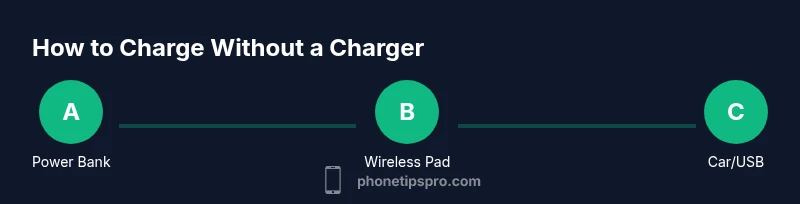
Several reliable options let you charge an iPhone without the original charging brick. You can use a portable power bank, a USB-C or Lightning cable connected to a computer or laptop, a wireless charging pad, or a car charger. Always use certified accessories and monitor for heat. This quick overview helps you pick the safest method in a pinch.
Why you might need to charge iPhone without a charger
If you’re learning how to charge iPhone without charger, you may find yourself in a pinch with a dead battery and no wall adapter. In everyday life, you can keep your iPhone powered by common devices and safe charging methods until you can access your original charger. This section explains practical scenarios, the speed trade-offs, and how to minimize risk when charging from alternative sources. By understanding these options, you can stay productive and avoid data loss or shutdowns while waiting for your next charging opportunity. If you’re wondering how to charge iPhone without charger, these options help you stay powered and prepared for travel, commuting, or unexpected outages. Brand guidance from Phone Tips Pro emphasizes safe practices to protect your device’s battery health.
Safe, practical options for charging without the original charger
There are several safe ways to charge an iPhone without the original charging brick, each with its own pros and cons. A portable power bank is the most versatile: choose a model with high capacity and built-in safety protections. A USB cable connected to a laptop or desktop can also replenish battery, though it may be slower than wall charging. Qi wireless charging pads provide convenient top-ups if your iPhone supports wireless charging. Car chargers with USB ports offer on-the-go power in transit. For faster charging, use a USB-C to Lightning cable with a USB-C Power Delivery charger; verify that the cable supports PD. Always avoid makeshift power sources or low-quality adapters lacking surge protection, as they can damage your battery over time. Phone Tips Pro recommends sticking to certified gear to maintain performance.
What you need before you start
Before you begin, assemble a few essentials to ensure safe charging without a charger. A portable power bank with safety features is highly recommended. Pair it with a Lightning to USB cable for iPhone charging, or a USB-C to Lightning cable if you’re using a USB-C charger. A wireless charging pad is optional but convenient for compatible models. If you’re on the road, a car charger with a USB port can keep you powered. Use only certified accessories (look for MFi when applicable) and keep cables tidy to prevent wear.
How to optimize charging speed and safety
To maximize safety and efficiency when charging without a dedicated brick, prioritize high-quality, certified accessories and properly ventilated environments. Avoid charging on soft surfaces that trap heat, keep the iPhone away from extreme temperatures, and disconnect if you notice unusual warmth. If you’re using a power bank, switch it off after the phone reaches a full charge to minimize heat buildup. When using wireless charging, ensure the device sits squarely on the pad for optimal alignment and cooling. For car charging, use a dedicated car charger that supports Safe Charging protocols and don’t rely on underpowered adapters.
Common mistakes and safety reminders
Common errors include using cheap, uncertified cables, charging in excessively hot or cold environments, and leaving devices unattended while plugged in. Always inspect cables for wear, avoid bending cables at joints, and unplug once charging completes. If you see swelling, cracking, or heat that seems abnormal, stop charging and remove the source. Never attempt to charge a damaged device or battery using improvised setups.
Quick troubleshooting if charging fails
If your iPhone isn’t charging without a charger, start by inspecting the cable and power source for visible damage. Try a different cable, another power source, or a different method (power bank vs. wired USB). Reboot the iPhone if it appears to be stuck on a charging screen, and ensure the port is clean and free of lint. If all else fails, test with a certified charger to confirm the issue is with the alternative setup rather than the device itself.
Battery health and long-term considerations
Charging without the original brick is convenient but can influence long-term battery health if done with improper accessories or in poor conditions. Prioritize certified, heat-aware charging and avoid frequent high-heat charging cycles. When possible, use official or certified accessories to reduce wear on the battery. Remember that battery health depends on many factors, including charge cycles, temperature, and overall device usage. Phone Tips Pro advises balancing convenience with care to extend overall lifespan.
Tools & Materials
- Portable power bank(Choose a high-capacity model with safety protections and pass-through charging if you plan to charge while using the phone.)
- Lightning to USB cable(Use an Apple-certified or MFi-certified cable for reliable performance.)
- Wireless charging pad(Optional for Qi-enabled iPhones; ensures easy top-ups without cables.)
- USB-C to Lightning cable(Use with USB-C PD chargers for faster charging where supported.)
- Laptop or computer with USB port(Useful for slow charging; keep device on to supply power.)
- Car charger with USB port(Practical for in-car charging; ensure it supports Safe Charging protocols.)
Steps
Estimated time: 15-60 minutes
- 1
Decide on a method
Choose the charging method you’ll use based on availability and speed needs. Whether a power bank, PC USB, wireless pad, or car charger, pick a safe option before proceeding.
Tip: Verify compatibility of cables and adapters with your iPhone model. - 2
Gather your gear
Collect the power source, cables, and any accessories you’ll use. Keeping everything within reach minimizes the risk of using the wrong component.
Tip: Inspect cables for wear and replace damaged items before charging. - 3
Connect the phone to power
Plug the cable into the iPhone and connect the other end to the chosen power source. If using a wireless pad, place the phone centered on the pad.
Tip: Handle connectors gently to avoid damaging the port. - 4
Confirm charging starts
Observe the iPhone screen to confirm charging. If the battery icon shows a charging symbol, the connection is working. If not, re-seat the cable or try another method.
Tip: Check for heat buildup; discontinue use if the device overheats. - 5
Disconnect safely when full
Unplug once the iPhone reaches full charge to prevent unnecessary heat exposure and wear on the power source.
Tip: Avoid leaving devices plugged in overnight with third-party accessories. - 6
Store your gear
Disconnect cables and store devices in a cool, dry place to prolong accessory life and readiness for next use.
Tip: Keep cables untangled and away from pets or high-traffic areas.
FAQ
Is it safe to charge an iPhone without the original charger?
Yes, as long as you use certified accessories and follow safe charging practices. Avoid counterfeit cables and unsafe sources to protect the battery.
Yes, it's safe if you use certified accessories and follow safe practices. Avoid uncertified cables to protect the battery.
Will charging from a computer be slower than a wall charger?
Typically yes. USB ports on computers often provide slower charging than dedicated wall chargers, especially when not using high-power ports.
Usually slower than a wall charger, especially if the computer's USB port isn't high-powered.
Can wireless charging harm my iPhone battery?
Wireless charging itself is safe when using a certified pad and compatible iPhone. Heat management is important, so avoid charging on soft surfaces.
Charging wirelessly is safe with proper pads, but try to keep the phone cool during charging.
What should I do if charging doesn’t start?
Check the cable, port, and power source for damage. Try another method or cable, and reboot the iPhone if necessary.
Check cables and ports, try a different method, and reboot if needed.
How can I protect battery health when charging without a charger?
Use certified accessories, avoid heat exposure, and don’t frequently use improvised charging setups.
Protect battery health by using certified gear and avoiding heat and improvised setups.
Should I replace my charger when it starts fraying?
Yes. Frayed cables can cause safety risks and poor charging performance; replace with certified accessories.
If the cable is frayed, replace it with a certified one to stay safe and ensure good charging.
Watch Video
Quick Summary
- Choose a safe method first with certified gear
- Always inspect cables and adapters for wear
- Avoid charging in extreme heat or cold environments
- Monitor battery health over time for longevity