Should iPhone Be On or Off When Charging? An Analytical Comparison
Explore whether your iPhone should be on or off while charging. This analytical guide covers charging habits, Optimized Battery Charging, heat management, and practical daily routines for long-term battery health.


Should iphone be on or off when charging? For most users, leaving your iPhone on the charger is perfectly fine. Apple’s Optimized Battery Charging minimizes aging by managing charging speed and heat. Turning the device off offers little measurable benefit, though you might choose to turn it off to reduce notifications or for a quiet overnight charge.
The Core Question and Context
Understanding should iphone be on or off when charging is more than a nerdy battery question; it shapes how you balance convenience, notifications, heat, and long-term battery health. According to Phone Tips Pro, many users worry that keeping the phone powered during charging could accelerate wear. In practice, the combination of modern lithium-ion chemistry and smart charging features means that the device is designed to tolerate being plugged in while powered. The central idea is simple: charging habits matter, but the difference between leaving the phone on and turning it off is often subtle and situational. For most daily users, the on/off state during charging will not dramatically change battery longevity, provided charging occurs in a cool environment and within normal temperature ranges. This is especially true when you enable features like Optimized Battery Charging, which is designed to slow aging by learning your routine and timing the last phase of charging to near your expected device use. The answer, then, leans toward convenience for everyday use, while acknowledging situations where a quiet, distraction-free charge may be desirable.
How iPhone Charging Has Evolved
Over the past decade, iPhone charging behavior has evolved from simple plug-and-charge routines to sophisticated battery management. modern iPhones use lithium-ion cells paired with a sophisticated charging algorithm that includes thermal sensing, background health monitoring, and machine-learned patterns. The phrase should iphone be on or off when charging becomes less about a binary rule and more about how you want to interact with your device. The introduction of Optimized Battery Charging in iOS reduced battery aging by delaying a full 100% charge until just before you wake up or begin using the device. This means that leaving the device on the charger is not a risk in the sense of accelerated wear, provided the device remains within a healthy temperature range. Phone Tips Pro analyses indicate that most users benefit from continuing to use the OS-provided features rather than adopting a blanket off-state every time.
How Optimized Battery Charging Works Today
Apple’s Optimized Battery Charging is not a blunt timer; it’s a nuanced system that uses on-device learning to adjust when the final portion of charging occurs. The goal is to reduce the time the battery spends at 100% while hot or during long idle periods, which mitigates chemical aging. When you keep the phone on while charging, background processes, notifications, and automatic updates may activate occasionally, but the system prioritizes minimizing heat and idle time at full charge. If you are away from your usual routine or need a notification-free night, turning the device off is a legitimate option—but it’s not a universal requirement. The phone’s management routines are designed to protect longevity regardless of whether the device is on or off during charging, as long as heat exposure remains limited.
The Case for Leaving It On: Convenience and Consistency
Leaving the iPhone on while charging offers undeniable conveniences. You can receive critical calls, access health data, and keep background apps up to date without interruption. From a battery health perspective, modern iPhones are engineered to handle long charging sessions with controlled heat generation. When you leave the device plugged in, the OS continues to manage the charging cycle, using the Advanced Battery Hydration Curve to optimize the final charge. The key is to ensure the device is in a cool environment and not in direct sunlight or a hot car, which is a common heat source that can degrade cell health over time. In addition, notifications, alarms, and other essential functions remain accessible, which is often the deciding factor for busy users who rely on a live device.
The Case for Turning It Off: Quiet, Low-Distraction Charging
There are scenarios where turning the device off during charging makes sense. A quiet night in a shared space, a sleep-friendly environment, or a testing setup without interruptions might justify turning off the device. If you are concerned about privacy or want to avoid accidental touches, powering down removes the risk entirely. It’s also reasonable for users with inconsistent charging locations to power down to preserve privacy while charging in public or semi-public spaces. From a battery-health standpoint, the impact is typically minimal, provided heat remains controlled and the charger is standard. Ultimately, the off-state is a personal preference rather than a strict health requirement.
Practical Scenarios: Overnight, Travel, and Quick Top-Ups
Overnight charging with Optimized Battery Charging is a common practice that aligns with both convenience and battery health. When traveling, you may unplug and reset conditions in new environments; the OS will adapt its charging pattern accordingly. For quick top-ups during the day, leaving the device on ensures rapid readiness after a brief charge. The decision to stay on or shut down can also depend on whether you need to mute notifications or prevent screen wake-ups during charging. The key takeaway is that both states are supported by iOS, and your daily routine should steer the choice rather than a rigid health rule.
Heat, Temperature, and Long-Term Battery Health
Heat is one of the most critical and controllable variables impacting long-term battery health. Even with Optimized Battery Charging, sustained high temperatures during charging can contribute to faster aging. It’s prudent to charge in a cool, ventilated area, avoid charging in direct sun, and ensure adequate airflow around the device. The choice of staying on or turning off should be guided by heat exposure: if your charging environment tends to be warm, you may prefer turning off to minimize ongoing heat generation from background activity. If the environment is comfortable, leaving the device on is generally safe and convenient.
Practical Tips to Maximize Battery Health Regardless of State
No matter the charging state, several best practices help preserve battery health. Keep your iPhone within the recommended temperature range, enable Optimized Battery Charging, and avoid charging while the device is exposed to direct sun or heat. Use a quality charger and cable that meet Apple’s specifications. Regularly monitor battery health in Settings > Battery > Battery Health to stay aware of peak capacity and performance peak. If you notice unusual heat or rapid battery drain, consult official support channels or a trusted technician. These habits apply whether you keep the device on or turn it off during charging.
Myths, Realities, and a Balanced View
Common myths suggest that turning off while charging dramatically extends battery life, or that leaving it on causes immediate, noticeable wear. In reality, the difference is often marginal and depends on external factors such as heat and usage patterns. A balanced view acknowledges that battery health is influenced by lifecycle usage, temperature, charge levels, and the quality of the charger. The most consistent recommendation is to leverage Optimized Battery Charging, monitor heat, and align charging habits with your daily routine. This approach maintains convenience while still prioritizing battery longevity.
Comparison
| Feature | Leave On (Device on charger) | Turned Off (Device powered down) |
|---|---|---|
| Heat generation during charging | Moderate heat managed by device on charger | Lower heat when powered down |
| Charging speed and efficiency | Optimized charging controls speed regardless of state | Minimal OS background activity; charging stays effective |
| Battery-health impact over time | Similar aging risk with proper temperature control | Similar aging risk with proper temperature control |
| Notifications/background activity | Occasional background activity and alerts | No background activity while powered off |
| Convenience and daily use | Highest convenience; ready to use immediately | Extra steps to power on/off when needed |
Positives
- Reduces potential heat-related stress during charging
- Keeps notifications and apps available for quick use
- Overnight charging is seamless with Smart Battery features
- Prevents accidental taps or interruptions during charging
Weaknesses
- Requires discipline to manage heat-prone environments
- Turning off may be inconvenient for routine night routines
- Potential minor energy use from background processes when left on
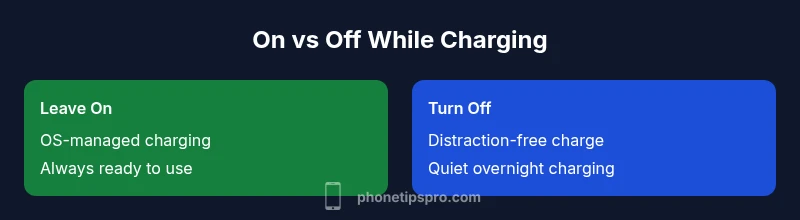
Leave On for everyday use; turn Off only for quiet or privacy-focused charging
In typical daily use, keeping the iPhone on while charging is fine thanks to Optimized Battery Charging. Turn Off if you need a distraction-free charge or privacy, but it’s not a health requirement.
FAQ
Should I leave my iPhone on the charger overnight?
Yes, it is generally safe to leave your iPhone on the charger overnight thanks to Optimized Battery Charging. The system reduces aging by timing the final charge to when you typically wake up. Ensure the device is in a cool area and use a reputable charger.
Yes—overnight charging is safe with Optimized Battery Charging, and you can rely on the system to minimize aging as you sleep.
Is turning off my iPhone during charging better for battery health?
Not significantly. The battery health impact is more influenced by heat and overall lifecycle usage. Turning off mainly reduces background activity or distractions, not a meaningful health benefit in most cases.
Turning it off doesn't meaningfully extend battery life; heat and usage patterns matter more.
Can Optimized Battery Charging be turned off to speed up charging?
Disabling Optimized Battery Charging is generally not recommended because it aims to reduce aging by adjusting charging timing. If you need full speed occasionally, you can temporarily disable it, but re-enable later for long-term health.
Disabling OBC is not usually necessary; it helps with longevity and only reduces aging when left on.
Does heat affect battery health?
Yes. Excessive heat during charging can accelerate battery aging. Keep your device in a cool environment and avoid charging in hot cars or direct sunlight.
Heat is a big factor in battery aging; keep charging in a cool place.
Is wireless charging different for on/off state?
Wireless charging follows the same principles: use Optimized Battery Charging, protect from heat, and avoid environments that cause overheating. The device can remain on or be turned off; OS protections apply to both.
Wireless charging uses the same rules—keep it cool and use Optimized Battery Charging.
When should I turn off charging entirely?
Only for specific privacy or quiet environment needs. For most users, leaving the device on while charging provides convenience without harming battery health when temperatures are controlled.
Turn off only if you need quiet charging or privacy; otherwise, stay on for convenience.
Quick Summary
- Rely on Optimized Battery Charging for longevity
- Turn Off only for quiet or privacy needs
- Keep charging in a cool environment and avoid heat
- Use quality chargers and monitor battery health regularly
- Daily routines matter more than the on/off state during charging