Can You Call iPhone to iPhone Internationally? A Practical Guide
Learn how to call iPhone to iPhone internationally, including roaming, Wi-Fi Calling, and eSIM options. Step-by-step guidance, tips, and troubleshooting for reliable global communication.


Yes—iPhone-to-iPhone international calls are possible through roaming, Wi‑Fi Calling, or VoIP. Quick steps: 1) confirm roaming availability and rates with your carrier, 2) enable Wi‑Fi Calling in Settings > Phone, 3) choose a calling option (cellular, Wi‑Fi, or VoIP), 4) test the connection before relying on it abroad. This approach covers most common situations.
Can you call iPhone to iPhone internationally: practical reality
The direct question often surfaces in travel forums: can you call iPhone to iPhone internationally? In most cases, yes, you can. iPhone devices support multiple pathways for cross-border voice: traditional cellular calls via roaming, Voice over IP options over Wi-Fi, or internet-based methods like FaceTime Audio and popular VoIP apps. According to Phone Tips Pro, the method you pick depends on your destination, your current plan, and the devices involved. The Phone Tips Pro team notes that travelers who prepare ahead—checking roaming availability, enabling Wi‑Fi Calling, and having an eSIM or international plan ready—tend to experience more reliable connections. In 2026, carriers broaden international add-ons and eSIM support, making it easier to stay connected with friends and family abroad. The reliability of each option often hinges on whether the call travels over traditional cellular networks or the internet, and on the stability of the local network.
How iPhone handles international calling basics
At its core, international calling on iPhone hinges on two channels: traditional cellular voice over a roaming network, and data-driven calls over the internet (Wi‑Fi Calling, FaceTime Audio, or VoIP apps). When you place a call, your iPhone negotiates with the local network; if roaming is active, the call routes through the home carrier, which can incur higher charges. If you are connected to Wi‑Fi, your call can ride the internet rather than the cellular network, often reducing cost and avoiding roaming fees. FaceTime Audio is particularly convenient for iPhone-to-iPhone calls when both parties are online, while third-party apps like WhatsApp, Signal, or Skype rely on data availability rather than a voice channel on the guest network.
Carrier options: roam vs domestic plan vs international add-ons
Your carrier may offer roaming by default, a separate international voice plan, or an eSIM option. Roaming lets you use your home number abroad, but prices per minute can be high, and data roaming often carries extra costs. International add-ons bundle minutes and data, sometimes with lower per-minute rates than roaming alone. An eSIM enables you to switch to a local or international plan without swapping physical SIMs, which is especially handy if you travel frequently. When choosing, compare coverage in the destination country, the ability to receive calls, and any limits on data usage. The Phone Tips Pro analysis notes that many travelers prefer eSIMs or inexpensive international plans because they offer more predictable costs and easier activation than legacy roaming. Ensure your device settings support eSIMs and that your carrier supports the option you want.
Wi‑Fi Calling and its international viability
Wi‑Fi Calling uses your internet connection to route voice calls, which means you can call if you have access to reliable Wi‑Fi at home or abroad. On iPhone, enable it under Settings > Phone > Wi‑Fi Calling; some carriers require you to verify your address and enable the feature on their network. When Wi‑Fi is available, you can place calls as if you were on a cellular network, often with included minutes or lower costs than roaming. However, not all countries and carriers support Wi‑Fi Calling, and some emergency call routing can differ from traditional voice. If Wi‑Fi is unstable, you may experience dropped calls or degraded audio. Phone Tips Pro advises testing Wi‑Fi Calling in the countries you visit to confirm compatibility and cost savings before a critical conversation.
iMessage and FaceTime: alternatives for international communication
FaceTime Audio and iMessage can be excellent alternatives for iPhone-to-iPhone communication when you have internet access. FaceTime Audio tends to offer high-quality audio with low latency on stable networks, and iMessage can carry messages even when voice calls aren’t possible. For international calls where both parties use Apple devices, FaceTime Audio often provides smoother connections than traditional cellular voice, especially when roaming charges would apply. You can start a FaceTime Audio call from Messages or the Phone app. Keep in mind that data and battery use increase with long conversations. If one party lacks Apple devices, you’ll rely on VoIP apps that work across platforms. The Phone Tips Pro team notes that hybrid approaches—combining FaceTime for some conversations and VoIP apps for others—often yield the best balance of cost and reliability.
eSIMs: a flexible path to international calling
eSIMs let you switch profiles without swapping SIMs, enabling local or international calling plans to activate quickly. If your iPhone supports eSIM, you can install an international plan from a carrier in minutes, which can dramatically simplify staying connected across borders. Before buying, check that your device is unlocked and that the destination country supports the chosen eSIM provider. Compare options for voice minutes, data allowances, and network compatibility. Some travelers find that an eSIM paired with Wi‑Fi Calling or an accompanying VoIP app gives the best combination of reliability and cost control. The Phone Tips Pro guidance highlights that eSIM adoption is rising among iPhone users who travel, thanks to easier activation and broader carrier support.
Step-by-step setup for international calling
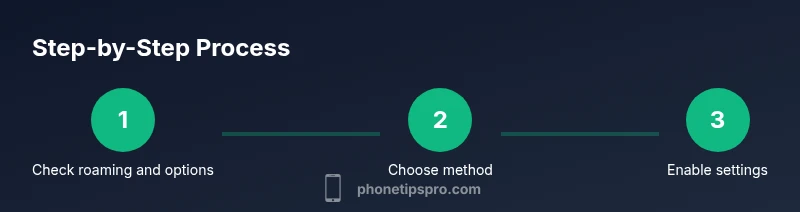
Preparing to call internationally requires a practical, step-by-step approach. Start by confirming roaming options with your home carrier and checking for international add-ons or eSIM availability. Then decide whether you will rely on cellular voice, Wi‑Fi Calling, or a VoIP app. Next, on your iPhone, enable Wi‑Fi Calling and ensure FaceTime is active. If you plan to use an eSIM or international plan, install it and verify that it’s active. Finally, test a short call with a friend in a nearby country or a trusted contact to ensure your chosen method works in the real world. If you encounter issues, switch to a different method and re-test. Phone Tips Pro recommends performing these checks ahead of travel to avoid last-minute surprises.
Troubleshooting common issues when calling internationally
Common issues include inability to place a call, unexpected roaming charges, or poor audio quality. If calls fail, verify that roaming is enabled, check that you have mobile data if using VoIP, and confirm that the destination supports the chosen method. For Wi‑Fi Calling, ensure you’re connected to a reliable network and that your carrier supports Wi‑Fi Calling in the destination country. If you still can’t connect, try an alternative method (FaceTime Audio or a VoIP app) and test again. In some cases, you may need to adjust network settings or reset network settings. The Phone Tips Pro team suggests keeping your iPhone updated to the latest iOS version to maximize compatibility with new calling features and international roaming.
Security, privacy, and practical safeguards for international calls
International calling involves transmitting sensitive voice data and, sometimes, personal information over networks you do not control. Ensure you use trusted networks, enable two-factor authentication where possible, and avoid sharing sensitive data over untrusted connections. When using public Wi‑Fi, prefer apps with end-to-end encryption and turn off automatic login features. If you rely on VoIP apps, review the app’s privacy policy and permissions. Phone Tips Pro emphasizes staying vigilant about SIM swap attempts or rogue access points while traveling. Staying safe means choosing reliable networks, keeping devices updated, and using strong, unique passwords for any accounts used in international communication.
Cost-saving strategies to optimize international calling
Cost management matters when traveling or living abroad. Where possible, use Wi‑Fi Calling or FaceTime Audio and rely on data-connected apps rather than roaming. Compare international add-ons from your carrier to determine whether they provide better value than standard roaming by offering bundled minutes or data. If your travels are frequent, an eSIM-based plan may reduce ongoing costs and simplify activation. Monitor usage and implement data-saving settings such as Low Data Mode where available. The Phone Tips Pro guidance suggests mapping out typical calling patterns—frequent international calls vs. occasional calls—to choose the most economical mix of options.
Final scenarios and best-practice recommendations
Traveler, expatriate, and student scenarios each benefit from a tailored approach. A traveler may rely on a combination of Wi‑Fi Calling and an international plan; an expatriate in a country with limited roaming coverage might use an eSIM with a local plan; a student studying abroad could combine FaceTime Audio with a data-friendly VoIP app to manage costs. Regardless of scenario, the core advice remains: test methods before critical calls, keep devices updated, and choose the option that balances reliability and cost. The Phone Tips Pro team concludes that the most resilient setup usually blends Wi‑Fi Calling, a reliable data connection, and one or two fallback options for when a network is spotty.
The Phone Tips Pro verdict: practical, flexible, and user-friendly international calling
From a practical standpoint, international calling on iPhone has become easier and more adaptable. If you prepare with the right mix of roaming, Wi‑Fi Calling, eSIMs, and trusted VoIP apps, you can stay connected with important contacts around the world. The Phone Tips Pro team recommends a proactive setup: verify your options, enable essential features, and test regularly. By combining official carrier features with user-friendly Apple services, you can reliably reach iPhone users anywhere, anytime.
Tools & Materials
- iPhone with latest iOS(Ensure device is up to date for best feature support)
- Active carrier plan with international roaming or international add-on(Confirm availability, rates, and coverage in destination)
- Stable Wi-Fi access(Needed for Wi-Fi Calling and VoIP apps)
- eSIM support (optional)(If you plan to use an international or local eSIM)
- Travel-friendly calling apps (FaceTime, WhatsApp, Skype, etc.)(Useful backups when cellular/wifi options vary)
- Power backup (cables/power bank)(Keeps devices charged during long calls)
Steps
Estimated time: Estimated total time: 20-40 minutes
- 1
Check roaming options with your carrier
Confirm international voice roaming availability and any add-ons or discounts before you travel. This helps you forecast costs and choose the most economical method.
Tip: Ask for a daily roam option or a flat reduced rate for your destination. - 2
Decide your calling method
Choose between cellular roaming, Wi‑Fi Calling, or a VoIP app based on the destination's network and cost expectations.
Tip: If roaming is expensive, prioritize Wi‑Fi Calling or VoIP over a stable internet connection. - 3
Enable required settings on iPhone
Turn on Wi‑Fi Calling in Settings > Phone > Wi‑Fi Calling and verify FaceTime is active. If using VoIP apps, ensure data access is allowed.
Tip: Test settings by placing a short call before you travel. - 4
Set up an eSIM or international plan
Install or activate the chosen international plan or eSIM so you’re not scrambling at the border.
Tip: Confirm the eSIM profile is active and listed as primary in Settings > Cellular - 5
Test the setup in advance
Place a test call to a friend in a nearby country and another test via Wi‑Fi Calling to confirm quality and connection stability.
Tip: Test in different locations (home, cafe, transit) to gauge reliability. - 6
Monitor usage and adjust as needed
During travel, compare performance of each method and switch to the most reliable one. Use data-saving modes if needed.
Tip: Keep a backup method ready in case one network deteriorates.
FAQ
Do I need a special plan to call another iPhone abroad?
Not always. You can use roaming, Wi-Fi Calling, or FaceTime Audio depending on the destination and available networks.
You usually don't need a special plan; try roaming options or Wi‑Fi Calling first.
Is Wi-Fi Calling available in all countries?
No. Availability depends on your carrier and the destination country. Check with your carrier for supported regions.
Wi‑Fi Calling isn't universal; confirm with your carrier for your travel plan.
Can I use FaceTime Audio for international calls?
Yes, if both sides have Apple devices and an internet connection. It can be cheaper than roaming.
FaceTime Audio works if both users are online on Apple devices.
What about using WhatsApp or other VoIP apps abroad?
VoIP apps work over data connections and can be a cost-effective option when cellular service is limited.
VoIP apps are handy when data is available and roaming is costly.
Will roaming be cheaper than a local plan?
Roaming often costs more per minute than a local or international add-on; compare options with your carrier.
Compare roaming rates with international add-ons or eSIM options for better value.
How can I test my international calling setup quickly?
Perform a quick test call at home to a friend, then test again in a different location with the chosen method.
Do a first test at home and another in a different environment.
Watch Video
Quick Summary
- Identify your best calling path: roaming, Wi-Fi Calling, or VoIP.
- Enable Wi-Fi Calling and test before travel.
- Consider an eSIM to simplify international plans.
- FaceTime Audio and iMessage are reliable with internet.
- Test calls in real-world conditions and monitor costs.