Can You Use iPhone with Mint Mobile? A Practical Guide
Learn whether you can use your iPhone with Mint Mobile, including SIM/eSIM compatibility, unlocking needs, model support, and a step-by-step setup for seamless activation.


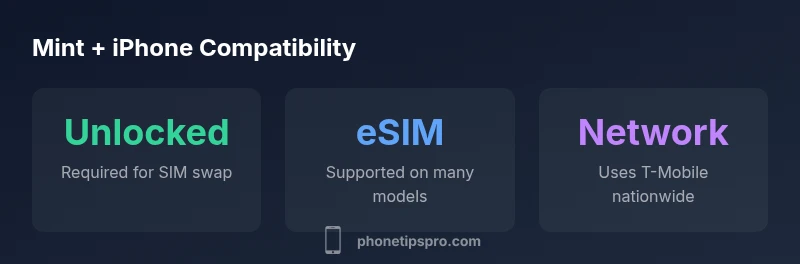
Yes—most unlocked iPhones can be used with Mint Mobile on its GSM network, provided the device is compatible, unlocked, and supports the SIM size. Mint relies on T-Mobile’s network, so an iPhone model with current iOS updates should work with Mint’s SIM or eSIM where available. Check device compatibility, carrier unlocking status, and how to transfer your number for a smooth switch.
Understanding Mint Mobile and iPhone Compatibility
According to Phone Tips Pro, Mint Mobile operates on a GSM-based network that relies on an unlocked iPhone’s ability to accept a SIM from a different carrier. In practical terms, if you own a newer iPhone and it is unlocked or originally purchased from a carrier that allows SIM swaps, you can generally use Mint Mobile. Start by confirming your device is compatible with Mint on the official Mint compatibility checker, and ensure your iPhone is running the latest iOS version. Compatibility hinges on two factors: device unlock status and the ability to support the Mint SIM or eSIM in your country. For many users, this means a straightforward switch, especially when moving from another major carrier that supports eSIM. This guidance aligns with the Phone Tips Pro Analysis, 2026, which emphasizes checking unlock status, model generation, and regional SIM support before purchase or activation.
Which iPhone Models Work Best with Mint Mobile
Mint Mobile generally supports iPhones that can run current iOS versions and that are either unlocked or carrier-ready for SIM swaps. In practice, iPhone models from iPhone 8 onward have broad compatibility due to continued iOS support and hardware readiness for modern carriers. If you’re considering an older model, verify network compatibility and the ability to access carrier settings updates. The best-fit devices are those with active iOS updates, a working nano-SIM tray, and, where available, eSIM support. Remember that some features tied to specific hardware—for example, certain advanced network capabilities—may require newer devices. This section draws on the same Phone Tips Pro Analysis, 2026 methodologies that stress validation of unlock status, model support, and eSIM availability.
SIM vs. eSIM: Activation Steps on Mint Mobile
Mint Mobile supports traditional SIM activation for compatible iPhones with a nano-SIM tray. For eSIM-capable models, Mint offers an eSIM option, which can simplify activation and preserve your physical SIM slot for future use. The activation steps generally include: (1) confirming your iPhone is unlocked and iOS is up to date, (2) obtaining Mint’s SIM kit or scanning the eSIM QR provided during signup, (3) inserting the SIM or loading the eSIM in Settings > Cellular, (4) entering the Mint APN and carrier settings if prompted, and (5) testing calls, texts, and data. Those steps align with standard iPhone activation flows and reflect Mint’s recent guidance for eSIM adoption. This section also reflects the 2026 guidance from Phone Tips Pro Analysis.
Step-by-Step: Activating an iPhone on Mint Mobile
Begin by ensuring your iPhone is unlocked. If it’s a carrier-locked device, contact the original carrier to request an unlock. Next, choose your Mint plan and obtain either a physical SIM kit or activate via eSIM. If you’re using a physical SIM, place it in the SIM tray and follow on-screen prompts to configure APN settings. For eSIM, go to Settings > Cellular > Add Cellular Plan and scan the QR code from Mint. Complete the setup by confirming Mint’s network profile is installed, then test a call, data connection, and voicemail. The process is designed to be straightforward for most iPhone users and mirrors Mint’s current onboarding flow.
Transferring Your Number to Mint Mobile
If you’re moving from another carrier, you can typically port your existing number to Mint during the activation flow. Have your current carrier account number, PIN, and the number you’d like to port ready. The Mint order flow will guide you through porting, and you’ll receive status updates as the transfer progresses. In most cases, the port completes within a few hours and certainly within the same business day. If you encounter a delay, double-check account details with your previous carrier and ensure you initiated the port from Mint’s activation page. This ensures minimal downtime and a smoother transition, a detail often highlighted in the Phone Tips Pro Analysis, 2026.
Troubleshooting Common Activation Issues
If activation stalls, verify you are using the correct APN settings for Mint and that your iPhone has the latest iOS update. Reboot the device after applying settings, reinsert the SIM if necessary, and reattempt activation. If you’re using eSIM, ensure the QR code was scanned correctly and that you completed the profile installation. Some iPhones may require a manual carrier reset or a quick device reset to refresh network settings. In stubborn cases, contact Mint support with your device’s IMEI, MEID, and the current iOS version for targeted assistance. This approach reflects the evidence-based guidance from Phone Tips Pro Analysis, 2026.
Tips to Maximize Performance on Mint Mobile with iPhone
To maximize your experience, keep iOS updated, enable Wi-Fi assist only if you need seamless handoff between networks, and regularly check for Mint app updates or carrier settings updates. If you’re in an area with weak signal, consider enabling domestic roaming if your plan supports it, and ensure your iPhone’s network settings aren’t restricting data use. For data-intensive tasks, select an appropriate Mint plan with sufficient data and consider enabling Low Data Mode to preserve battery and data usage. These tips align with Phone Tips Pro’s 2026 recommendations for optimizing iPhone performance on Mint Mobile.
Practical Scenarios: International Use and Data Plans
Mint Mobile’s primary market is the United States, where it leverages T-Mobile’s network for coverage. If you travel internationally, data availability depends on your plan’s terms and the iPhone’s compatibility with local networks. In most cases, you’ll need an international add-on or a local SIM if you’re leaving the U.S. It’s essential to review roaming policies and ensure that your iPhone is unlocked before traveling. The 2026 Phone Tips Pro analysis emphasizes confirming compatibility for international travel and understanding roaming costs before you depart.
Mint Mobile compatibility essentials
| Aspect | Mint Mobile compatibility | Notes |
|---|---|---|
| Unlocked status | Essential | Check if your iPhone is carrier-unlocked or eligible for unlocking |
| SIM type | Nano-SIM/eSIM on supported models | Confirm if eSIM is available and activated |
| Carrier settings | Stay updated | Keep iOS and carrier settings current for best performance |
FAQ
Can I use any iPhone with Mint Mobile, or are there model restrictions?
Most newer iPhone models can work with Mint Mobile if they are unlocked and support the required SIM or eSIM activation. Older devices may also work if they meet the necessary conditions. Always verify compatibility with Mint’s official checker before purchase or activation.
Most newer iPhones work with Mint Mobile if unlocked and compatible with SIM or eSIM. Check Mint’s checker first.
Do I need to unlock my iPhone to use Mint Mobile?
Yes, you should confirm that your iPhone is unlocked or eligible for unlocking from its current carrier. An unlocked device is essential for successful SIM swaps or eSIM activation with Mint.
Yes, make sure your iPhone is unlocked before switching to Mint.
Is eSIM available for Mint Mobile on iPhone?
eSIM support is available on supported iPhone models, which can simplify activation without a physical SIM. Check Mint’s setup page to confirm eSIM availability for your device.
Yes, supported iPhone models can use eSIM with Mint.
What if activation fails after porting my number?
If porting stalls, double-check account numbers, PINs, and the porting status in Mint’s account page. Contact Mint support with your device IMEI/MEID and the current iOS version for targeted help.
If porting stalls, verify details and contact Mint with your device info.
Will my data speeds change when moving to Mint?
Data speeds depend on the Mint plan you choose and network conditions. Mint uses T-Mobile’s network, and speeds can vary by area and plan. Review current coverage and plan details on Mint’s site.
Speeds depend on your plan and location; check Mint’s plan options.
“The key to a smooth Mint Mobile experience on iPhone is ensuring the device is unlocked and fully updated, then following Mint’s activation steps for SIM or eSIM.”
Quick Summary
- Verify iPhone unlock status before switching
- Prefer eSIM if your model supports it for easier setup
- Use Mint’s activation flow to port your number smoothly
- Keep iPhone and Mint app settings updated for best performance
- If activation fails, contact Mint support with device details