Can You Use iPhone with Straight Talk? A Practical Guide
Discover how to use your iPhone with Straight Talk, including compatibility, setup steps (SIM and eSIM), activation timelines, and troubleshooting tips. A data-driven, expert guide from Phone Tips Pro.


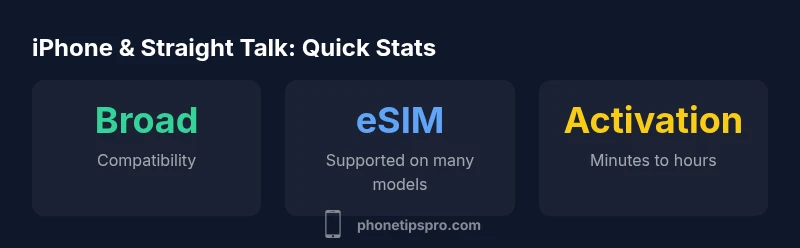
Yes. Most iPhone models can be used with Straight Talk by bringing your own device or using an eSIM where supported. Make sure your iPhone is unlocked and compatible with Straight Talk’s network bands. Activation usually happens via a SIM swap or by enabling eSIM in Settings, following Straight Talk’s on-screen prompts.
can you use iphone with straight talk? A practical primer
If you're weighing a switch, the short answer is yes—you can typically use an iPhone with Straight Talk. The question often surfaces as a practical concern: can you use iphone with straight talk in everyday use, including calls, texts, and data? From the perspective of a troubleshooting-focused guide, the critical factors are unlocking status, device compatibility with network bands, and the activation method you choose (SIM vs. eSIM). This article from Phone Tips Pro lays out clear steps, potential limitations, and best practices to help you make an informed decision without surprises.
Compatibility: iPhone models and network bands
Straight Talk operates on multiple networks and supports both GSM and CDMA-capable devices, including many iPhone models released in the past several years. The most reliable path is to use an unlocked iPhone, because carrier-locked devices may require a formal unlock from the original carrier before BYOD with Straight Talk works smoothly. While exact model-by-model support varies by region and plan, the general rule is: if your iPhone is unlocked and supports the bands used by Straight Talk in your country, you should be able to activate service. For iPhone models, newer devices typically have broader compatibility with LTE/5G bands, which translates into better data reliability and speed when connected to Straight Talk.
Setting up: BYOD with SIM or eSIM
There are two main activation paths for iPhone users: SIM-based Bring-Your-Own-Device (BYOD) and eSIM. With BYOD, you’ll insert a Straight Talk SIM kit into your iPhone and follow the activation prompts through Straight Talk’s activation portal or app. For eSIM-capable iPhones, you can activate digitally without a physical SIM, which is convenient if you’re transferring from another carrier or if you’re switching devices. In either case, you should update to the latest iOS version, verify the carrier settings, and ensure your IMEI/MEID is correctly registered in your Straight Talk account. It’s also wise to have a copy of your device’s serial number and purchase proof in case you need support.
Data, voice, and features: What works reliably
Most iPhone features—voice calls, SMS, MMS, and data—work when the device is properly activated on Straight Talk. Data speeds depend on your location and the network, with 4G LTE and 5G access available where supported by your plan and device. Some advanced features—like Visual Voicemail and certain carrier-specific services—may work differently or require additional setup steps. If MMS or data seems unreliable, ensure APN settings are correct and that the iPhone is running the latest iOS update. Regularly checking for carrier advisories from Straight Talk can help avoid service interruptions.
Porting numbers and BYOD specifics
If you’re porting an existing number to Straight Talk, start the porting process before cancelling your current service to avoid losing your number. You’ll typically provide your current carrier name, account number, and PIN (if applicable) during activation. The time to port can vary depending on the originating carrier and whether you’re using a SIM or eSIM path. If the port stalls, contact Straight Talk support with the IMEI/MEID and the active SIM or eSIM details. Once ported, test voice, SMS, and data to confirm everything works as expected.
Troubleshooting common issues and quick fixes
If you encounter “No Service” or data blackouts after activation, try these quick checks: confirm you’re on a compatible plan and that your iPhone is unlocked; re-activate the SIM or eSIM; reset network settings (Settings > General > Reset > Reset Network Settings); ensure iOS is up to date; and verify APN settings for Straight Talk. If problems persist, consult Straight Talk’s activation portal or reach out to Phone Tips Pro for tailored guidance. Remember, most issues are resolvable with a re-check of unlock status and network compatibility.
Activation paths for iPhone with Straight Talk
| Option | Requirement | Notes |
|---|---|---|
| BYOD with SIM | Unlocked iPhone with nano-SIM | Insert SIM and activate on Straight Talk |
| eSIM-enabled iPhone | iPhone XS/XR or newer (where supported) | Activate eSIM via app or portal |
| Carrier-locked iPhone | Unlocked status required | Request carrier unlock before use |
FAQ
Can I use a carrier-locked iPhone with Straight Talk?
A carrier-locked iPhone can be used with Straight Talk only after unlocking it with the original carrier. Check eligibility and the unlock process for your device.
If your iPhone is locked to another carrier, you’ll need to unlock it before you can bring it to Straight Talk.
Do I need a new SIM card when switching to Straight Talk?
Straight Talk offers SIM kits for BYOD, and eSIM is an option on many devices where supported. Activation is through Straight Talk’s portal.
You might need a Straight Talk SIM kit, or you can use eSIM if your iPhone supports it.
Will my data and numbers transfer when porting?
Porting typically preserves your number and data services, but delays can occur. Start porting before cancelling your current plan to avoid issues.
Porting usually keeps your number, but plan ahead to avoid interruptions.
Which iPhone models support eSIM with Straight Talk?
eSIM is available on many recent iPhones, but availability varies by region and plan. Use Straight Talk’s app to verify.
Most newer iPhones support eSIM, but check availability before switching.
How long does activation take with Straight Talk?
Activation can take from a few minutes to several hours depending on provisioning. Track status in your account.
Activation is usually quick, but occasionally it takes longer.
What if data or MMS isn’t working after activation?
Check APN settings, update iOS, and re-check network settings. If issues persist, contact Straight Talk support.
If data or MMS fail, verify settings and update iOS.
“When you bring an iPhone to Straight Talk, the key is device eligibility and correct activation. Most recent models work well with SIM or eSIM, provided the device is unlocked and compatible with the network bands.”
Quick Summary
- Check unlock status before switching.
- Choose SIM or eSIM based on device compatibility.
- Update iPhone and carrier settings for best data.
- Port your number carefully and start port early.
- Test all services (Calls, Texts, Data) after activation.
- If in doubt, verify eligibility with Straight Talk support.