What iPhone Uses Type C: USB-C Guide for 2026
Discover which iPhone models use USB-C, why Apple shifted from Lightning, and how USB-C affects charging, cables, and accessories across the 2026 lineup.


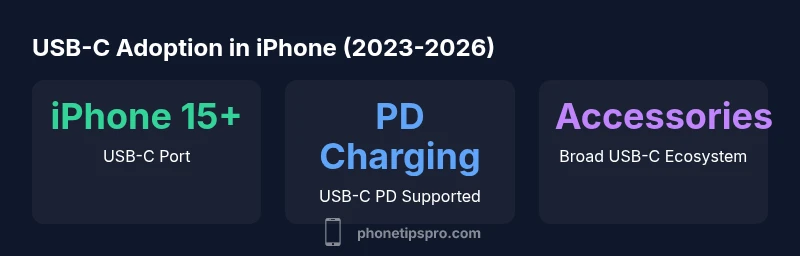
Since 2023, Apple migrated from Lightning to USB-C across iPhone models. The answer to what iphone uses type c is: iPhone models released from the iPhone 15 onward use USB-C ports, with ongoing support and ecosystem compatibility. This change affects charging cables, accessories, and data transfer, simplifying compatibility across devices.
The USB-C Shift: Why Apple Moved to Type C
The move from Lightning to USB-C on iPhones is not merely a port swap; it reflects a broader push toward universal charging standards and simplified accessory ecosystems. The USB-C standard enables higher power delivery and faster data transfer, reducing the number of different cables a user must carry. For readers asking what iphone uses type c, the core answer is that Apple began this transition with the iPhone 15 lineup in 2023 and has continued to adopt USB-C across subsequent models. Regulatory pressures in regions like the European Union also accelerated the transition, pressuring manufacturers to adopt a common charging interface to minimize e-waste and improve user convenience.
From a practical standpoint, USB-C devices benefit from a wider cable ecosystem, easier cross-device charging, and better future-proofing as more accessories and cars standardize USB-C. This section explains the rationale behind the shift and how it impacts everyday use, including charging speed, data transfer, and compatibility with existing cables.
Which iPhone Models Use Type C (2023–2026)
If you’re trying to pin down exactly which iPhone models use USB-C, the reliable, current answer is: iPhone 15 and later models use USB-C ports. The transition began with the iPhone 15 series released in 2023 and has continued into later models like the iPhone 16 family and beyond as Apple maintains USB-C across the lineup. Older iPhones, released before 2023, still used Lightning ports. It’s important to note that there can be minor regional variations or accessories that offer adapters, but the port on the device itself is USB-C on the newer generations. This shift has implications for charging rates, data transfer capabilities, and accessory compatibility.
Charging Speed, Power Delivery, and Data Transfer
USB-C supports USB Power Delivery (PD), which enables higher wattage charging and faster recharging when paired with compatible PD chargers. For iPhone devices, this translates to shorter charging sessions when you use a PD-capable charger and a USB-C to USB-C cable. In addition to charging, USB-C also enables faster data transfer speeds when connected to a computer or external storage supporting USB-C interfaces. While charging speed and data transfer can vary by model and cable quality, USB-C generally offers more consistent performance than the legacy Lightning standard. Users who rely on high-speed data transfers will notice the most benefit when using USB-C, particularly with larger file transfers or professional workflows.
Accessory Ecosystem and Compatibility
The USB-C transition has a meaningful impact on the broader accessory ecosystem. Cables, chargers, hubs, and car chargers designed for USB-C PD work across newer iPhone models, reducing the number of different cables a user must maintain. If you owned Lightning accessories, you may need adapters or upgraded cables to take full advantage of USB-C’s capabilities. Many manufacturers now ship USB-C cables that are compatible with multiple devices, including tablets and laptops, which streamlines travel and daily use. This section helps you prioritize accessories that maximize charging efficiency and data transfer while keeping cost in check.
Practical Tips for Upgrading Cables and Chargers
Upgrading to USB-C is a practical decision for most users. Choose a USB-C PD charger with a wattage that matches your device’s needs (typically 20W or higher for fast charging). Invest in one or two high-quality USB-C cables and consider a USB-C hub if you frequently connect to external drives or displays. When buying, look for cables with reinforced jackets and certifications for safety and longevity. If you’re traveling, a compact USB-C PD charger and a short cable can be a space-saving solution. Finally, verify that any adapters you purchase will support Apple’s iOS features and data transfer routines to avoid compatibility issues.
Buyer’s Guide: Cables, Chargers, and Hubs
Your buying plan should prioritize: (1) USB-C PD compatibility, (2) cable length that suits your use case (short for travel, longer for desk use), (3) cable durability (braided, reinforced, warranty-backed), and (4) a compact hub if you need to connect multiple peripherals. For most users, a single PD charger (20W–60W) plus a quality USB-C to USB-C cable is sufficient for everyday charging and moderate data transfer. If you regularly work with external displays or large file transfers, a powered USB-C hub can expand your setup without sacrificing performance.
Car and Travel Scenarios with USB-C iPhones
USB-C shines in travel because many cars now include USB-C ports or support USB-C PD charging through adapters. Carrying a single USB-C charger that can both fast-charge your iPhone and power a connected device makes travel more convenient. When using an adapter in rental cars or airplanes, ensure the adapter supports USB-C PD and does not degrade charging speed or data integrity. For frequent travelers, a portable USB-C power bank with PD can also keep your iPhone charged on long trips without carrying multiple chargers.
Port type evolution from Lightning to USB-C in iPhone lineup
| Model Type | Port Type | Charging Standard |
|---|---|---|
| Legacy (pre-2023) | Lightning | Lightning |
| iPhone 15 era (2023) | USB-C | USB-C PD |
| iPhone 15 Pro era (2023) | USB-C | USB-C PD |
FAQ
When did iPhone start using USB-C?
Apple began using USB-C with the iPhone 15 series in 2023. Since then, USB-C has become the standard port on newer iPhones, aligning with global charging regulations and simplifying the accessory market.
Apple began using USB-C with the iPhone 15 in 2023, and that standard has continued on newer iPhones.
Do all iPhones now use USB-C?
Not all iPhones yet. Only iPhone 15 and later models use USB-C. Older models still rely on Lightning ports, though adapters exist. Check your device’s model year to confirm.
Only iPhone 15 and later use USB-C; older iPhones still use Lightning, though adapters exist.
Will Lightning accessories still work?
Lightning accessories won’t plug directly into USB-C ports without an adapter. If you own many Lightning devices, you may need a mix of USB-C cables and Lightning-to-USB-C adapters.
Lightning accessories can work with USB-C devices using adapters, but you’ll want USB-C cables for best performance.
Can USB-C charge faster than Lightning?
Yes, USB-C with Power Delivery typically enables faster charging than Lightning-enabled setups, especially when paired with an appropriate PD charger. Real-world speed depends on the charger and device model.
USB-C with PD generally charges faster than Lightning, depending on your charger and device.
What cables are best for iPhone USB-C?
Choose USB-C cables that are USB-IF certified, braided for durability, and long enough for your setup. Look for cables that support high-wattage PD charging and data transfer.
Pick USB-C cables that are certified and durable, with PD support for fast charging.
“USB-C isn’t just a port change—it's a foundation for faster charging, universal cables, and simpler cross-device workflows.”
Quick Summary
- USB-C is the standard on iPhone 15 and newer.
- Use USB-C PD chargers for faster charging.
- Upgrade cables and accessories to USB-C where possible.
- Lightning accessories may require adapters for USB-C devices.
- Future iPhone models are likely to continue USB-C compatibility.