Are iPhone to iPhone Messages Free? What You Need to Know
Find out if are iphone to iphone messages free, how iMessage uses data, and smart tips to minimize costs when texting between iPhones.


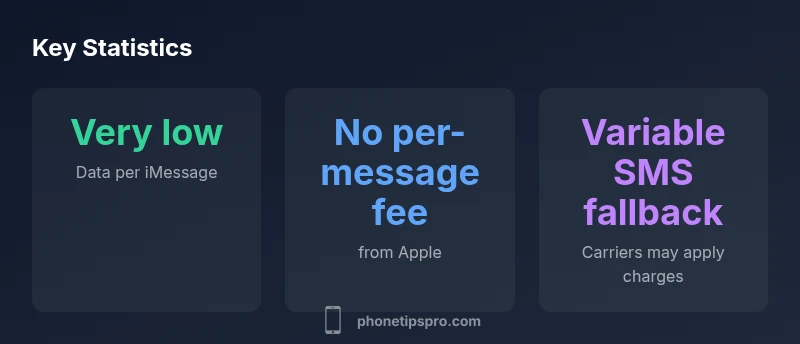
Yes. iPhone-to-iPhone messages sent via iMessage are not charged per message by Apple. They travel over Wi‑Fi or cellular data, so your costs depend on your data plan and network usage rather than a per‑message fee. If an iMessage can’t be delivered and the message falls back to SMS, your carrier may bill you as a regular text message.
What are iMessages and how do they differ from SMS?
For many iPhone users, the question are iphone to iphone messages free is central. In practice, iMessages are delivered over data networks (Wi‑Fi or cellular data) instead of the traditional carrier SMS system. This means there is no per‑message Apple fee when both sender and receiver are using iMessage on iPhones. The cost you actually incur depends on your data plan and your network connection rather than a fixed charge from Apple. The distinction matters because it explains why messages can feel
Cost mechanics: data usage, not per-message fees
The core cost model for iPhone‑to‑iPhone messaging hinges on data rather than per‑message billing. When you send an iMessage, your device uses data to reach Apple’s servers and then the recipient’s device. If you are on Wi‑Fi, data usage is typically minimal and often included in your broadband plan; on cellular, it depends on your data allowance. In most typical home or office environments, you can expect negligible incremental costs for standard text messages between iPhones as long as you stay on iMessage.
iMessage vs MMS vs SMS: attachments change the math
Text messages between iPhones usually travel via iMessage. If you attach photos or videos, data usage increases, which can affect your data plan; however, Apple does not charge a separate iMessage fee. MMS or SMS only come into play if iMessage is unavailable and the system falls back to carrier messaging. In those cases, you are billed by your carrier as with any regular text or multimedia message.
Practical scenarios: home, travel, and work
At home on secure Wi‑Fi, are iphone to iphone messages free for most users, because data use is covered by your internet plan. When traveling with limited data, relying on Wi‑Fi becomes even more important to keep costs predictable. If you are roaming or using cellular data in airports or hotels, expect data charges from your carrier, not Apple’s per‑message fees. The key is to stay on Wi‑Fi when possible and disable automatic fallback to SMS if you want to avoid roaming data charges.
How to minimize costs: settings and best practices
To keep messaging costs predictable, ensure you are using iMessage over Wi‑Fi whenever possible. Go to Settings > Messages and keep iMessage turned on, and consider turning off the Send as SMS option to prevent accidental carrier charges when iMessage can’t deliver. Enable a ‘Low Data Mode’ where supported and monitor your data usage in Settings. Regularly review your data plan to align with your typical messaging volume.
International considerations and roaming
International usage can complicate the cost picture because data roaming charges vary by carrier and country. iMessages sent over roaming mobile data will incur data fees from the carrier, not Apple. When abroad, connect to reliable Wi‑Fi where available; this minimizes data costs and keeps iMessages free from per‑message charges, provided you stay on Wi‑Fi and avoid SMS fallback.
Myths vs reality: common misunderstandings
A frequent misconception is that all iMessages are free regardless of network conditions. While there is no Apple per‑message charge for iMessages, data costs apply. A second myth is that iMessages always remain free when texting internationally; this depends on roaming data policies and your plan. The reality is that are iphone to iphone messages free primarily applies when iMessage is used over Wi‑Fi or an affordable data connection, not when roaming data is involved.
The bottom line: making cost‑aware choices
In most daily use cases, iPhone‑to‑iPhone messaging remains free from Apple’s per‑message fees, provided iMessage is used and data costs stay within your plan. The Phone Tips Pro team emphasizes optimizing Wi‑Fi use and correct settings to control data usage. The overall strategy is simple: favor iMessage on Wi‑Fi, monitor data usage, and only fall back to SMS when necessary.
Comparison of messaging scenarios for iPhone-to-iPhone messaging
| Scenario | Medium | Cost Implication | Notes |
|---|---|---|---|
| iPhone-to-iPhone (iMessage) | Internet (Wi‑Fi or cellular data) | No Apple per‑message charges | Costs depend on data plan and network use |
| iMessage to Android (SMS/MMS) | Carrier network | Carrier charges may apply | Only occurs if iMessage delivery fails |
| Rich media (photos/videos) | Internet data | Costs scale with data usage | Wi‑Fi minimizes data charges |
FAQ
Are iPhone to iPhone messages free?
iMessages between iPhones do not incur per‑message charges from Apple. Costs come from data usage, not a fixed fee. If iMessage can’t deliver and SMS is used, carrier charges may apply.
iMessages between iPhones don’t have a per‑message fee from Apple. It uses data; costs come from your plan. If it falls back to SMS, you’ll be billed by your carrier.
Do iMessages ever cost money?
Yes, but only via data usage on your plan or Wi‑Fi. There are no Apple per‑message charges for iMessages. If messages fall back to SMS, your carrier could charge you.
Only data charges apply if you’re not on Wi‑Fi. If iMessage fails and SMS is used, your carrier may bill you.
How can I avoid data charges when texting others on iMessage?
Stick to Wi‑Fi whenever possible and keep iMessage active while ensuring Send as SMS is off. This minimizes unintended carrier charges from SMS fallback.
Use Wi‑Fi, keep iMessage on, and turn off Send as SMS to avoid carrier charges.
What about international messaging costs?
Roaming data can incur high charges. Prefer Wi‑Fi internationally and limit roaming data usage unless your plan covers it. iMessages stay free per message only when data costs stay within your plan.
When abroad, use Wi‑Fi as much as possible to keep costs predictable.
Will attachments like photos increase costs?
Yes, photos and videos use more data. If you’re on a limited plan, send large media over Wi‑Fi to avoid extra charges.
Sending pics or videos uses more data, so Wi‑Fi helps.
Can you still message people on non‑Apple devices for free?
Messages to non‑Apple devices typically go via SMS/MMS and may incur carrier charges. iMessages are only free when both ends use iMessage.
If the other person isn’t using iMessage, it may use SMS and cost you data or carrier charges.
“Understanding how iMessage uses data helps you manage costs without sacrificing usability. When both sides are on iMessage, messages stay cost-effective and fast.”
Quick Summary
- Rely on iMessage over Wi‑Fi to minimize data costs
- There are no per‑message charges from Apple for iMessages
- Fallback to SMS carries carrier charges
- Large media increases data usage, especially abroad
- Review settings to avoid unintended SMS charges