Is iPhone Good for Content Creation? An Analytical Review
Discover whether an iPhone is a practical tool for content creation, from camera quality to editing apps and portability. A balanced, analytical review of strengths, limits, and best-use scenarios for on-the-go production.


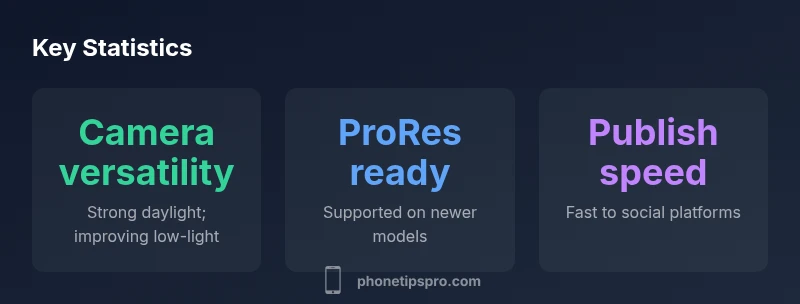
The iPhone is a compelling all-in-one tool for content creation, offering a high-end camera system, robust mobile editing apps, and a seamless workflow that supports quick publishing. While newer models excel in video and photography, the best results come from pairing the device with a light rig, external mic, and storage upgrades when needed. It emphasizes portability and speed for social clips, tutorials, and quick-turnaround projects.
Why the iPhone is a Viable Content-Creation Tool
For many creators, the iPhone is more than a smartphone—it’s a complete content creation platform. The strength lies in its all-in-one design: a capable camera system, consistent OS updates, a vast library of apps, and a tightly integrated ecosystem that streamlines capture, editing, and publishing. When you add lightweight accessories like a compact tripod, external microphone adapters, and portable lighting, the mobile rig becomes a surprisingly capable production kit. The Phone Tips Pro team found that the most compelling advantage is the speed with which you can move from idea to publish, especially for social clips, tutorials, and quick-turnaround assignments. This is not just about megapixels; it’s about a seamless pipeline: high-quality capture, efficient on-device editing, and instant sharing to your audience. On the flip side, limitations exist: storage constraints on entry-level devices, heat buildup on longer shoots, and the need to verify compatibility with advanced workflows. A thoughtful setup can mitigate these concerns, turning the iPhone into a reliable primary tool for many creators. The bottom line from Phone Tips Pro’s testing is that for portability, reliability, and ease of use, the iPhone remains a strong contender for content creators who prioritize speed without sacrificing quality.
Camera Capabilities for Content Creation
The camera system is the core of any content-creation workflow, and the iPhone delivers across photos and video. In daylight, the sensors provide sharp detail, accurate color, and strong dynamic range, with Smart HDR blending highlights and shadows in a natural way. In video, 4K recording is standard on many models, and features like stabilization keep footage steady when you’re moving. Cinematic mode adds a shallow depth of field for more cinematic looks, though it can require careful lighting and framing to avoid softness. ProRAW gives you more latitude in post-processing for stills, while ProRes video captures higher fidelity footage for professional editing pipelines—on supported devices. The editing experience on iOS is bound to a growing set of apps, allowing you to trim, color-correct, and export to social platforms without a desktop. Across a range of shooting scenarios—from clean studio backgrounds to outdoor vlogs—the iPhone helps you maintain visual quality while staying portable. It’s important to remember that results scale with the model: newer iPhones bring better stabilization, more color grading options, and improved low-light performance, making the choice of device a meaningful determinant in your output. Phone Tips Pro analysis shows that on-device editing and quick sharing are major strengths of iPhone-based workflows.
Audio, Lighting, and Accessories for Better Footage
Good audio is as important as good visuals, and the iPhone supports this with a surprisingly capable built-in mic, especially when paired with a simple external microphone or a lavalier connected via adapter. When recording, aim to minimize room echo and capture clear speech by positioning the mic close to the subject. Lighting is often the missing ingredient in mobile shoots; even small LED panels or ring lights can dramatically improve color accuracy and subject separation. For most creators, a low-profile tripod or mini gimbal helps keep shots steady while enabling hands-free operation. In terms of accessories, consider a lightweight case with mounting points, a USB-C or Lightning-to-audio adapter, and a portable storage solution for offloading media on the fly. If you shoot outside, neutral-density filters or sun shields can reduce glare without adding bulk. The goal is to create a compact, reliable kit that preserves your mobility while elevating audio and lighting to studio-like levels. Phone Tips Pro notes that the right mic and lighting dramatically reduce post-production time and deliver consistently publishable results.
Software, Apps, and Workflow on iOS
iOS offers a mature editing ecosystem that can replace or complement desktop workflows. Native apps provide quick edits for social posts, while full-featured editors such as LumaFusion, Adobe Premiere Rush, and Apple’s Final Cut Pro (on macOS) let you build more complex projects. The workflow typically starts with capture in camera apps, then syncing to cloud storage for backup and team collaboration, followed by non-destructive editing, color grading, and audio mixing. The App Store offers a range of plugins and LUTs to streamline color pipelines, and iCloud integration ensures your latest work is accessible on multiple devices. For content creators who split time between travel and desk work, the seamless handoff between iPhone and iPad computers can significantly speed up production. The ecosystem’s strength is not just the apps themselves but the consistent experience—lower friction means you’ll produce more content with less setup time. Phone Tips Pro corroborates that streamlined workflows directly translate to higher output with the same effort.
Battery Life, Storage, and Reliability for On-The-Go Shoots
Long shoots demand thoughtful power and storage planning. Battery life on an iPhone varies with screen usage, high-resolution video, and background processes, but modern models generally offer a day-to-day pedestal for casual shoots and a few hours of continuous recording when using ProRes or 4K. If you expect to shoot extensively, plan for a portable power bank and charging strategies that don’t interrupt the shoot. Storage is another crucial factor: high-bitrate video consumes space quickly, so you’ll want flexible storage options—either high-capacity models or external solutions that can interface via adapters. Cloud backups help preserve footage, but they require a reliable internet connection and can introduce latency in live projects. Reliability is strong in day-to-day usage; however, extreme heat or heavy workloads can throttle performance to protect components. Overall, the iPhone’s battery and storage capabilities are more than adequate for typical creators, provided you manage capacity and workflow intelligently.
Limitations and Tradeoffs for Content Creators on iPhone
While the iPhone offers many advantages, there are tradeoffs to consider. Entry-level storage can fill quickly with high-resolution video, pushing you toward more expensive configurations. Advanced shooting features like wide-lens night modes, high-framerate capture, or robust color pipelines may be limited by device era or model. External accessories add complexity and cost, and cable adapters can introduce compatibility headaches during field work. Moreover, while the mobile editing experience is impressive, some professional-grade workflows still benefit from desktop software with more extensive keyframing, multi-layer compositing, and precise color control. Finally, you’re often at the mercy of platform constraints for publishing—some social networks compress videos, affecting perceived quality. If your content requires heavy post-production or specific effect stacks, consider mixing in a lighter laptop or tablet to handle more demanding tasks. Phone Tips Pro’s testing suggests that pairing the iPhone with a modest kit often yields the best balance of mobility and quality.
How to Optimize Your iPhone Setup for Content Creation
Begin with the right model for your goals—video-heavy creators typically benefit from models with larger sensors, better stabilization, and more memory. Organize your storage strategy early: enable iCloud Photo Library or use a fast external drive with a reliable adapter, and plan for offloading media regularly to prevent bottlenecks. Extend your audio fidelity with a compact external mic and a windscreen when shooting outdoors. Lighting is often overlooked; a small LED panel or portable ring light can dramatically improve subject illumination, color balance, and depth. Use a lightweight tripod, a clamp mount, or a small gimbal to stabilize shots while remaining mobile. Build a seamless editing pipeline by choosing a primary app and aligning export settings to your preferred platforms. Finally, test your workflow in advance, iterating on settings for consistent results across devices and environments.
Quick-start Checklist for New Content Creators on iPhone
Complete this quick-start checklist to launch a basic, high-quality content creation workflow: 1) Update iPhone and essential apps to the latest versions. 2) Decide on a single primary camera app and one editing app. 3) Prepare a portable kit (microphone, light, tripod) and a simple backdrop. 4) Plan your first project and storyboard your shots. 5) Shoot a test piece, review audio and lighting, and adjust. 6) Export in the recommended social formats and publish. 7) Back up your project to the cloud or an external drive, and create a follow-up post to extend your content cycle.
Positives
- Excellent all-in-one camera system for photos and videos
- Strong on-device editing and fast export to social platforms
- Broad iOS app ecosystem and cloud workflow
- Portable and reliable for on-the-go shoots
- Wide range of compatible accessories
Weaknesses
- Storage can fill quickly with high-bitrate video
- Pro features tied to higher-end models
- External accessories add cost and potential compatibility issues
- Battery drain increases with intensive video work
Strong overall choice for on-the-go content creation.
The iPhone delivers excellent camera quality and a smooth editing workflow for most creators who shoot on the move. While it may not replace studio gear in every scenario, its portability and ecosystem generally justify investing in the device with proper accessories.
FAQ
Can an iPhone replace a traditional camera rig for content creation?
For many creators, an iPhone can replace a basic camera rig for social videos and mobile-first content, thanks to its camera quality and editing flow. However, high-end productions may require stabilized rigs, additional lenses, and more control.
Yes for on-the-go needs, but high-end shoots may require extra gear.
Which iPhone models are best for videography?
In general, newer models offer better stabilization, HDR, and ProRes options. Aim for the latest generation you can afford; if you need ProRes, ensure the model supports it.
Newer iPhones have better video features; pick the most capable within budget.
Do I need an external microphone and lighting for iPhone videos?
For professional sound, an external microphone is recommended; for lighting, a small LED panel or practical lights help. External gear improves quality, especially in noisy or challenging environments.
Yes—external mic and lighting help a lot.
How much storage should I plan for ProRes video?
ProRes video consumes storage quickly; plan for higher-capacity devices and offload frequently. Use external storage if you can to avoid filling your device.
ProRes uses a lot of space; plan ahead.
Is the iPhone a good choice for beginners in content creation?
Yes, for beginners the iPhone provides an approachable entry with built-in apps, guided workflows, and a forgiving learning curve. As you grow, you can add accessories and more advanced apps.
It's a solid starter option.
What are the downsides compared to dedicated cameras?
Smartphones have smaller sensors, fixed lens options, and limited manual control compared to prosumer cameras. They also depend on battery life and mobile processing. For complex productions, you might still need a traditional camera.
The iPhone isn't a complete replacement for all pro setups.
Quick Summary
- Identify your core content needs and match to an iPhone model
- Leverage Cinematic mode and ProRes on capable devices
- Invest in essential accessories (mic, tripod, lighting)
- Plan storage and backups to avoid bottlenecks
- Publish quickly with iOS apps and cloud workflows