When to Upgrade iPhone: A Practical Timing Guide
Learn how to decide the right moment to upgrade your iPhone with practical checks, budgeting tips, and trade-in strategies. From battery health to new features, Phone Tips Pro guides you to upgrade at the optimal time.


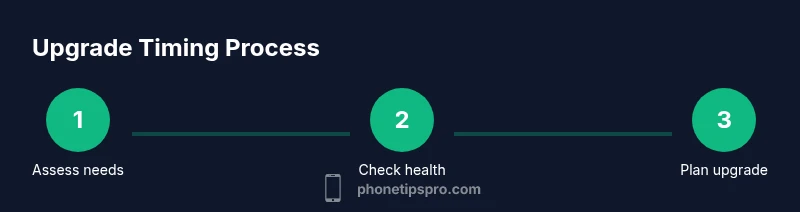
Determining when to upgrade your iPhone means weighing current performance, battery health, and the value of newer features against the cost and effort of moving to a new device. The right time is when your phone no longer meets daily needs, security updates, or app demands, and trade-in value helps offset the upgrade. According to Phone Tips Pro, a planned upgrade minimizes downtime and maximizes value.
Why timing matters for an iPhone upgrade
Timing your upgrade matters because it directly influences how much you pay, how smoothly your daily tasks run, and how well you stay aligned with the iPhone ecosystem. A well-timed upgrade reduces downtime, helps you avoid performance slowdowns, and ensures you keep current security updates and app support. The Phone Tips Pro team emphasizes that there isn’t a one-size-fits-all answer; the best moment depends on your usage patterns, battery health, and willingness to learn new features. By analyzing these variables, you can decide whether to squeeze more life out of your current model or plan a strategic move to a newer device. This approach keeps you in the loop without paying for upgrades you don’t need.
According to Phone Tips Pro, timing should balance practical needs with the realities of software support and resale value, helping you maximize overall satisfaction and minimize waste. Consider how often you rely on features that your current iPhone lacks, and whether the hassle of upgrading now outweighs the benefits of waiting a bit longer. A thoughtful plan can also improve your trade-in negotiation, as the market for near-new devices shifts with each new release.
Tools & Materials
- Battery health checklist (iOS Settings → Battery → Battery Health)(Check maximum capacity and peak performance capability before deciding to upgrade)
- Budget planning tool (digital or notebook)(Map out potential upgrade costs, including trade-in value and promotions)
- Trade-in value estimator(Use official trade-in portals and reputable third-party estimates without assuming fixed numbers)
- Feature wish-list(List features you actually need (camera, display, AI features, security) to guide model choice)
- Data backup and transfer plan(Prepare to back up and transfer data securely (iCloud or computer backup, sign-out, and re-authentication))
Steps
Estimated time: 1 hour 45 minutes
- 1
Assess battery health and performance
Open Settings > Battery > Battery Health to review peak performance capability and maximum capacity. If health is degraded and you notice shorter screen time or unexpected shutdowns, plan for a replacement soon. This step helps anchor the upgrade decision in tangible device health.
Tip: Note any sudden changes after iOS updates; performance dips can prompt earlier upgrades. - 2
Identify must-have features on the latest models
Research the newest iPhone generation and compare it to your current model for features you truly care about—camera improvements, display, processing power, security updates, and any ecosystem advantages. If none of these deliver meaningful value, you may be better staying put.
Tip: Create a short feature wishlist to keep your comparison focused. - 3
Estimate total cost of ownership
Consider trade-in value, potential financing options, and any promotions. Subtract the trade-in credit from the sticker price of the new device and weigh the monthly cost against your budget and anticipated usage.
Tip: Don’t assume the lowest upfront price is best if financing terms are poor or trade-in value is weak. - 4
Check trade-in options and timing
Explore Apple’s Trade In program and reputable retailers. Look for limited-time promotions or carrier deals that could reduce the net price. Timing promotions can dramatically shift the practical value of upgrading now vs later.
Tip: If you’re near the end of a contract cycle, upgrading during a promo can maximize savings. - 5
Choose your model and storage thoughtfully
Select a model and storage tier that fits your needs for the next 2–4 years. More storage can prevent future upgrades just for capacity, but avoid overbuying if you rarely use large apps or 4K video.
Tip: If you often run into storage limits, prioritize higher capacity now to avoid future purchases. - 6
Plan the data transfer and setup
Back up data, sign out of accounts, and ensure a smooth transfer pathway so you can resume normal use quickly after upgrade. Having a clear plan minimizes downtime and frustration.
Tip: Test the backup first to avoid last-minute restore issues on day one.
FAQ
When is the best time to upgrade if my iPhone still works fine?
If your phone meets your daily needs, you can wait. Consider security updates, new features you’ll use, and trade-in value. A planned upgrade minimizes risk and helps you maximize value, per Phone Tips Pro.
If your iPhone still meets your daily needs and you value security and new features, you can wait. If not, plan an upgrade with an eye on trade-ins to save money.
Is upgrading for battery life worth it?
Battery health is a major factor. If you experience shorter endurance or unexpected shutdowns, upgrading can restore reliability and satisfy daily use. Weigh this against your willingness to adapt to new features.
If battery life is limiting your day, upgrading makes sense. If not, you can wait and optimize with battery care.
How can I estimate trade-in value?
Use Apple’s Trade In portal or trusted retailers to get a range. Compare multiple offers and account for any promotions that stack with your upgrade plan.
Check several trade-in quotes and look for promotions to maximize your credit.
Unlocked vs carrier-locked: what should I buy?
Unlocked devices offer flexibility across networks and easier resale. Carrier promos can lower upfront costs but may tie you to a network.
Unlocked usually gives you more freedom; carrier promos can save money upfront, but check long-term terms.
Will iOS updates keep my old iPhone secure?
Software updates extend security and features for supported models. When support ends, upgrading is the most reliable way to stay protected.
Yes, updates help with security, but after support ends, upgrading is the safer path.
Watch Video
Quick Summary
- Assess current health and performance first.
- Balance features you actually need with total cost.
- Leverage trade-in value to offset upgrade costs.
- Plan data transfer to minimize downtime.
- Stay informed with official sources and trusted reviews.