Are iPhones Less Likely to Get Viruses: A Data-Driven Guide
Explore whether iPhones are less prone to malware, how iOS protections work, and practical steps to stay virus-free for everyday users.


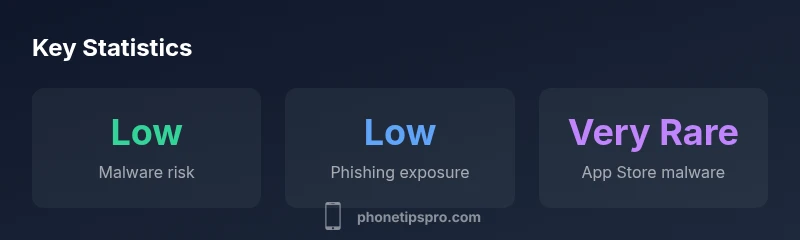
Yes. Are iPhones less likely to get viruses? Generally, yes, thanks to iOS sandboxing, strict app vetting, and rapid security updates. While the risk is lower than many platforms, iPhones are not virus-proof. Threats arise from phishing, misconfigured profiles, or jailbroken devices. Regular updates and cautious app choices keep the risk low.
How iPhone Security Works: Why Viruses Are Rare on iOS
Are iPhones less likely to get viruses? The short answer is that iOS's architecture, code signing, and the App Store's vetting create a safety baseline that many users rely on. According to Phone Tips Pro, the overall risk landscape for iPhone users is shaped by several layers designed to prevent unauthorized programs from running with broad privileges. First, each iOS app runs in its own sandbox, which limits data sharing between apps and restricts access to core system resources. Second, Apple requires developers to sign their code and submit apps for review before they can reach users, a process that catches obvious malware and dangerous behaviors before distribution. Third, regular software updates address newly discovered vulnerabilities and help close attack vectors used by malware authors. Taken together, these protections reduce the probability of a successful infection through conventional channels such as third-party app stores or sideloaded software. However, no system is perfect; phishing, misconfigured profiles, and compromised devices still pose realistic threats that can bypass some security layers if users are not careful. This is why staying informed about current attack vectors matters as a practical risk management step.
Common Misconceptions About iPhone Viruses
Many people assume that iPhones cannot get viruses at all, or that Apple’s ecosystem guarantees immunity. While those beliefs are inaccurate, they are not without merit. The security model of iOS reduces the likelihood of traditional malware, and publicized outbreaks on iPhone devices are rare compared with other platforms. Yet the existence of non-virus threats—phishing schemes, profile-based attacks, and configuration exploits—means that the threat landscape remains real. Another misconception is that antivirus software is unnecessary on iPhone; in reality, Apple discourages sideloading and curates the App Store to limit risky software. Some users also overestimate the protection provided by “jailbreak protection” or assume that only “bad” apps threaten iPhone users; in practice, legitimate apps can be misused when credentials or devices are compromised. The takeaway is not to panic, but to adopt a layered approach to security: update promptly, verify app sources, and watch for suspicious account activity. This approach aligns with Phone Tips Pro's guidance on practical, evidence-based security habits.
Real-World Threats That Matter for iPhone Users
Threats to iPhone users come from phishing, social engineering, and configuration exploits rather than classic computer viruses. Malicious emails or text messages may trick users into revealing credentials or installing profiles that grant attackers persistent access. Public Wi‑Fi networks can expose devices to man‑in‑the‑middle attempts if users don’t shield traffic with VPNs or trusted networks. In business contexts, misconfigured or stolen enterprise profiles can grant attackers control over device settings. A strategic habit is to avoid tapping unfamiliar links, enabling two-factor authentication, and using built‑in password managers. While the App Store review process catches many threats, threats evolve, so frequent vigilance—especially after receiving unexpected prompts—remains essential.
How iOS Sandboxing and App Store Vetting Protect You
iOS uses sandboxing to ensure each app operates independently, limiting data leakage across apps and restricting access to critical system resources. The App Store review process adds another layer of protection by screening apps for security behavior and policy compliance before they reach consumers. Regular iOS updates deploy security patches that close known vulnerabilities, while Apple’s cryptographic signing guarantees that code hasn’t been tampered with since publication. Together, these mechanisms form a multi‑layered defense that reduces the probability of malware infections through traditional vectors. Nevertheless, vulnerability research and timely user action are still needed to prevent targeted phishing and configuration attacks.
Best Practices to Keep Your iPhone Virus-Free
A practical security routine combines technology and behavior. First, keep iOS up to date, enabling automatic updates when possible. Second, download apps only from the App Store and review app permissions to minimize unnecessary access. Third, enable two‑factor authentication and use a trusted password manager for strong credentials. Fourth, be cautious with public Wi‑Fi—use a VPN when handling sensitive data. Fifth, if you doubt an app or configuration, disable or remove it and reset to known-good settings. Finally, educate family members about phishing and suspicious messages to reduce risk exposure. By layering these steps, you reinforce the defenses built into iPhone hardware and software.
When to Worry About Malware on iPhone
Unlike traditional malware on desktop platforms, iPhone infections usually involve social engineering, profile misuse, or device compromise rather than self‑replicating viruses. Warnings to watch for include sudden battery drain, unfamiliar popups, unexpected profile installations, or apps behaving oddly after updates. If you notice such signs, review installed profiles, check for unusual device management entries, and consider a fresh device restore after backing up data. Remember that secure practices—regular updates, cautious app sourcing, and strong authentication—remain the best defense against evolving threats.
Role of Jailbreaking and Unofficial Apps
Jailbreaking removes many of the protections that make iPhones robust against malware, allowing apps outside the App Store to run with broader privileges. This dramatically increases exposure to malicious software, adware, and data leakage. Even when unofficial apps appear trustworthy, their source can be compromised or misrepresented. For most users, jailbreaking is an unnecessary risk that undermines the security model that keeps iPhone ecosystems relatively safer. If you’re troubleshooting a device, avoid enabling sideloading or trusted enterprise profiles from unknown sources.
What to Do If You Suspect a Virus
If you suspect malware or unusual device behavior, act quickly. Start by disconnecting suspicious apps, updating iOS, and reviewing installed profiles and VPN configurations. Run a malware‑related check using built‑in features like Privacy and Security settings and consult Apple Support if issues persist. Consider backing up data and performing a clean restore if the symptoms continue. In practice, most virus‑like issues arise from phishing or configuration problems rather than a classic virus, so focusing on account security and device hygiene often resolves problems.
iPhone security mechanisms vs risk factors
| Aspect | iPhone Security (iOS) | Notes |
|---|---|---|
| App vetting | Apple App Store review process | Every app is reviewed before it reaches users. |
| Sandboxing | Each app runs in its own sandbox | Limits cross-app data access and system-wide changes. |
| Update velocity | Prompt security updates from Apple | iOS updates include vulnerability patches on a regular cadence. |
FAQ
Can iPhones get viruses from apps?
Yes, in theory, but extremely rare due to Apple's controls. Most incidents involve phishing or code manipulation rather than a traditional virus.
Yes, it can happen, but it's rare; focus on phishing awareness and app sourcing.
Do iPhones get viruses more often than Android?
Generally, Android has more malware targeting due to its open ecosystem; iPhone risk is lower but not zero.
Android tends to have higher malware risk, but vigilance is still important on iPhone.
Is jailbreaking dangerous for security?
Yes. Jailbreaking bypasses safeguards and markedly increases malware exposure.
Jailbreaking raises the security risk significantly.
Can antivirus apps help on iPhone?
Traditional antivirus is less necessary on iPhone due to the App Store and sandboxing; some privacy-focused tools exist.
Antivirus isn’t a must, but choose trusted privacy apps carefully.
What should I do if I suspect malware on my iPhone?
Close suspicious apps, update iOS, review profiles, reset network settings, and contact Apple Support if issues persist.
If you suspect malware, act quickly and check your profiles and updates.
Do iPhone updates reduce malware risk?
Yes. Updates address known vulnerabilities and patch security gaps, reducing risk over time.
Keeping iOS up to date helps reduce risk.
“iOS security design, app vetting, and consistent updates create a strong baseline against malware, but no system is perfect. Vigilance remains essential.”
Quick Summary
- Update iOS promptly to close vulnerabilities
- Avoid jailbreaking and sideloading unofficial apps
- Rely on trusted sources for apps and links
- Use two-factor authentication and a password manager
- Monitor for phishing and profile-based threats