If iPhone Is Stolen What to Do: A Practical Guide
A comprehensive, step-by-step guide for iPhone users facing theft, detailing immediate actions, security protocols, and how to minimize data loss while coordinating with carriers and law enforcement.


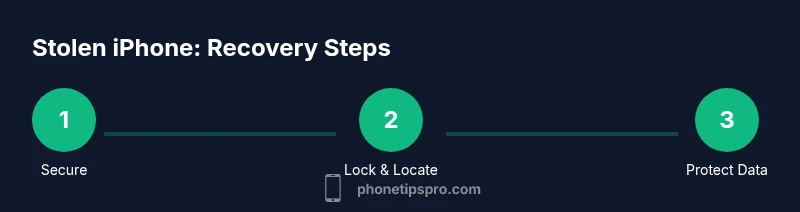
To recover or disable a stolen iPhone, immediately use Find My iPhone to locate, mark Lost, and suspend access. Notify your carrier, change Apple ID passwords, enable two-factor authentication, and erase the device remotely if needed. Report the theft to police, gather your IMEI, and monitor linked cards for unauthorized use.
Why the question matters: if iphone is stolen what to do
When an iPhone goes missing, the clock starts ticking on your data security. The goal is twofold: prevent any unauthorized access to your information and preserve evidence for any potential police report or insurance claim. The phrase "if iphone is stolen what to do" isn’t merely academic—it's a real, practical checklist you should follow in the immediate aftermath. According to Phone Tips Pro, acting quickly reduces the window for thieves to exploit your accounts, and it also helps you document actions you took if you need to file reports later. This guidance is tailored for iPhone users who want clear, actionable steps without inundating themselves with jargon. Throughout this guide, you’ll see practical tips that align with best practices in digital security and personal safety. By following these steps, you’ll stay in control of your data and your device’s status, even when the worst-case scenario occurs.
Immediate steps you should take in the first minutes
The first minutes after a theft are critical. Start by securing your accounts before interacting with the device itself. If you can access another trusted device, sign in to iCloud and open Find My iPhone. From there, immediately place the device in Lost Mode or remotely lock it to prevent access to apps, photos, and messages. If you suspect the device is on or near you, do not confront the thief; instead, keep yourself safe and continue with remote controls. Notify your mobile carrier to suspend service and prevent misuse of the SIM card. While you do this, change the passwords for your Apple ID and any connected services, such as email, banking, and social networks. Phone Tips Pro emphasizes that prompt password changes dramatically reduce the risk of ongoing account takeover and credential stuffing. Finally, document the incident: note the time, location, and any identifying information you can recall, and prepare to provide IMEI/serial numbers when you file reports.
Use Find My iPhone effectively
Find My iPhone is your central tool in the theft response. After signing in, use the map to determine the device’s last known location. If the location is uncertain or the device is offline, enable Lost Mode so a message with contact information appears on the screen. Lost Mode also disables many features, which reduces risk if the thief attempts to use the phone. If you have a second device, you can also choose to Play Sound to help locate the device if it’s nearby. If the device is securely in your possession but you cannot reach it, use the timeline in Find My to track past locations and check for suspicious patterns that might indicate the thief’s movements. The goal is to gather actionable information for authorities and to decide whether a remote erase is warranted.
Secure your accounts and data
Security is the linchpin of a solid theft response. Immediately sign out of iCloud on the stolen device and review security settings on all linked accounts. Change your Apple ID password and enable two‑factor authentication if you haven’t already done so. Review recent account activity on your email, banking apps, and payment services for any unauthorized access attempts. Activate two‑step or two-factor authentication across services where possible, and consider enabling app-specific passwords for sensitive apps. If you use Apple Pay, remove any cards from Wallet if you suspect compromise. Phone Tips Pro recommends documenting changes with timestamps to support future insurance or police claims. Additionally, check your device’s settings for any unusual configurations that a thief might have attempted, such as forwarding rules or weak screen lock settings, and correct them remotely."
Work with your carrier and Apple ID to minimize risk
A coordinated approach with your carrier and Apple ID is essential. Contact your mobile carrier to suspend service and request a SIM lock if needed to prevent new charges or swaps. Ask about anti‑fraud protections and whether they can flag suspicious activity tied to your account. On Apple’s side, review devices associated with your Apple ID and remove any unfamiliar devices. If the thief removed the SIM and reactivated the device, the iPhone may still be tied to your account, so ensure all access points are secured. Phone Tips Pro notes that keeping evidence of communications with the carrier and Apple can be valuable for claims or investigations. If you can, log these interactions and save reference numbers for future reference.
Financial protections and monitoring for fraud
Theft often targets data beyond the device itself. Monitor linked bank accounts, credit cards, and payment apps for unfamiliar charges, and consider placing fraud alerts with major credit bureaus if you detect any activity. If you use Apple Pay or other digital wallets, contact the issuing banks to temporarily disable those wallets on the device. Change passwords for email, social media, and financial apps and enable notifications for account changes. Phone Tips Pro stresses the importance of being proactive: quickly securing financial information minimizes the risk of identity theft and unauthorized charges. Keep a running log of all changes you make and all communications with financial institutions so you have a clear audit trail.
If the device is not recovered: police report and documentation
If recovery seems unlikely, report the theft to local law enforcement. Share the device’s IMEI/serial number, model, color, and any distinctive marks, along with a timeline of events and actions you already took. A police report not only aid investigations but can support insurance claims and device replacement policies. Use your notes to fill out any forms accurately, and keep copies of all correspondence you’ve had with Apple, your carrier, and financial institutions. Phone Tips Pro recommends securing your data thoroughly before handing the device over to authorities to ensure you don’t leave sensitive material exposed. If you retrieve the device later, consult a professional before attempting to restore data to avoid potential security risks.
Preventive steps for the future and closeout tips
Once you’ve navigated the theft, take preventive measures to reduce the risk of a repeat incident. Enable Find My iPhone, set a strong passcode, and turn on two‑factor authentication for Apple ID and other critical accounts. Regularly review app permissions and disable access for apps you no longer use. Consider a routine for mobile security, including periodic password changes and secure backups. Phone Tips Pro encourages users to maintain an up‑to‑date inventory of devices and their identifiers (IMEI, serial numbers) and to keep this information in a safe, accessible location. Building habits around security can significantly reduce the impact of future incidents and simplify recovery if a device goes missing again.
Tools & Materials
- Find My iPhone enabled(Enable via Settings > [your name] > Find My > Find My iPhone; ensure Location Services are on.)
- IMEI and serial number written down(Record from the device box or settings > General > About.)
- Apple ID credentials ready(Have your Apple ID email and password, with 2FA set up.)
- Trusted device or computer(One you can use to access iCloud.com or the Find My app.)
- Police report ready(Access to local police report forms or departments.)
- Carrier account details(Account number, customer service, and PIN or password ready.)
Steps
Estimated time: 25-35 minutes
- 1
Pause access to accounts
Sign out of iCloud on the stolen device if possible, and immediately change passwords for Apple ID and connected services to prevent unauthorized access.
Tip: Do not attempt to unlock the phone if you’re unsure about its safety; prioritize account security first. - 2
Open Find My iPhone and locate
Sign in to iCloud or the Find My app on a trusted device to locate the phone and determine whether it’s online or offline.
Tip: Use Lost Mode to display a contact number and a brief message on the screen. - 3
Lock the device with Lost Mode
Enable Lost Mode to lock the screen, stop access to apps, and track the device’s location more reliably.
Tip: If you don’t want to display personal contact info, use an alternate contact method (e.g., email with instructions). - 4
Play a sound only if nearby
If you believe the phone is near you, use Play Sound to help locate it without exposing your location to unknown people.
Tip: This is helpful in crowded places, like offices or venues, but avoid confrontation. - 5
Erase remotely if data risk is high
If you confirm data risk or suspects that sensitive information is exposed, remotely erase the device to protect your information.
Tip: Erasing will remove all data; ensure you have backups for restoration if the device is later recovered. - 6
Notify carrier and request protections
Ask your carrier to suspend service, enable SIM lock, and flag the account for potential fraud.
Tip: Document the reference numbers for your records. - 7
Review and refresh security
Change passwords for email, banking, and social media; enable 2FA and review connected devices.
Tip: Set up app-specific passwords for sensitive apps if supported. - 8
File a police report and gather evidence
Provide IMEI, serial number, and a timeline of actions you’ve taken; bring any screenshots from Find My and communications with carriers.
Tip: A clear, detailed report improves the chances of investigation and insurance claims.
FAQ
What should I do first if my iPhone is stolen?
First secure your accounts by changing passwords and enabling two-factor authentication. Then use Find My iPhone to locate and lock or erase if needed, and contact your carrier.
First, secure your accounts, then locate or lock the device, and notify your carrier.
Can Find My iPhone still help if the device is offline?
Yes. Lost Mode can enable you to display a message and contact instructions, and location history may help authorities once the device reconnects.
Lost Mode can still protect you even if the device is offline.
Should I erase my iPhone remotely right away?
Erase if you believe your data is at risk of exposure or if the thief has the device and could access apps with sensitive information.
Erase if data safety is at risk, but be aware you’ll lose access to location data.
What if I can’t reach Find My iPhone or the device isn’t listed?
Check with your carrier to suspend service and review security settings on your Apple ID; you can still file reports with police and monitor accounts.
If you can’t access Find My, secure accounts and report the theft to authorities.
Does a stolen iPhone require a police report for insurance?
Many insurers require a police report or documented theft details; having the IMEI/serial helps in processing claims.
A police report strengthens your claim and helps with recovery efforts.
Can the thief still access my data after the device is stolen?
If you act quickly to lock accounts and erase data, you can minimize the risk; however, if accounts aren’t secured, data exposure remains possible.
Time is critical—secure accounts to minimize data exposure.
Watch Video
Quick Summary
- Act quickly to secure Apple ID and accounts
- Use Lost Mode and Find My iPhone to lock and locate
- Coordinate with carrier and financial institutions to prevent misuse
- Document every step for police reports and claims