How to Check if iPhone Is Stolen (2026)
A practical, step-by-step guide to verify whether an iPhone is stolen, using Activation Lock, Find My iPhone, IMEI checks, and ownership records.


Learn how to verify if an iPhone is stolen using Activation Lock, Find My iPhone, and carrier checks. This quick guide covers essential steps like checking IMEI/serial numbers, confirming Activation Lock, and reviewing recent account activity. You’ll gain practical, actionable steps you can perform today to protect yourself from buying a stolen device or helping a thief. Start with Find My iPhone and then verify with the carrier.
What qualifies as stolen or flagged status
According to Phone Tips Pro, determining whether a given iPhone is stolen involves a combination of ownership signals, activation status, and record checks. If the device's Activation Lock is on, if Find My iPhone is active or there are confirmations of location sharing tied to an unknown Apple ID, that could indicate a stolen device. Carriers flag stolen devices in their systems, blocking activation on a new SIM. IMEI history can also reveal red flags when records are inconsistent. Understanding these signals helps you separate genuine sellers from devices with problematic histories. This guide uses practical checks you can perform without specialized tools and emphasizes safe, documented verification so you can make informed decisions.
Key signals to evaluate include Activation Lock status, Find My iPhone accessibility, verified ownership documents, and carrier status. When these signals align, you have a stronger case that the device is legitimately owned; when they conflict, proceed with caution and seek additional proof from the seller. Phone Tips Pro highlights that a multi-signal approach is far more reliable than relying on a single indicator.
Prerequisites before you start
Before you dive into checks, assemble a lightweight toolkit of information and access. You will need the device's IMEI and serial numbers, the original proof of purchase if available, and the owner’s Apple ID details for interrogation purposes. Have the device itself or a photo of the screen to locate model numbers and settings. Access to a stable internet connection ensures you can query Apple servers and the carrier databases. If you’re buying, prepare a short checklist to capture receipts and the seller’s contact information. Having these essentials ready speeds up verification and reduces the chance you overlook a critical signal. Phone Tips Pro stresses thorough preparation as part of a safe buying process. Also gather the device’s box or packaging in case IMEI labels are present.
Step 1: Check Find My iPhone and Activation Lock
Activation Lock is a core signal of ownership. If you can access Find My iPhone settings, you can see whether the device is linked to the seller's Apple ID or if it shows that Find My iPhone is disabled. On the iPhone itself, navigate to Settings, tap your name, and open Find My to confirm status. You can also visit iCloud.com and sign in to verify the device status there. If you cannot sign in or the device shows an unknown Apple ID, this is a strong red flag. Activation Lock status is particularly important for secondhand purchases, as it prevents new users from setting up the phone without the rightful owner's credentials.
Pro tip: If you don’t have the seller’s Apple ID credentials, request a temporary transfer of ownership or a documentation-based assurance, and consider using official channels for validation. Phone Tips Pro notes that activation signals should be consistent across both the device and cloud accounts.
Step 2: Verify IMEI and Serial with Apple and Carrier
The IMEI and serial numbers anchor the device to a particular identity. Find them by going to Settings > General > About on the device, or on the SIM tray and original packaging. Use Apple’s check tools and the carrier’s support docket to confirm that these identifiers match and that there are no blocks or flags associated with the device. If either Apple or the carrier reports a block, loss status, or ownership issue, treat the device as high risk. Do not rely on a single institution for verification; cross-check across multiple official sources. Phone Tips Pro advises keeping a careful log of all results and timestamps for future reference.
Tip: Photograph the IMEI/serial label and note the exact spelling of the numbers in case you need to share them with support staff.
Step 3: Inspect iCloud and Apple ID Security
Account security is a major determinant of ownership. Make sure the seller can log into an Apple ID associated with the device, and confirm that there is no iCloud lock or activation barrier that cannot be bypassed by you. If you’re the buyer, insist on a clean sign-in to the device with your own Apple ID after purchase, or request a temporary transfer of ownership that clears the previous association. Review the device’s recent activity in Settings and check for unfamiliar devices linked to the Apple ID. Any unexpected activity may indicate a risk of misuse or theft. Phone Tips Pro emphasizes verifying the Apple ID chain to prevent hidden liabilities.
Step 4: Check Purchase Path and Owner Evidence
A solid ownership trail reduces theft risk. Request the original receipt, the seller’s ID, and any transfer-of-ownership documents. If a private seller cannot provide these or if the item’s history is inconsistent, proceed with caution. When buying from a reputable retailer or marketplace, look for a clear ownership transfer and a final sale receipt. Depending on your region, you may be able to run a formal ownership verification through consumer protection channels. Phone Tips Pro notes that documented ownership is a strong protective factor against theft-related issues and fraudulent listings.
Step 5: What to do if you suspect theft
If any signal suggests theft, pause the purchase and request stronger documentation. Do not attempt to unlock or bypass security features; such actions can put you at legal risk and may void protections. Contact the seller to verify details and escalate the matter to the appropriate authorities if needed. If you already own the device, report it as lost or stolen to your carrier and Apple, and use Activation Lock and Find My iPhone to secure data. This careful, documented approach minimizes risk and protects your own data. Phone Tips Pro emphasizes acting responsibly and reporting suspicious activity promptly.
Common myths and misconceptions
Many buyers encounter myths such as an unlocked device being safe or a device with a disabled Find My iPhone status being acceptable. The truth is that theft signals can be subtle and misleading; a single sign rarely proves ownership. Always corroborate multiple signals and require verifiable documents. Some scams attempt to bypass activation with fake proofs; never rely on unverified screenshots or third-party unlock tools. Staying informed through official channels and following a consistent verification protocol helps you avoid common pitfalls.
Protect yourself and prevent future issues
To reduce risk in the future, prioritize devices with complete ownership documentation and verified activation signals. Use official verification steps on reputable platforms, insist on receipts or transfer-of-ownership records, and avoid devices with inconsistent histories or unavailable IMEI data. Maintain a digital log of all verifications and any correspondence with the seller. Phone Tips Pro suggests keeping your own devices secure by enabling strong passcodes, two-factor authentication, and regular audits of linked accounts. By adopting these practices, you lower the chances of inadvertently supporting theft and improve your ability to verify ownership quickly.
Tools & Materials
- IMEI/Serial number(Find in Settings > General > About or on the device box)
- Apple ID credentials(Email and password for verification checks)
- Find My iPhone access(Access via iCloud or Settings on the device)
- Proof of purchase(Original receipt or transfer documents if available)
- Carrier account access(Account details to query activation status)
- Internet-enabled device(Phone, tablet, or computer with network access)
Steps
Estimated time: 15-25 minutes
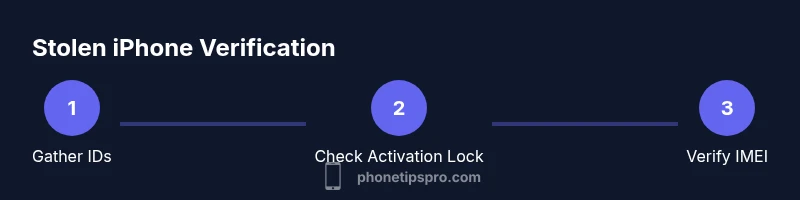
- 1
Gather device details
Collect the device’s IMEI, serial number, model, purchase proof, and any location history if available. This baseline helps you cross-check with official records.
Tip: Have the device in hand or a clear photo to read numbers accurately. - 2
Check Activation Lock and Find My iPhone
Verify Activation Lock status and whether Find My iPhone is linked to a known Apple ID. Use iCloud or the device Settings to confirm signals.
Tip: If access is blocked, request documentation or a temporary owner transfer. - 3
Verify IMEI/Serial with Apple and Carrier
Cross-check the identifiers with Apple’s tools and the carrier database to confirm legitimacy and any blocks.
Tip: Document every result with timestamps for your records. - 4
Assess the ownership trail
Request the original receipt and transfer-of-ownership documents. A clean trail reduces theft risk significantly.
Tip: If proof is missing, consider walking away or seeking a trusted retailer. - 5
Decide and act
If any signal remains uncertain, pause, recheck with official channels, or report to authorities if appropriate.
Tip: Trust your due diligence and do not rush a purchase.
FAQ
What signals most strongly indicate a stolen iPhone?
Activation Lock status, Find My iPhone activation, and carrier flags are the strongest indicators. IMEI history and ownership documents corroborate the signals.
Activation Lock, Find My iPhone status, and carrier flags are the strongest theft indicators.
Can a device with Find My iPhone turned off still be stolen?
Yes. A device can be stolen even if Find My iPhone is off. You should still verify IMEI, serial, and ownership documentation to assess risk.
Yes, theft risk can remain even if Find My iPhone is off; verify all records.
What should I do if the seller cannot provide proof of ownership?
Ask for a reasonable alternative like a transfer of ownership document or return policy. If no proof is available, avoid the purchase and consider a retailer with clear ownership records.
If the seller cannot provide ownership proof, avoid buying and seek alternatives.
Will erasing the device help if it is stolen?
Erasing does not restore ownership. It can put data at risk and may complicate investigations. Do not erase unless you are the rightful owner.
Erasing on a potentially stolen device doesn't fix ownership and can be risky.
Is activation to a different carrier possible for stolen devices?
Stolen devices are often blocked across carriers. If activation is possible on a new carrier, proceed with caution and verify ownership again.
Theft flags often block carrier activation; verify thoroughly.
What is the quickest way to verify legitimacy on a used iPhone?
Run Activation Lock checks, confirm Find My iPhone status, and cross-check IMEI/serial with Apple and the carrier. Collect proof of purchase when possible.
Do quick Activation Lock and IMEI checks plus proof of purchase verification.
Watch Video
Quick Summary
- Verify Activation Lock status early
- Cross-check Find My iPhone and IMEI with official sources
- Demand ownership documentation before purchase
- Avoid devices with conflicting histories