Can You Get iPhone Camera Lens Fixed? A Practical Guide
Learn how to fix an iPhone camera lens by exploring Apple repairs, trusted providers, and safe DIY checks. Understand costs, timelines, and how to protect your lens after repair.


Can you get iPhone camera lens fixed? Yes—there are reliable paths to restoration. This guide explains official Apple repair, reputable third-party options, and safe DIY checks, plus cost ranges, turnaround times, and what to expect from the lens repair process. You’ll need your iPhone model, proof of purchase, and a trusted service provider.
can you get iphone camera lens fixed: a quick orientation and what affects the outcome
If you’re asking can you get iphone camera lens fixed, the short answer is yes in many cases, but the path you choose determines the result. Exterior scratches or cracks on the lens cover can often be addressed with professional cleaning, replacement, or a lens glass swap, while deeper damage inside the camera module may require a full module replacement or device replacement. The key is to diagnose whether the issue is purely cosmetic, or if it interferes with autofocus, exposure, or image sharpness. In this guide we break down options, decision points, and practical steps so you can move forward confidently.
Assessing the damage: exterior lens vs. internal components vs. sensor risk
The first step in answering can you get iphone camera lens fixed is to understand where the fault lies. Exterior damage on the glass can often be repaired or replaced without touching the internal sensor. If you notice blurring, color shifts, or inconsistent focus that persists after cleaning, the problem may involve the lens assembly, the image sensor, or the flexible cable connections. Proper assessment requires inspecting for: surface scratches, micro-cracks in the protective glass, lens fog or haze, and abnormal artifacts in photos. A professional technician uses calibration tests and sometimes diagnostic software to determine if the sensor or motherboard is affected. This distinction guides whether a repair is practical and cost-effective.
Repair pathways: Apple, authorized providers, and reputable third parties
There are multiple repair pathways when addressing a damaged camera lens. The most risk-averse option is Apple’s official repair or an Apple Authorized Service Provider, which helps ensure warranty compatibility and original parts. Authorized providers often offer mail-in or in-person service, and they can assess whether a simple lens replacement is possible or if the entire camera module must be swapped. Reputable third-party repair shops can be faster or cheaper in some cases, but verify their parts quality, warranty on the repair, and whether they can provide a service invoice suitable for warranty claims. If you decide on a DIY approach, limit it to non-invasive exterior cleaning and diagnostics only; avoid opening the device to prevent further harm.
Costs, timing, and warranty considerations: what to expect
Costs and turnaround times vary widely by provider, location, and the extent of the damage. Apple repairs tend to have standardized pricing structures and clear timelines, while third-party options may offer accelerated service or mail-in programs. Warranty status matters: if you’re within the original warranty or AppleCare+, some lens issues may be covered; if not, you’ll want a detailed written quote that lists parts and labor. Warranties on third-party repairs are common but can vary in duration and coverage. Always request a written estimate before authorizing work and confirm whether the repair impacts device waterproof seals or future service eligibility.
How to choose a provider: questions to ask and red flags to watch for
Choosing a repair partner is crucial. Ask about: (1) whether they use official Apple parts or high-quality aftermarket equivalents; (2) whether the repair includes a test of all camera modes (Portrait, Night, Panorama) after service; (3) the estimated turnaround time and shipping options if applicable; (4) proof of service and warranty terms; (5) their policy if the problem recurs within the warranty period. Red flags include vague price quotes, lack of a physical address, aggressive upselling, or requests to void existing warranties. Favor providers with clear warranties, transparent pricing, and verifiable customer reviews.
Post-repair care: protecting your camera lens and preserving image quality
After repairs, protect the lens by using a high-quality case, avoiding rough surfaces, and cleaning the lens with a microfiber cloth only when the device is powered down. Regularly inspect the lens cover for new scratches and keep your iPhone away from sand, dust, and moisture that can compromise seals. If you frequently shoot in dusty environments, consider a protective add-on that shields the lens from scratches while not obstructing the optical path. Gentle handling and routine checks help extend the repair’s lifespan.
Authority sources and consumer guidance
To verify repair options and safety guidelines, consult reputable sources such as Apple Support, the FTC consumer tips on electronics repair, and independent consumer testing publications. These resources help you understand warranty implications, service provider credentials, and the potential for additional damage if DIY attempts go wrong.
Quick-start checklist for can you get iphone camera lens fixed
- Confirm warranty status and coverage.
- Decide between Apple/authorized vs. reputable third-party.
- Obtain a written estimate before any work.
- Back up data before service if a data loss risk exists.
- Test all camera modes after repair and keep receipts.
Tools & Materials
- Apple Support contact or Apple Authorized Service Provider information(Have your device serial number and proof of purchase when possible.)
- Proof of purchase / AppleCare coverage documents(Helpful to determine if repair is covered.)
- Microfiber cleaning cloth(For safe exterior lens cleaning only.)
- Lens cleaning kit (non-abrasive)(Use only on exterior surface if advised by provider.)
- Repair quote form or service agreement(Obtain in writing before authorizing work.)
Steps
Estimated time: 3-14 business days depending on path and location
- 1
Identify issue and collect details
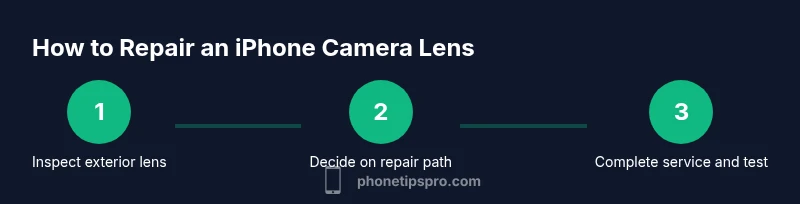
Examine the camera lens for visible scratches, cracks, or fog. Note when the issue occurs (certain apps, low light, or macro shots) and capture photos to share with the technician.
Tip: Take high-resolution photos from multiple angles to document the problem. - 2
Check warranty status
Review whether the damage falls under the original warranty or AppleCare+. Confirm eligibility before spending money on a repair.
Tip: Use Apple Support to run a diagnostic or warranty check quickly. - 3
Decide on repair path
Choose between Apple/authorized service or a reputable third-party provider based on speed, cost, and warranty considerations.
Tip: Ask about part sourcing and whether the repair will affect future service eligibility. - 4
Get a written quote
Request a detailed estimate listing parts, labor, and any shipping fees if mail-in. Compare quotes from multiple providers if available.
Tip: Ensure the quote includes a warranty on the repair. - 5
Back up data and prepare device
Back up all data before sending the device for repair. Disable Find My iPhone and sign out of iCloud if instructed by the provider.
Tip: Backups prevent data loss in case the device is unavailable during service. - 6
Send or take in for service
Deliver the device to the chosen provider or mail it following their guidelines. Keep tracking information and receipts.
Tip: Use insured shipping if mail-in repair is chosen. - 7
Test and confirm repair results
After repair, test all camera modes and features. Inspect the lens for new scratches and verify image quality.
Tip: Document test results and keep the service warranty contact handy.
FAQ
Can Apple fix iPhone camera lens under warranty?
If the lens damage is covered by your warranty or AppleCare+, Apple may repair or replace the lens without a charge per their terms. Always verify coverage before proceeding.
If your warranty or AppleCare+ covers the issue, Apple may repair at no or reduced cost. Check coverage first.
Is DIY lens cleaning safe for the iPhone camera?
Cleaning the exterior glass with a microfiber cloth is generally safe. Do not disassemble the phone or attempt internal repairs unless you’re trained and authorized.
Exterior cleaning is okay, but avoid opening the device yourself.
How long does a typical iPhone camera lens repair take?
Repair times vary by provider and location. In-store repairs can be faster than mail-in options, but always confirm timelines in advance.
Timeline depends on provider; ask for a written estimate before opting in.
Will lens repair restore 100% image quality?
Most lens repairs restore normal imaging quality, but if the sensor or internal optics were damaged, some issues may persist or require additional work.
Most repairs restore quality, but sensor damage can complicate outcomes.
Should I replace the entire camera module instead of the lens?
Often a full camera module replacement is recommended if the internal components are affected. Ask the technician what is necessary for your device.
Sometimes the whole camera module must be replaced; verify with the tech.
What’s the difference between Apple and third-party repairs?
Apple repairs often ensure original parts and official warranty terms, while reputable third-party shops can be faster or cheaper but may have different warranties.
Apple offers warranty-backed repairs; third parties can be cost- and time-efficient if reputable.
Watch Video
Quick Summary
- Assess damage type before repair choice.
- Prefer Apple/authorized repair for warranty protection.
- Obtain a written estimate and warranty terms upfront.
- Back up data before service and test thoroughly after repair.
- Protect the lens with a case and careful handling afterward.