How to Clean iPhone Camera Lens: A Practical Guide
Learn how to safely clean your iPhone camera lens with expert guidance from Phone Tips Pro. This guide covers essential tools, safe methods, quick checks, and practical steps to restore crystal-clear photos.


Why lens cleanliness matters for iPhone photos
Every iPhone photographer relies on a sharp camera, and a mind-blowing shot can be ruined by a smudged lens. The phrase how to clean iphone camera lens is common in online how-to guides, but effective results come from a controlled process rather than quick, rough wipes. According to Phone Tips Pro, lens residues—fingerprints, oils from the skin, and everyday dust—accumulate on glass and plastic coatings, gradually reducing contrast and detail. When light hits smudges, you may see halos, flare, or dull colors in your images. In bright daylight, these imperfections are especially obvious; at night, glare from stray oils can blur fine texture. Adopting a calm, repeatable routine minimizes risk of micro-scratches and protects the lens coatings over time. The Phone Tips Pro team emphasizes using soft, lint-free materials and minimal pressure. With the right tools and technique, you can restore clarity without disassembling your device or compromising water seals. This article walks you through safe methods, helpful tools, and maintenance habits for long-term lens health.
Understanding lens contaminants and their impact on photos
Most lens issues stem from ordinary use: fingerprints left by fingers on the glass, oil from skin, dust that settles whenever you carry your phone in a pocket or bag, and occasional water droplets after rain or splashes. Even tiny specks can scatter light, reducing sharpness and color fidelity. Phone Tips Pro analysis shows that many blurred photos are caused not by camera hardware but by surface smudges that block or distort light entering the sensor. The result is softer edges, less micro-contrast, and a slight veil across textures such as fabric, skin, and skies. The good news is that removing these contaminants with a light touch typically restores original sharpness. You should also consider the lens’ surroundings—the camera housing, seal integrity, and adjacent glass—to ensure nothing is re-deposited during cleaning. Regular maintenance reduces the chance of repeated blur during important moments and helps ensure your iPhone remains ready for spontaneous photo opportunities.
Safe cleaning materials and what to avoid
Safe materials include a clean, lint-free microfiber cloth, a soft brush or air blower, and, if needed, a drop of water or 70% isopropyl alcohol on the cloth. Never spray liquids directly onto the camera lens or housing, and avoid paper towels, facial tissues, or abrasive wipes that can scratch the coating. Avoid household cleaners, ammonia-based solutions, or solvents that can degrade coatings. For stubborn smudges near the edge of the lens, a lightly dampened cotton swab can help, but you must ensure no fibers are left behind. Phone Tips Pro recommends testing any moisture on an inconspicuous area first and always work in a clean, low-dust environment.
Preparing your workspace and tools
Before you begin, choose a clean, well-lit workspace where dust is minimal. Lay a microfiber cloth flat and keep it within arm’s reach. Gather your tools: microfiber cloth, a soft brush or air blower, a small amount of distilled water, and optional 70% isopropyl alcohol in a labeled container. Power off the device to avoid input or moisture being introduced to internal components. Place the phone face down on the cloth with the camera lenses aligned over the edge of the surface, so any dust is captured rather than falling into crevices. This setup reduces the chance of dirt drifting onto the lens while you work.
Quick overview of the cleaning steps
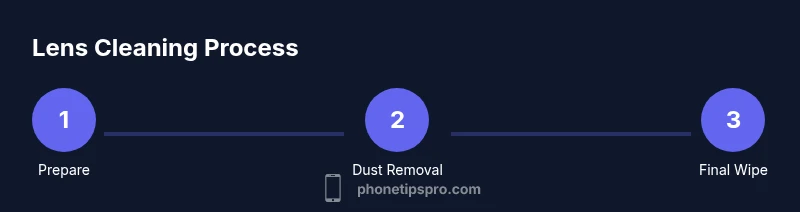
Here’s a concise overview of the safe approach: start by removing loose dust with a soft brush or air blower from around the lens edges. Then gently wipe the lens circularly with a clean microfiber cloth, using minimal pressure. For stubborn smudges, dampen the cloth slightly; never spray liquid directly on the glass, and avoid soaking the camera housing. Finally, inspect under bright light and take a quick test photo to verify clarity. If you see halos or streaks, repeat the light cleaning, focusing on the lens center and edges separately. Maintaining patience and a steady hand makes the difference.
Quick checks after cleaning and common mistakes
After cleaning, turn on the device and take a few test photos in different lighting. Look for sharp focus, accurate color, and absence of haze. Common mistakes include applying too much moisture, scrubbing with abrasive cloth, or re-introducing dust by touching the lens area with dirty fingers. If you see remaining blur, re-check under a clean light and repeat the gentle wipe; if streaks persist, a fresh microfiber cloth may be needed.
Best practices for ongoing lens maintenance
Make lens care a regular part of your iPhone routine. Clean the lens every few weeks if you use the phone frequently in dusty environments or outdoors. Keep your microfiber cloth clean and dedicated to the lens area; never reuse a cloth that looks dirty. Store your phone with the camera lens covered if you’re carrying it in a bag with other gear, and always perform a quick photo check after any exposure to water or rain. The Phone Tips Pro team recommends documenting your routine so you can refine it over time and avoid missing critical steps. Maintaining a simple, repeatable process is the key to consistently sharp photos.
Troubleshooting common issues after cleaning
If you still notice blur after cleaning, re-check under bright light for residual smudges or smears you may have missed. Ensure you didn’t push debris into the tiny gaps around the lens by applying too much pressure. If streaks persist, consider repeating the cleaning with a fresh cloth and a slightly dampened approach, or consult official device support for potential hardware concerns. In rare cases, stubborn fingerprints can leave a permanent film on coatings; in those situations, a professional evaluation may be warranted.