Is iPhone Easy to Use After Android? A Practical Guide
Explore whether switching from Android to iPhone is intuitive, with practical steps, UX differences, data transfer tips, and how to ease daily use.


Is iphone easy to use after android? For many users, the answer is yes, thanks to a streamlined setup, consistent gestures, and guided onboarding. This quick comparison highlights where ease comes from, what to expect during data transfer, and how everyday tasks differ—so you can decide if switching fits your lifestyle.
is iphone easy to use after android: initial reality check
According to Phone Tips Pro, many readers ask whether is iphone easy to use after android, and the short answer is yes for most people. The transition hinges on adopting a new ecosystem rather than mastering a radically different device. Apple’s onboarding and consistent UI help reduce friction during setup and first use. In practice, the most noticeable changes are gesture-based navigation, the centralized Control Center, and how notifications are organized. This section outlines what to expect in the first week after you switch, what to adjust, and where to find quick wins to accelerate comfort. Phone Tips Pro Team notes that the learning curve tends to be moderate for core tasks like calling, texting, and installing apps, with the payoff coming from predictable updates and strong privacy defaults. The goal is to map your Android habits to iPhone features so you can plan the transition with confidence.
Core UX differences: iOS vs Android
The iPhone user experience (UX) centers on consistency and predictability. On iOS, the home screen is visually simple and stable, while Android often offers more widget customization and home-screen layouts. Gestures differ: iPhone relies on swipes and presses with a consistent set of actions, whereas Android may rely more on a back button and contextual menus. The Notification Center and Control Center present information in a unified way, but the location and behavior differ, which affects how you manage alerts, quick settings, and privacy prompts. Day-to-day impact: app switching on iPhone is crisp and quick once you memorize the gestures; settings are neatly organized under a small set of principal screens; notifications arrive in a centralized feed with focus on context. The key is to practice the main gestures a few times and customize quick settings to mirror your Android shortcuts.
App ecosystem and data transfer
App stores differ in tone and policy, but both ecosystems offer the primary apps most users rely on. The iOS App Store emphasizes a curated experience and timely updates, while Android’s Google Play Store provides broad device compatibility and customization tools. Migrating data is usually straightforward: contacts, calendars, photos, and messages can be moved via Move to iPhone or iCloud backups, with some app data requiring re-login or reinstallation. Expect some services that were Android-specific to require new sign-ins or alternatives on iPhone. This section covers concrete steps to prepare, including account consolidation and verifying cloud sync, to minimize friction during first use.
Migration steps: practical checklist
- Back up your Android data and collect important account credentials. 2. On the iPhone, start with the initial setup and connect to Wi‑Fi. 3. Use Move to iPhone to transfer contacts, messages, photos, and calendars when possible. 4. Sign in to essential apps and reconfigure privacy settings. 5. Set up iCloud, Find My iPhone, and Apple Services (Face ID/Touch ID). 6. Reinstall apps from the App Store and re-sync services like email and messaging. 7. Check notification preferences and customize Control Center shortcuts. 8. Gradually adapt to iOS-specific features such as Widgets, Focus modes, and privacy prompts. By following this checklist, you can reduce downtime and start productive with your new device sooner.
Messaging and communications: what changes to expect
Messaging is a common sticking point during a switch. iPhone relies heavily on iMessage, with SMS fallback for non-iMessage contacts. Group chats often switch between iMessage and SMS depending on participants’ devices, so some conversations may appear differently. You’ll also notice differences in media sharing, reactions, and message search. If you collaborate with Android users, you can still chat via SMS or use cross-platform apps, but some features like end-to-end encryption may work differently. Planning ahead for messaging helps ensure conversations stay fluid during and after the transition.
Security, privacy and updates: long-term upkeep
iPhone emphasizes privacy by design with regular, uniform updates across devices. iOS updates bring new features and security fixes on a predictable cadence, reducing fragmentation. You’ll manage app permissions more proactively during setup, and privacy dashboards help you review data access. For continued peace of mind, enable two-factor authentication, review app permissions periodically, and keep iCloud backups current. While Android devices can offer more device-level customization, the iPhone approach often yields a more consistent and protective user experience over time.
When switching makes sense: best-fit scenarios and caveats
Switching to iPhone tends to pay off for users who are already invested in Apple services, value a cohesive ecosystem, privacy, and reliable long-term updates. If you prioritize deep customization, flexible hardware options, or lower upfront costs, staying with Android might be preferable. Consider your primary apps, family members’ devices, and how important features like iMessage, AirDrop, and iCloud are to your daily workflow. This evaluation helps you decide whether the ease of use after Android aligns with your personal and professional needs.
Authority sources and next steps
For further context on switching, you can consult official and independent sources. This article draws on industry best practices and user experience principles from reputable publishers and government resources to provide balanced guidance.
Comparison
| Feature | Switch to iPhone | Stay with Android |
|---|---|---|
| Learning curve | Moderate | Low |
| App ecosystem and availability | Broad but iOS-specific features; strong privacy integrations | Extensive Android library; some apps not on iOS |
| Data transfer ease | Move to iPhone can transfer contacts, calendars, and messages; some data may require manual setup | Data transfer varies by device; plan backups and transitions |
| Messaging continuity | iMessage/SMS integration; cross-platform messaging possible | SMS/MMS with Android; RCS support varies by carrier |
| Software updates | Regular, uniform updates across devices | Updates depend on device and manufacturer fragmentation |
| Total cost of ownership | Typically higher upfront, potential long-term value | Often lower upfront; ongoing app/subscription costs may vary |
Positives
- Seamless ecosystem and consistent updates
- Strong privacy defaults and onboarding
- Long-term resale value and reliable support
- Easy cross-device sharing (AirDrop, Handoff)
Weaknesses
- Learning curve for gestures and settings
- Possible app gaps during transition
- Higher upfront device cost in some cases
- Limited customization compared with some Android devices
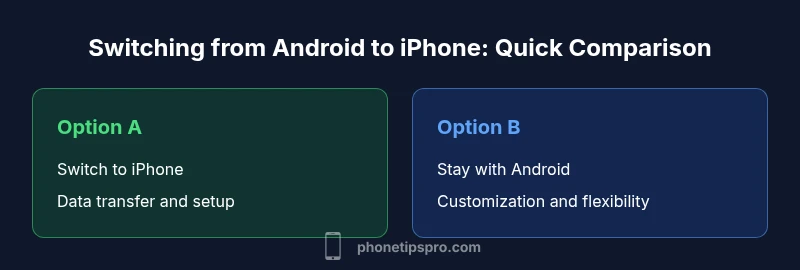
Switch to iPhone if you value ecosystem cohesion, privacy, and predictable updates; stay with Android if customization and upfront cost flexibility matter more.
The decision hinges on your priorities. If ecosystem and privacy are top priorities, switching is a solid choice; if customization and budget flexibility dominate, staying with Android may be the better path. The Phone Tips Pro team would weigh those factors alongside your use case.
FAQ
Is it hard to switch from Android to iPhone?
Most users find the switch manageable with guided onboarding and a straightforward setup. The transition is smoother when you prepare accounts and data in advance.
Most people adjust quickly with the built-in guides and a clear plan.
Can I transfer contacts, photos, and messages from Android to iPhone?
Yes, contacts, calendars, photos, and messages can be moved using Move to iPhone, iCloud backups, or manual transfer. Some app data may require re-login or reinstallation.
You can usually move most of your data, though some apps may need a fresh sign-in.
What about messaging? Will I lose group chats?
Group chats may switch between iMessage and SMS depending on participants. Cross-platform chats can continue via SMS, but some features may be limited.
Group chats might shift to SMS for non–iPhone users, but you’ll still chat.
Are there costs beyond the device price?
Yes. Consider cloud storage upgrades, app subscriptions, and potential accessory purchases to support the new setup.
There are ongoing costs mostly for storage and apps.
Will Android apps be available on iPhone?
Most popular apps have iOS equivalents or versions. Some Android-exclusive apps won’t be available on iPhone.
Most apps exist on iOS, but a few Android-only apps may not be available.
How long does it usually take to adapt to iPhone after Android?
Adaptation varies by user, but many people feel comfortable within a few days to a couple of weeks with daily use.
Most people adjust in days to weeks with consistent use.
Quick Summary
- Assess your priorities: ecosystem, cost, and ease of use
- Plan data transfer with Move to iPhone and iCloud backups
- Expect differences in messaging and notification management
- Give yourself time to adapt to new gestures and settings
- Use official guides and support to minimize setup friction
- Incorporate privacy controls from day one