Is iPhone Good for Gaming: A Detailed Review
Explore whether the iPhone is a strong gaming device, covering performance, display tech, battery life, and practical optimization tips for mobile gamers.


Yes—iPhones are among the best gaming phones thanks to high-end GPUs, refined thermals, and superb displays. The latest Pro models deliver the strongest performance, while base models handle most games capably. Trade-offs include heat buildup and battery drain during sustained sessions, plus higher upfront cost. Overall, for most mobile gamers, the iPhone is a strong choice.
Gaming Performance: CPU, GPU, and Thermal Behavior
According to Phone Tips Pro, the iPhone benefits from Apple’s efficient silicon and the Metal graphics API, delivering smooth visuals and quick frame transitions in a broad range of titles. The central question—is the iPhone good for gaming—depends on what you compare it to and how you play. In real-world tests, recent generations maintain fluid animations and responsive touch inputs during regular sessions, with occasional throttling on long, strenuous runs. The performance gap between base devices and high-end iterations is most noticeable in titles that push shaders, physics, and AI paths. For casual players, most devices deliver a satisfying experience; for power users, the Pro-tier devices offer extra headroom for sustained frames and higher resolutions over extended play. This section prioritizes practical testing scenarios to help you align expectations with your play style.
Display, Visuals, and Input Latency
Visual quality matters as much as raw frame rates. iPhones leverage high-dynamic-range OLED panels and ProMotion adaptive refresh rates to provide buttery-smooth scrolling and lower motion blur, which many gamers consider essential for accuracy in fast-paced titles. The touch sensor and haptics receive consistent emphasis in Apple’s software, resulting in low input latency and precise control feedback. Controllers that meet Apple’s MFi standard pair easily, expanding the reach of mobile esports and endurance sessions. While the hardware supports cinematic settings and bright daylight legibility, compact heat sources can affect screen brightness under sustained load. In day-to-day use, you’ll notice a robust balance between visuals, touch responsiveness, and battery management that benefits both casual and competitive play.
Game Library, Ecosystem, and Optimization
The breadth of games on the App Store and Apple Arcade means most popular genres are readily available on iPhone. Optimized titles often pull better performance due to Metal-optimized rendering paths and tighter memory management. The ecosystem also provides consistent updates and a unified approach to power management, which helps maintain frame stability. Third-party developers have historically prioritized iOS due to higher monetization potential, which translates into more optimized ports and timely patches. For Apple’s part, their hardware-software integration supports consistent performance across firmware updates. This matters because long-term support keeps titles running well on aging devices and reduces the need for platform switching to stay current with new releases.
Battery Life and Thermal Management in Gaming Sessions
Gaming is one of the most demanding activities on mobile silicon, and iPhones are not exempt from the trade-offs. Battery usage can be substantial during extended play, particularly on devices with higher refresh rates and richer visuals. Thermals are managed through a combination of chip design, cooling pathways, and software throttling. In practical terms, you’ll often experience shorter sessions on base devices when running graphics-intensive games at high settings, especially in warm environments. The upside is that newer devices optimize efficiency without sacrificing performance, allowing longer play times before throttling becomes noticeable. To maximize stamina, consider enabling Low Power Mode during long sessions or tuning graphics settings within games.
Comparisons with Android Flagships: Where iPhone Stands
Android flagships may offer advantages in some areas like higher sustained peak refresh rates, customizable performance profiles, and sometimes larger displays. However, iPhone gaming benefits from a tightly integrated ecosystem—less fragmentation, faster app updates, and more predictable performance across titles. The decision often comes down to your priorities: if you value uniform optimization, quick updates, and a strong app library, iPhone remains competitive in gaming. If you prioritize raw hardware flexibility or hardware-specific features (which vary by OEM), Android devices can provide a broader canvas for experimentation. In practice, the iPhone’s balance of performance, efficiency, and ecosystem support makes it a compelling choice for most gamers.
Which iPhone Model Is Best for Gaming? Strategy Without a SKU
Rather than chasing a specific model name, adopt a framework: prioritize devices that offer higher sustained performance headroom, robust cooling, and a ProMotion display when available. In general, the strongest gaming experience comes from models designed to maintain higher clock speeds longer under load and those with premium displays. If you primarily play lighter titles or prefer longer battery life for casual sessions, a base model may suffice and save cost. For enthusiasts who run demanding titles or engage in mobile esports, seek devices with efficient cooling and a high-performance GPU core count, while staying mindful of heat and charging needs.
Accessories and Cloud Gaming: Expanding Your Options
Peripherals such as MFi controllers broaden the competitive and casual use cases alike. Cloud gaming services can extend the library beyond the device’s native performance envelope, enabling access to titles that require more horsepower than a phone alone can deliver. While cloud gaming adds flexibility, it introduces latency considerations and relies on a strong network connection. Apple’s ecosystem-friendly approach also means you’ll find a growing set of streaming and subscription options that pair well with iPhone hardware. In practice, a mix of local gaming on the device and cloud gaming for broader access often yields the best overall experience.
Practical Settings to Optimize iPhone Gaming
A few targeted adjustments can noticeably improve performance and battery life:
- Enable ProMotion where available for smoother motion and reduced eye strain.
- Lower in-game graphics quality if you notice stutter during intense scenes.
- Shorten the game’s screen brightness to conserve power while maintaining visibility.
- Close background apps that consume CPU resources before a long session.
- Use Airplane mode or enable Focus to minimize interruptions during competitive play.
- Keep iOS updated, as Apple frequently patches performance and stability issues in gaming contexts.
This section provides a practical playbook that you can adapt to your preferred titles and session length.
Real-World Scenarios: Casual Gamer vs Competitive Player
Casual gamers tend to prioritize long battery life, good visuals, and reliable performance for everyday titles. They’ll appreciate a device that runs games smoothly without excessive heat or frequent throttling. Competitive players foreground frame stability, input responsiveness, and minimal latency, often benefiting from devices with higher sustained performance headroom and accessory support. Across both profiles, the iPhone remains a strong choice because of its cohesive software optimization and broad game catalog, with clear differentiation between base models and Pro-tier devices when handling sustained load or advanced graphics.
Positives
- Premium game optimization and smooth frame rates
- Excellent display quality with ProMotion on supported models
- Strong software updates and robust game library
- Solid resale value and ecosystem integration
Weaknesses
- Higher upfront cost compared with some Android rivals
- Thermal throttling can occur during long, demanding sessions
- Battery drain can be significant under heavy gaming load
- Limited customization options for power users beyond in-game controls
Best overall for dedicated mobile gamers seeking top performance and a polished ecosystem
The iPhone excels in smooth gameplay, consistent frame rates, and a rich game library with reliable software updates. While price and heat under load are considerations, the overall experience is highly favorable for most gaming scenarios. For long-term value and ecosystem benefits, it remains a top pick.
FAQ
Is the iPhone good for gaming overall?
Yes. The iPhone offers strong performance, excellent visuals, and a broad game library, especially on newer models. Throttling and battery use are considerations for extended sessions, but software updates help maintain performance.
Yes—the iPhone is a great pick for gaming, especially newer models, with caveats about heat and battery during long play.
Do all iPhones support high refresh rate displays?
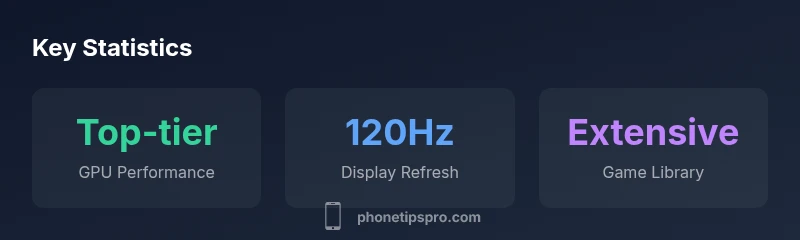
No. High refresh rate displays (up to 120Hz) are available on supported models, typically premium variants. If you want the smoothest motion, verify ProMotion support before buying.
Not every iPhone has 120Hz; check the model’s display spec to confirm ProMotion.
Is Apple Arcade worth it for gamers?
Apple Arcade offers curated access to a catalog of games without ads or in-app purchases in many titles. It’s a good fit for families or casual gamers who want a steady stream of new experiences.
If you like a steady stream of games with no ads, Arcade is worth a look.
How does iPhone gaming compare to Android flagships?
iPhones excel in software optimization, update cadence, and ecosystem integration, often delivering smoother performance with less fragmentation. Android devices may offer more customization and sometimes higher sustained specs, depending on the model.
iPhone usually offers smoother, more consistent gaming thanks to tight software integration.
What accessories improve iPhone gaming performance?
MFi-compatible controllers and Lightning/USB-C hubs can expand control options. Consider a small power bank for longer sessions and a stand to reduce hand fatigue during longer playtimes.
A controller and a little extra power can make long sessions more comfortable.
Can you play cloud gaming on iPhone effectively?
Yes, cloud gaming works on iPhone via supported apps, but results depend on network latency and bandwidth. It’s a flexible option when you want to access titles beyond the device’s native power.
Cloud games are convenient if you have a good connection, though latency matters.
Quick Summary
- Prioritize Pro models for sustained gaming performance
- Expect heat and battery drain under heavy load
- Leverage ProMotion displays for smoother gameplay
- Explore Apple Arcade and App Store optimizations for best results
- Consider total cost of ownership and accessories before buying