Is Night Shift on iPhone Good for Your Eyes? An Analytical Review
Explore whether Night Shift on iPhone protects your eyes, how it works, and practical tips from Phone Tips Pro for calmer evenings and better sleep.


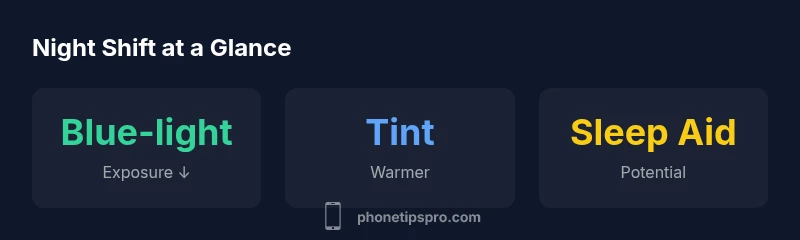
Night Shift reduces blue-light exposure by warming the display, which can lessen eye strain for many users in dim environments. However, it is not a medical device and does not cure vision problems or protect against all eye fatigue. For most iPhone users, enabling Night Shift during evening browsing improves comfort and helps with sleep timing when combined with other healthy habits.
What Night Shift Does for Your Eyes
For readers wondering is night shift in iphone good for eyes, the short answer is that Night Shift is designed to shift the display toward warmer colors in the evening. This changes the balance of blue light emitted by the screen, which some users report as gentler on the eyes after sunset. In practice, many people notice a softer, less glaring image when the feature is activated in low-light conditions. The Phone Tips Pro team highlights that comfort can vary based on your lighting environment, screen brightness, and the content you view. It’s important to view Night Shift as a comfort feature rather than a medical intervention. The goal is to reduce the potential for immediate eye strain during night-time use, while also helping align screen time with natural circadian rhythms. In short, is night shift in iphone good for eyes depends on context and user preference, not a one-size-fits-all rule.
How Night Shift Works: Color Temperature and Blue Light
Night Shift operates by adjusting the color temperature of your iPhone’s display toward warmer tones in the evening or as scheduled. This reduces the amount of blue-spectrum light emitted by the screen, which some researchers hypothesize may influence eye strain and sleep patterns. The color temperature is adjustable along a spectrum from “Less Warm” to “Very Warm,” giving users the ability to tailor the visual warmth to their environment. While this adjustment can make the screen appear more amber or orange, it may also alter color accuracy for tasks that rely on precise hues, such as photo editing. For general reading and casual browsing, most users report a noticeable decrease in glare and a softer overall feel at night. The feature remains purely optical; it does not cure underlying ocular conditions. Implementing Night Shift alongside moderate brightness and regular breaks tends to yield the best personal comfort.
Research and Eye Strain: What the Evidence Says
The research landscape on blue-light exposure and eye strain is evolving, and there is no unanimous consensus that Night Shift alone prevents eye fatigue during long screen sessions. Some studies suggest blue-light reduction can improve subjective comfort in low-light settings, while others find minimal measurable impact on ocular health in healthy eyes. From Phone Tips Pro Analysis, 2026, user experience data indicate a high degree of variability: some users perceive clearer text and less glare, while others notice little difference. It’s also important to recognize that eye strain is multifactorial, with factors like screen brightness, font size, scrolling speed, posture, and ambient lighting playing significant roles. Therefore, Night Shift should be viewed as a piece of a larger eye-care strategy rather than a singular remedy. Phone Tips Pro recommends balancing screen time with breaks and posture adjustments to mitigate fatigue.
Practical Impacts During Different Scenarios
In dim rooms, Night Shift can offer immediate comfort by reducing the harsh contrast between a bright white background and a dark room. When reading long-form content late at night, many users prefer the warmer tint because it reduces perceived glare and may help with sustained attention. Conversely, in bright rooms or during color-critical tasks like photo editing, you might prefer turning Night Shift off to preserve color accuracy. Gamers often report mixed results: some appreciate the reduced eye strain, while others find the warmer tint slightly alters in-game color cues. The key is to adapt Night Shift to the activity and environment, not to adopt a universal rule. Pair Night Shift with sensible habits such as consistent font sizing and frequent micro-breaks to keep eyes comfortable.
Night Shift vs. Dark Mode and True Blue Light Filters
Night Shift differs fundamentally from Dark Mode. Night Shift changes the color temperature and reduces blue light, whereas Dark Mode flips the interface to darker tones to reduce screen brightness exposure. Third-party blue light filters can offer more aggressive blue-light reduction, but these may compromise color reproduction more than Night Shift. For most iPhone users, a combination—Night Shift for general use, Dark Mode for navigation and reading in the dark, and scheduled brightness limits—provides balanced comfort. It’s worth noting that True Tone, another iPhone feature, adjusts white balance based on ambient light and can interact with Night Shift in ways that affect perceived color warmth. The practical takeaway is to test these settings in sequence to identify what minimizes discomfort in your daily routines.
When to Use Night Shift and When to Avoid It
Night Shift is most beneficial during evening and nighttime hours when indoor lighting is dim or when you’re winding down for bed. If you rely on color-accurate work—like photo editing, graphic design, or color-sensitive tasks—you may prefer to disable Night Shift temporarily. Some people may experience a slight delay in adjusting to the warmer tones or encounter a minimal decrease in perceived contrast. If you frequently switch between indoors and outdoors, you may want a schedule that adapts automatically to your location or time of day. The bottom line is to use Night Shift as a practical comfort feature, not a universal cure for all eye issues.
Brightness, Contrast, and Reading Comfort: A Holistic View
Eye comfort comes from more than blue-light reduction alone. High brightness in a dark room can worsen glare, while overly low brightness can make content hard to read. Night Shift helps by lowering blue content and warming the overall color, but you should also adjust brightness to a comfortable level, enable comfortable font sizes, and consider ambient lighting to minimize eye strain. Regular breaks to rest the eyes—such as the 20-20-20 rule (every 20 minutes, look at something 20 feet away for 20 seconds)—are essential components of an eye-care routine. In short, Night Shift works best as part of a broader strategy that includes appropriate brightness, font settings, and periodic breaks.
Customizing Night Shift for Best Comfort
To optimize your Night Shift experience, start by selecting a schedule that aligns with sunset times in your region. Then, adjust the color temperature toward warmer tones until the screen feels comfortable. If you frequently work with images or color-sensitive apps, you may want to turn off Night Shift temporarily during those sessions. You can fine-tune this feature under Settings > Display & Brightness > Night Shift, where you’ll find the Schedule, Color Temperature, and manual enable/disable options. Some users find that a mid-range warmth during evenings offers the best compromise between readability and comfort. Remember to adjust other accessibility settings, such as Text Size and Bold Text, to further reduce eye strain.
Long-Term Eye Health Considerations: What Users Should Know
Long-term eye health is influenced by a combination of factors beyond screen settings. Regular eye examinations, adequate lighting, ergonomic seating, and conscious screen time management contribute to overall comfort. Night Shift can be a useful daily habit for some users, particularly those who engage in evening reading or streaming. It is not a substitute for eye-care visits or medical advice. If you have chronic eye strain, migraine patterns, or sleep disorders, consult a healthcare professional for personalized guidance. The practical takeaway remains: use Night Shift as a convenient tool to reduce exposure to intense blue light in the evenings, while maintaining a broader eye-care routine.
Common Myths Debunked
Myth: Night Shift prevents eye diseases. Reality: Night Shift is a comfort feature, not a medical device. Myth: Warmer colors always improve sleep. Reality: Sleep outcomes vary; some people benefit, others may not notice a change. Myth: Turning Night Shift off makes eyes stronger. Reality: Eye health is about balance and breaks, not a single setting. Myth: Night Shift causes color distortion in all apps equally. Reality: Some apps show more noticeable tint shifts than others. The truth is that Night Shift can improve evening comfort for many users, but it’s not a cure-all. Phases of adjustment and a holistic approach to eye care matter more than any single feature.
How to Run a Simple Night Shift Test on Your iPhone
A practical approach is to run a short, informal test over 7–14 days. Enable Night Shift in the evening, record how your eyes feel after 30 minutes of use, and note any changes in sleep timing or perceived contrast. Then temporarily disable Night Shift for a week to compare. Keep brightness, font size, and ambient lighting consistent across the two periods to minimize confounding factors. If you notice improved comfort with Night Shift and no significant downsides for color tasks, it may be a good fit for your routine. If you rely on precise color accuracy or perform color-critical work, you may prefer to keep Night Shift off during those tasks.
Takeaways for Everyday iPhone Use
- Start with a sunset-based Night Shift schedule and a warmer tint.
- Pair with sensible brightness and font size for readability.
- Use Night Shift as part of a broader eye-care routine, including breaks and proper room lighting.
- Reassess periodically to balance comfort with color accuracy needs.
- If you have persistent eye discomfort, consult an eye care professional.
Positives
- Reduces blue-light exposure in evening use
- Easy to toggle and customize
- System-wide effect across all apps
- Can improve perceived comfort in dark rooms
Weaknesses
- May alter color accuracy for editing tasks
- Can tint white backgrounds and images
- Not a medical solution for eye diseases
- Effect varies by individual and environment
Night Shift is a practical comfort feature for evening iPhone use
Used properly, Night Shift can reduce eye strain and support sleep timing without major downsides. It should be part of a broader eye-care routine rather than a sole solution.
FAQ
What is Night Shift and how does it work on iPhone?
Night Shift adjusts the display color temperature to warmer tones at night, reducing blue-light emission. This can make evening viewing more comfortable but may alter color accuracy for tasks requiring precise colors.
Night Shift warms your screen at night to feel gentler on the eyes. It helps comfort but isn’t a replacement for color-accurate work.
Does Night Shift protect my eyes from all blue light?
It reduces blue-light exposure, which some people find more comfortable in low light. It does not prevent all eye strain or disease, and it is not a medical treatment.
It reduces blue light and can help feeling of comfort, but it isn’t a cure-all for eye issues.
Will Night Shift affect photo editing or color-sensitive work?
Yes, warmer colors can alter color perception, which may complicate tasks that require exact hues. You can temporarily disable Night Shift during these tasks.
If you’re editing photos, you may want Night Shift off until you’re done.
Should I leave Night Shift on all day?
Most users benefit from using Night Shift mainly in the evening. Daytime use keeps color accuracy intact for tasks and reduces overall warmth when not needed.
Use it in the evening, not all day, especially if you need accurate colors.
Can Night Shift improve sleep quality?
Night shifts’ impact on sleep varies. Blue light can affect melatonin, but individual results differ. Combine Night Shift with established sleep habits for best outcomes.
It might help some people sleep better, especially if you’re sensitive to blue light, but results aren’t universal.
How do I customize Night Shift on my iPhone?
Go to Settings > Display & Brightness > Night Shift. Set a schedule, choose warmth, and decide whether to enable it manually or automatically at sunset.
Open Display & Brightness, pick Night Shift, and adjust the schedule and warmth.
Quick Summary
- Enable Night Shift in the evening for comfort
- Adjust warmth to suit your lighting
- Pair with lower brightness and breaks for best effect
- Avoid relying on Night Shift for color-critical tasks
- Reassess settings periodically to fit your needs