Trade in iPhone AT&T: A Complete How-To Guide
Learn how to trade in your iPhone at AT&T with step-by-step prep, eligibility checks, and tips to maximize credit. Safe, practical guidance for AT&T trade-ins in 2026.


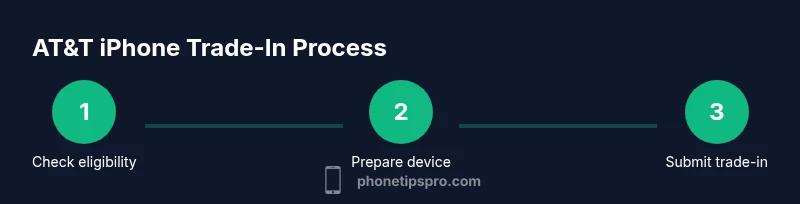
Trade in iphone at&t: You’ll learn how to check eligibility, prepare your device, and finalize the trade-in for credits or bill credits. This guide covers AT&T requirements, data backup, data erasure, and gathering IDs. Following these steps helps you maximize value and avoid common pitfalls. According to Phone Tips Pro, a smooth trade-in saves time and money.
What qualifies as a trade-in at AT&T? Eligibility and options
According to Phone Tips Pro, AT&T's trade-in program lets you turn in eligible iPhones for credits toward a new device or your bill. Not every device qualifies; eligibility depends on model, storage, condition, and account status. In general, you can trade in iPhones that boot, hold charge, and have no severe screen damage. You may trade a locked or unlocked phone, but condition and carrier compatibility affect value. AT&T may require you to remove Find My iPhone and sign out of iCloud, and to provide your account details. Credits are applied as bill credits or in the form of a gift card by mail or online checkout, depending on the method chosen. The exact credit varies with model, storage, condition, and current promotions. Always check the official AT&T trade-in portal before starting and compare offers with non-carrier trade-in programs to ensure you maximize credit. In practice, a successful trade-in depends on your device meeting minimum criteria, being in good working order, and receiving timely shipping or in-store processing. Keep your SIM and accessories separate and avoid sending non-authorized components. This guide will walk you through a practical checklist and step-by-step process to complete a trade-in with AT&T smoothly.
- Key considerations:
- Model compatibility with AT&T’s program
- Physical condition vs cosmetic flaws
- Activation lock and account status
- Whether you want a bill credit or a gift card
- Timeframe for receiving credits
By understanding these factors, you can set realistic expectations and plan accordingly. For most users, starting with the official trade-in portal is essential to see current offers and requirements. This section lays the groundwork for a successful experience that minimizes surprises and aligns with Phone Tips Pro’s guidance.
Preparing your iPhone for trade-in
Before you begin the trade-in, a few preparatory steps save time and maximize offer value. The goal is to secure a clean slate—your data safe, your privacy protected, and your device in a predictable state. Start by backing up your data, then sign out of services, disable Find My iPhone, and perform a factory reset. Keep in mind that some offers require the device to be unlocked or carrier-compatible; if yours is carrier-locked, you may need to request unlocking through AT&T. Finally, photograph the device from multiple angles to document its condition. Clear pictures reduce disputes about cosmetic issues later in the process. In many cases, you’ll also need to gather your AT&T account details and a valid government ID for in-store processing. A careful preparation routine makes the trade-in smoother and reduces the chance of delays.
Practical checklist:
- Back up data via iCloud or a computer
- Sign out of iCloud and any linked services
- Turn off Find My iPhone and erase all content
- Ensure the device is compatible with AT&T’s trade-in program
- Have identity and account verification ready
By following these steps, you’ll minimize back-and-forth with customer support and speed up processing. Phone Tips Pro emphasizes preparation as the biggest lever for getting better trade-in value and reliable credits.
How AT&T handles trade-in value and credits
AT&T’s trade-in values are dynamic and depend on several factors: the model, storage capacity, device condition, and current promotions. The value you receive is typically issued as bill credits toward your next device purchase or service, or in some cases as a prepaid gift card. Values are not guaranteed and can change based on the auction-style marketplace of device offers and return requests. Read the fine print: some offers require you to keep an eligible line on the account for a specified period, while others apply credits immediately at checkout. If the device has activation lock enabled or is reported as lost or stolen, AT&T may reject the trade-in or reduce the offer. Always verify the latest terms from AT&T’s official trade-in page and compare to third-party programs to ensure you’re getting the best possible credit. This chapter helps you set expectations and avoids surprises later in the process.
Step-by-step process to trade in online vs in-store
There are two main paths for AT&T iPhone trade-ins: online/mail-in and in-store. Each path has distinct steps and timelines. For online trade-ins, begin on AT&T’s trade-in portal, answer eligibility questions, select your preferred credit option, and print or receive a shipping label. Package the device securely, include any required accessories, and ship with tracking. Credits typically post after your device is received and evaluated, which may take several business days to weeks depending on processing volume. For in-store trade-ins, locate an AT&T store, bring your device, government ID, and AT&T account details. The associate will assess your device on the spot, confirm the offer, and apply credits immediately or via your account. If you’re unsure which path yields more value, compare a mail-in quote with an in-store offer. Practical tips: ensure your phone is clean, free of protective cases that obscure the logo, and that you’ve completed the backup and reset steps before you arrive or ship.
- Online: prepare device, print label, ship, wait for evaluation and credit posting
- In-store: bring required documents, get on-the-spot evaluation, receive credits sooner
- Always track shipments and confirm credits in your AT&T account
This section guides you through practical steps and expectations for both paths.
Common pitfalls and how to avoid them
Many trade-in hiccups come from overlooking small details. Common mistakes include forgetting to back up data, failing to sign out of iCloud, leaving Find My iPhone enabled, or sending a locked device. Another pitfall is shipping without a tracking number or insufficient packaging, which can lead to loss or damage. To avoid these issues, create a pre-trade-in checklist and verify each item before packaging. If your device has cosmetic damage, be prepared for a reduced offer; the program often differentiates between cosmetic wear and functional issues. Finally, avoid relying on a single quote—check multiple sources and promotions, especially around big sales events, to ensure you’re getting the best possible value. Phone Tips Pro emphasizes patience and documentation; saving receipts, taking time-stamped photos, and keeping a record of your tracking numbers reduces friction and increases the likelihood of receiving the full offer.
Maximizing trade-in value with accessories and device condition
The better your device looks and performs, the higher the credit you’ll likely receive. Simple steps can significantly impact the offer: keep the screen clean, avoid deep scratches, and ensure the phone powers on and navigates menus smoothly. If the battery health is poor, consider replacing the battery if that option is cost-effective relative to the trade-in credit. Remove any nonfunctional accessories or damaged components that aren’t part of the trade-in package. Including the original charger and a headset might help in some cases, but only if requested. Photos showing the pristine parts and the overall condition help prevent disputes. You can also improve odds by presenting a clean, unlocked device with up-to-date software. Remember: a higher condition rating generally translates to a higher credit, and Phone Tips Pro notes that prepping your device with care often yields better results.
After the trade-in: what to expect and next steps
Once your device is accepted, AT&T applies credits to your account or issues a gift card depending on the chosen method. If you elected bill credits, you’ll see the credit appear on future statements or your next device purchase. If you chose an alternative redemption, the gift card or digital credit is issued via the provided platform. Processing times can vary from a few days to a few weeks, especially during holidays or peak times. If the credit doesn’t appear after the expected window, contact AT&T trade-in support with your tracking number and device details. Do a final check of your old iPhone to ensure everything has been wiped and that you’ve removed activation locks. If you plan to upgrade, you can apply the trade-in credits toward your next iPhone purchase. Keeping a record of your trade-in reference number is wise for future disputes. The Phone Tips Pro team recommends verifying your credit status soon after processing and following up promptly if credits are delayed.
Tools & Materials
- iPhone device to trade-in(Device in your possession; power on if possible; remove SIM if requested)
- Backup data(Back up via iCloud or computer before reset)
- Apple ID & Passcode ready(Have credentials handy for signing out and disabling services)
- AT&T account details(Account number, login, or PIN as requested)
- Government-issued ID(Often required for in-store trade-ins)
- Shipping packaging (if mailing)(Protective packaging and a shipping label if online trade-in)
- Condition photos(Photographs of screen, back, and sides to document condition)
- Proof of purchase (optional)(Receipt can help verify model or service eligibility)
Steps
Estimated time: 7-21 days
- 1
Check eligibility
Visit AT&T’s trade-in page to verify that your iPhone model meets requirements and to view current credit offers. Confirm that your device is compatible with the program and note any activation-lock implications.
Tip: If you’re unsure about carrier unlocking, request it before starting the trade-in to avoid offer reductions. - 2
Back up data
Create a full backup of your data via iCloud or Finder/iTunes so you can restore to a new device. Verify the backup completed successfully before proceeding.
Tip: Keep a local/exported backup as an extra precaution. - 3
Sign out and erase
Sign out of iCloud, turn off Find My iPhone, and erase all content and settings. Ensure Activation Lock is removed and the device is reset to factory settings.
Tip: Do not skip the reset step; it protects your privacy and prevents activation issues for the recipient. - 4
Gather required docs
Prepare your AT&T account details and a valid government ID. In-store processing often requires these items for verification and to finalize credits.
Tip: Have a digital or physical copy of IDs and account numbers handy. - 5
Choose your path
Decide between online/mail-in or in-store trade-in. Compare the offered credit, timing, and convenience for your situation.
Tip: If you need credits quickly, in-store offers can be faster but may be lower than some online offers. - 6
Initiate trade-in
Start the trade-in via AT&T’s portal or visit a store. Follow prompts to confirm device details, condition, and preferred credit type.
Tip: Keep a record of any order numbers or QR codes produced during the process. - 7
Ship or present the device
If mailing, securely package the device and ship with tracking. If in-store, hand over the device and documents to the associate.
Tip: Use sturdy packaging and insurance for mail-in shipments. - 8
Verify credits
Monitor your AT&T account or gift-card delivery to confirm credits post. If credits don’t appear, contact support with tracking info.
Tip: Keep all trade-in references until credits post successfully.
FAQ
Do I need to be the AT&T account holder to trade in?
Usually you should be the account holder or have explicit permission. Stores may verify authorization, especially for in-store trades.
Usually you need to be the account holder or have permission; ask the store for specifics.
Can I trade in multiple devices at once?
Many programs allow more than one device, but each device is evaluated separately. Make sure you’ve prepared all devices according to policy.
Yes, you can usually trade in more than one device, but each one is evaluated on its own.
What if my iPhone is locked or Find My iPhone is enabled?
Unlock the device and disable Find My iPhone before trade-in. Activation lock or account restrictions can reduce or void offers.
Unlock and turn off Find My iPhone before you trade in.
How long does it take for credits to post?
Credit posting times vary by method. Bill credits post after processing, which can take several days to weeks depending on volume.
Credits usually post within a few weeks after processing.
What should I do if the device value is less than expected?
Values depend on model, storage, and condition. If the offered credit is low, compare with other programs or promotions before proceeding.
If the value is low, compare with other options before you seal the deal.
Can I trade in a cracked screen or water-damaged iPhone?
Damage often reduces value or may disqualify the device. Check guidelines and be prepared for a reduced credit.
Yes, but expect a lower credit for damaged devices.
Watch Video
Quick Summary
- Verify eligibility before prepping the device
- Back up data and erase securely
- Choose the best trade-in path for your timeline
- Maximize value with careful condition and documentation
- Track credits and follow up if needed