What to Do Before Trading in iPhone: A Practical Prep Guide
Learn actionable steps to prepare your iPhone for trade-in: back up data, erase personal info, document condition, compare programs, and ship securely for the best value.


To get the best value and protect your privacy, start with a full data backup, sign out of services, erase the device, and gather accessories. Then compare trade-in programs and photograph the device for documentation. This prep reduces risk and speeds up the process, ensuring a smooth, secure trade-in. Phone Tips Pro recommends a methodical approach.
Why Prep Matters for What to Do Before Trading in iPhone
Deciding to trade in your iPhone should be paired with a deliberate prep routine. What to do before trading in iphone involves protecting personal data, verifying device health, and presenting the device clearly to maximize offers. This matters not only for value, but for your peace of mind during the exchange. According to Phone Tips Pro, a thoughtful prep sequence starts with data backup, moves through account sign-outs, and ends with a clean, documented device. By following a consistent process, you reduce the chance of activation lock issues, data leakage, or surprises in the trade-in estimate. Think of prep as the foundation that makes every subsequent step smoother and fair.
Step 1: Back Up Your Data
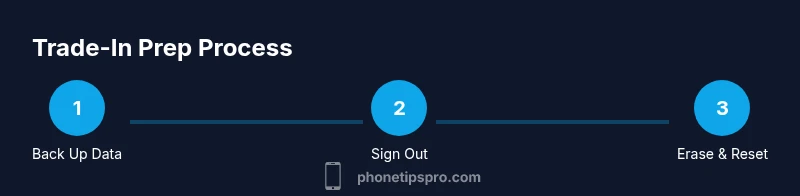
Backing up data is the first and most important step in what to do before trading in iphone. You want to preserve photos, messages, contacts, and app data before you erase anything. Use iCloud for wireless backups or connect your iPhone to a computer to create a local copy. Confirm the backup completed successfully by checking the last backup timestamp and, if possible, verify some files from the backup. This ensures you won’t lose cherished memories or essential information when the device is reset.
Step 2: Sign Out of Accounts and Unlink Services
Before you erase and reset, sign out of iCloud, iTunes, and any other linked services. This reduces the risk of Activation Lock and protects your data in transit. On your iPhone, go to Settings and disconnect major accounts, then review remaining apps for signed-in credentials. If you use Find My iPhone, disable it to ensure the device can be reassigned to the new owner. These steps also help prevent unexpected prompts when the new owner powers up the device.
Step 3: Erase All Content and Reset
A factory reset is the critical hinge point in the prep process. After backing up and signing out, erase all content and settings to restore the device to its original state. This step removes personal data and resets system configurations. If you have Activation Lock enabled, ensure it is removed prior to erasing. After the reset completes, the screen should show the welcome setup prompt, confirming that personal data has been removed.
Step 4: Gather Accessories and Document Condition
Organization matters for a smooth trade-in. Gather the original charger, cable, box, and any documentation that helps verify the device model and storage. Take clear photos of the front, back, sides, ports, and screen condition, along with any cosmetic imperfections. A simple condition report and the captured images can reduce back-and-forth with the trade-in partner and improve your final offer.
Step 5: Check Trade-In Value and Choose a Program
Now you’re ready to compare offers. Look at multiple trade-in programs to gauge value and terms, including how they handle accessories and cosmetic issues. Some programs emphasize speed, while others prioritize higher offers for well-documented devices. Consider selling through a trusted platform or carrier program, balancing value with security and reliability. Research and select the option that aligns with your priorities, such as value, speed, and supported devices.
Step 6: Photograph Your Device for Transparency
Visual documentation supports the stated condition of the device. Use natural light and a neutral background to photograph the screen, body, ports, and any damage. Include a photo of the device's serial number or IMEI if the trade-in program requests it. Clear images help prevent confusion about condition and can avert price disputes later in the process.
Step 7: Review Privacy and Security Before Shipping
Before sending your device, wipe sensitive data and review account security. Remove any additional accounts, sign out of iCloud, and disable two-factor authentication where appropriate on the device, then verify that Activation Lock is disabled. Package the phone securely with padding to prevent damage in transit. Retain shipping receipts or tracking numbers as a safety measure in case the package is delayed or lost.
Tools & Materials
- iPhone device (to be traded)(Ensure you have the exact model and storage size.)
- Charging cable and power adapter(Original accessories boost perceived value.)
- Backup method (iCloud or computer)(Prepare a backup before erasing.)
- SIM ejector tool(Remove SIM card before wipe for safety.)
- Original box and accessories(Helpful for presentation; include charger and cable if available.)
- Camera or smartphone for photos(Take clear, well-lit photos of all angles and ports.)
- Protective padding and shipping box(Use padding to minimize transit damage.)
- Documentation or proof of model/IMEI (if requested)(Check the trade-in program requirements.)
Steps
Estimated time: 25-45 minutes
- 1
Back up data
Initiate a complete backup using iCloud or a computer to preserve photos, messages, and app data. Verify that the backup completed successfully by checking the last backup timestamp. If you find gaps, run another backup until you’re confident.
Tip: Use a Wi-Fi connection for larger backups to avoid interruptions. - 2
Sign out of accounts
Sign out of iCloud and Apple ID on the device to prevent Activation Lock and protect your data during transport. Remember to sign out of any third-party apps that may keep credentials on the device.
Tip: Signing out ensures the new owner can set up the device without friction. - 3
Erase all content and settings
Perform a factory reset after confirming backups. This returns the device to its original software state and removes personal information. If Activation Lock is enabled, disable Find My iPhone before erasing.
Tip: Keep the device connected to power during the reset to avoid partial wipes. - 4
Remove SIM and inspect hardware
Take out the SIM card and visually inspect for damage or corrosion. Capture close-ups of ports and buttons to document their condition before shipping.
Tip: Place the SIM card in a safe envelope or container to prevent loss. - 5
Photograph and document condition
Take high-quality photos of the device from multiple angles and include close-ups of any scratches or cracks. Record serial number and model information for reference.
Tip: Use a neutral background and soft lighting to avoid glare. - 6
Compare trade-in offers
Review several trade-in programs to evaluate value, terms, and what is included (accessories, packaging). Prioritize programs with transparent conditions and reliable customer support.
Tip: Note any requirements for accessories or packaging that affect the offer. - 7
Prepare for shipping or drop-off
Package securely with padding, label the box, and save the tracking information. If dropping off, follow the program’s instructions for in-person verification.
Tip: Keep a copy of all documentation and the tracking number until the transaction completes.
FAQ
Is backing up mandatory before trade-in?
Backing up ensures your data isn’t lost and can be restored to another device. Most trade-in programs expect you to preserve your information and verify it’s secure before erasing.
Yes. Back up before erasing to keep photos, contacts, and apps safe.
Should I remove the SIM card before sending?
Yes, remove the SIM card to reduce transit risk and prevent data exposure. Some programs require you to deliver the device without a SIM to verify hardware status.
Yes, remove the SIM card before sending.
Can I trade in a device with a cracked screen?
Many programs accept devices with cosmetic damage, but the value will typically be lower. Check each program’s condition requirements to avoid surprises.
Cracked screens are sometimes accepted, but expect a lower offer.
How do I check trade-in value?
Use the trade-in estimator on the program’s site or app, and compare offers across multiple programs to find the best fit.
Check value on the program site and compare offers.
What if Activation Lock is on?
Disable Find My iPhone and sign out of iCloud to remove Activation Lock. Without this, the device may not be transferable to the new owner.
Turn off Find My iPhone to remove Activation Lock.
Is it better to trade in via carrier, Apple, or third-party?
Compare offers from several options, including carriers, Apple, and reputable third parties. Consider reliability, data privacy, and customer support in addition to price.
Shop around to maximize value and protect your data.
Watch Video
Quick Summary
- Back up data before any erase.
- Sign out of accounts to avoid Activation Lock.
- Document condition with clear photos.
- Shop around for trade-in offers to maximize value.
- Protect data with secure packaging and tracking.