Unlocking iPhones: Practical Guide for 2026
Can you unlock iPhones? This comprehensive guide explains eligibility, timing, and official carrier steps, with practical tips to verify ownership and complete a safe unlock without risking service.


Yes—most iPhones can be unlocked, but eligibility depends on carrier, purchase terms, and device status. Before you start, confirm your account is in good standing, the device is paid off, and the carrier allows unlocking after a specified waiting period. The exact steps vary by carrier, but you’ll typically request an unlock, verify eligibility, and follow official carrier instructions.
How unlocking works: the basics
Unlocking an iPhone removes the carrier lock so the device can operate with SIM cards from other networks. The process is typically carried out by the carrier after you meet certain criteria, such as paying off the device or completing a contract. According to Phone Tips Pro, unlocking is not jailbreaking and should be done through official channels to avoid voiding warranties or triggering service issues. The practical result is freedom to switch carriers, use a local SIM while traveling, and potentially reduce roaming charges. However, unlock timing and availability vary by carrier and device model, so it’s important to understand the rules before you start.
When you unlock through the proper channels, the device remains functional with supported carriers around the world. Be mindful that certain features tied to your original plan (like carrier-specific apps or network services) may change after an unlock. Overall, the unlock process is designed to be safe and reversible, provided you follow the carrier’s official steps.
Eligibility criteria you should know
Most carriers publish specific conditions for unlocking devices. Common requirements include the device being paid off, active on the account for a minimum period, and not reported lost or stolen. If your device is part of a financing plan or under a loan, the unlock may be delayed until the balance is cleared. Some networks require the account to be in good standing, with no outstanding penalties. Because policies differ by region and carrier, verify the exact eligibility criteria for your account and device type. Phone Tips Pro analysis shows that most major carriers publish clear criteria, including device payment status, account standing, and residency requirements. Remember to verify the unlock terms for your model and plan to avoid delays or denial.
Carrier-specific requirements you should verify
Unlock eligibility often hinges on precise details:
- IMEI and device model: have your iPhone’s unique IMEI ready when requesting unlock.
- Account status: ensure there are no outstanding balance issues or flags on the account.
- Proof of purchase: keep receipts or invoices handy to prove ownership.
- Regional restrictions: some regions have additional prerequisites.
- Device status: the phone should not be reported lost or stolen.
Collecting these items ahead of time speeds up the process and reduces back-and-forth with customer support. If you’re unsure about any item, contact your carrier’s official unlock desk for a definitive list tailored to your device.
The official unlock process: typical steps
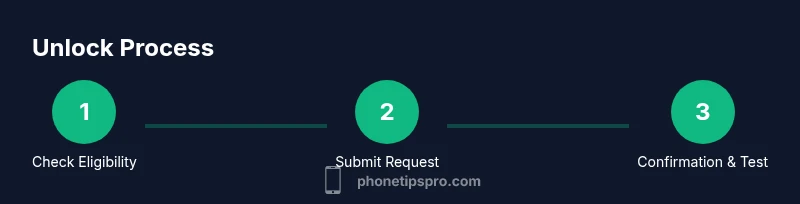
To unlock through official channels, start by confirming you meet all eligibility criteria. Then submit an unlock request via your carrier’s app, website, or customer service line. Provide your iPhone’s IMEI, model, and account details as requested. The carrier will verify information and initiate the unlock if approved. Once processing finishes, you’ll receive confirmation and instructions to complete the unlock on the device. At this point, insert a SIM from a different carrier or switch to an eSIM if supported by your model to confirm the unlock is active. If you encounter resistance, gather the confirmation number and contact support for troubleshooting. The goal is a clean, official unlock that preserves device integrity and data safety.
Special cases: financed devices and international use
If your iPhone is financed or leased, the unlock may be blocked until the balance is paid in full. Some carriers require that the device be active on the account for a minimum period after purchase. For international use, a verified unlock enables roaming with local SIMs, but you may need to adjust regional settings or update carrier profiles. When traveling, verify compatibility with the local network bands to avoid connectivity gaps. Also, check if any warranties or eligibility terms change after unlocking, especially if the phone was previously funded by a carrier or a third-party lender.
After unlocking: testing and maintenance
After you receive unlock confirmation, test the device immediately with a SIM from another carrier or a regional eSIM. Ensure cellular data, voice calls, and messaging work as expected. If anything fails to work (e.g., no signal, inability to register on a network), restart the device, reinsert the SIM, and recheck carrier settings. Maintain a copy of the unlock confirmation and note the date and reference number for future support. If problems persist, contact the carrier with the unlock details and device IMEI to reevaluate eligibility. Regularly updating iOS and carrier settings can prevent compatibility issues after unlocking.
Common myths and missteps
Myth: Unlocking voids warranty. Fact: Unlocking itself does not void an Apple warranty; it’s a network-level change. Myth: Any third-party unlock service is safe. Fact: Third-party unlocks often violate terms and can brick devices or void eligibility. Myth: Unlocking is instant. Fact: Processing times vary by carrier and region, sometimes taking days. Pro tip: Always use official channels and document all communications and confirmations to avoid missteps.
Tools & Materials
- iPhone with active service history(Device should be owned by you and not reported stolen.)
- IMEI number(Found in Settings > General > About or via the SIM tray.)
- Carrier account details(Note the account holder name and contact details.)
- Proof of purchase(Receipt or invoice showing ownership date and model.)
- Alternative SIM(A SIM from another carrier or an eSIM profile for testing.)
Steps
Estimated time: Several hours to several days, depending on the carrier
- 1
Check device ownership and status
Verify you own the device and that it isn’t reported lost or financed by another party. Review the original purchase receipt and confirm no penalties or holds on the account.
Tip: Keep a copy of the purchase receipt and any carrier communications handy. - 2
Gather required details
Collect your iPhone’s IMEI, the model, and your carrier account information. Having these ready prevents delays when submitting the unlock request.
Tip: Note the IMEI exactly as shown on the device; a wrong IMEI delays processing. - 3
Review the carrier’s unlock policy
Read the official carrier unlock requirements for your region and plan. Confirm any waiting periods after purchase and criteria like payment status.
Tip: Carriers publish policy changes; check for updates on their support pages. - 4
Submit the unlock request through official channels
Use the carrier app, website, or customer service to submit the unlock request with your IMEI and account details. Save or screenshot the confirmation.
Tip: If you receive a denial, request an official reason and next steps in writing. - 5
Wait for processing and confirmation
Processing time varies by carrier and region. Monitor your account messages and the official unlock status portal if available.
Tip: Ask for a reference number and keep it for follow-up questions. - 6
Prepare your SIM/eSIM
Once confirmed, prepare a SIM from another carrier or set up an eSIM. Ensure the new plan is active and ready to pair with the device.
Tip: Turn off Wi-Fi before inserting the new SIM to ensure network registration. - 7
Test the unlock on the device
Insert the new SIM, restart the iPhone, and verify voice, data, and messaging work on the new network.
Tip: If you see no service, try resetting network settings and rechecking carrier settings. - 8
Confirm unlock and document the outcome
Record the successful result and keep the unlock confirmation. If issues persist, contact the carrier with your reference number.
Tip: Maintain a brief log of steps taken and dates for future reference.
FAQ
Can I unlock my iPhone before the contract ends?
Unlock timing depends on carrier policy. Some carriers unlock after conditions are met, while others require the contract to be fulfilled. Always verify with your specific carrier for accurate timing.
Carriers vary on timing; check your policy to know when unlocking is allowed.
Will unlocking affect my iPhone warranty?
Unlocking the device does not automatically void Apple's warranty. It’s a carrier action. If you experience issues after unlocking, contact support with your proofs of unlock.
Unlocking itself usually doesn’t void the warranty, but always confirm with the official carrier and Apple support.
What information do I need to unlock?
You’ll typically need the IMEI, proof of ownership, account details, and a clear understanding of the carrier’s eligibility rules.
Have your IMEI and proof of ownership ready when you request the unlock.
Is unlocking free with all carriers?
Many carriers offer unlock at no charge after eligibility is met, while a few may require a fee or a waiting period. Check your carrier’s policy for specifics.
Most major carriers offer a free unlock once you’re eligible.
What if my carrier won’t unlock my iPhone?
If a carrier denies, ask for a written reason and check alternative routes like contacting consumer protection or seeking a supervisor review. Ensure you’re not using third-party services.
Ask for the official reason and seek guidance from the carrier on next steps.
Can I unlock a financed iPhone?
Financed devices can be unlocked once the loan balance is fully paid and the device meets policy conditions. Check the specific terms of your financing agreement.
Finance terms vary; ensure the balance is cleared and policy criteria are met.
How do I test an unlocked iPhone after the process?
Insert a SIM from a different carrier or set up an eSIM, then verify calls, messages, and data work. If issues occur, review carrier settings and restart the device.
Test with another carrier SIM to confirm the unlock is active.
What should I do if the unlock takes too long?
Contact the carrier’s unlock desk for status updates and ensure you have the reference number. Processing times vary by carrier and region.
Stay in touch with the carrier and use your reference number to track progress.
Watch Video
Quick Summary
- Check eligibility early to set expectations
- Gather IMEI and proof of ownership before requesting
- Use official carrier pathways for a safe unlock
- Test the new SIM promptly to confirm success
- Document all steps and confirmations for future reference