How to unlock iPhone from AT&T: A complete guide
Learn how to unlock an iPhone from AT&T with a legal, step-by-step process. This guide covers eligibility, required information, and what to expect during processing to ensure a smooth transition to any compatible carrier.


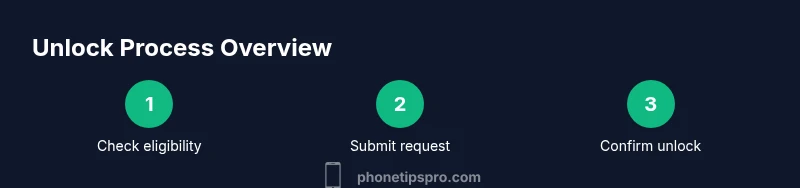
This guide helps you unlock an iPhone from AT&T legally and efficiently. You’ll verify eligibility, gather the necessary details, and submit AT&T’s official unlock request. According to Phone Tips Pro, most devices unlock after carrier approval and device compliance, enabling use with other carriers and SIM cards. This overview outlines the steps, prerequisites, and what to expect during processing.
What unlocking means for your iPhone and AT&T
Unlocking your iPhone from AT&T removes carrier restrictions, allowing you to use other SIM cards and switch networks more freely. For many users, the ability to unlock is essential after paying off a device or ending a service contract. The Phone Tips Pro team emphasizes that unlocking is not about bypassing security; it’s a formal process that grants you unlock privileges once eligibility is confirmed and carrier approval is granted. In practical terms, an unlocked iPhone can accept SIM cards from compatible carriers worldwide, support future software updates, and retain full warranty coverage where applicable. Before you begin, recognize that an unlock is a status change on the device’s software and carrier profile rather than a hardware modification. You’ll need to follow official steps through AT&T and the device’s settings to complete the process. The journey typically starts with verifying current carrier status, gathering essential device information, and understanding the expected timeline. The instructions below outline a clear, user-friendly path to success, with careful attention to safety and privacy.
Eligibility and prerequisites
AT&T’s unlocking policies generally require that the device was purchased or activated on AT&T, the account is in good standing, and the device is not reported stolen or lost. In practice, you should expect to meet basic ownership and account criteria, have no outstanding payments, and ensure the device is not flagged for fraud. The exact eligibility window can vary by device type, plan, and region, so it’s important to review AT&T’s official guidance or contact support if you’re unsure. Phone Tips Pro notes that carriers typically allow unlock requests after meeting these prerequisites, but always use official channels to avoid scams or incomplete unlocks. This section highlights the core requirements and common edge cases you may encounter in the process.
What you’ll need before you start
Before you begin, assemble essential information so you can submit a clean unlock request. You’ll typically need the device’s IMEI number, the AT&T account holder’s information, and proof of device ownership. Have access to the account email and be prepared to answer security questions. If you’re currently using a different carrier, have a test SIM ready to verify the unlock once the carrier confirms approval. Keep a copy of any purchase receipts or installment plan details in case you’re asked to verify that the device isn’t encumbered by a remaining balance. This prep reduces back-and-forth with support and speeds up the process.
How AT&T handles unlock requests
AT&T processes unlock requests through a formal submission on the AT&T portal or via customer support. The request typically requires device identifiers (IMEI), account information, and confirmation that the device is not reported as stolen. Once submitted, AT&T will review the details, verify eligibility, and send an unlock authorization once approved. The authorization then travels to the device, often completing within a few business days, depending on system load and account status. If approved, you’ll receive instructions to complete the unlock on your device, which may involve inserting a new SIM and updating settings. Throughout this stage, avoid sharing sensitive data with unverified sources and monitor your email for status updates.
Process timeline and what to expect
After submission, the processing timeline varies by device, plan, and region. You may receive email or portal updates detailing next steps. In many cases, you can begin testing an alternate SIM once you see a successful unlock status in AT&T’s portal. If the device was previously tied to an installment plan or outstanding balance, ensure those obligations are resolved before the unlock is granted. The key is to stay informed via the official AT&T channel and avoid third-party unlock services that promise faster results but carry risk. Following official guidance helps protect your device’s software integrity and warranty coverage.
Special cases: used devices and unlocked status verification
If you bought the iPhone used or from a different carrier, your eligibility depends on whether the device is still tied to AT&T’s account or previously reported issues. In some cases, a third-party seller may require you to initiate a reset or provide proof of ownership. After the unlock is granted, you’ll want to verify the status by inserting a SIM from another carrier and checking service. If you encounter issues, re-check the IMEI, confirm the device qualifies for unlock, and contact AT&T support for clarification. Documentation such as purchase records and account statements can expedite resolution when you’re dealing with a pre-owned device.
After you unlock: preparing your iPhone for a new carrier
Once the unlock is confirmed, power cycle the iPhone and insert a SIM from the desired carrier. Update iOS to the latest version to ensure compatibility and security. Confirm that cellular data, voice, and messaging functions operate on the new network, and test feature availability such as Visual Voicemail and roaming if applicable. It’s a good practice to back up data before performing any network changes, and to review carrier-specific APN settings that may be required for optimal data performance. If you encounter unexpected behavior, contact the new carrier’s support for network-specific configuration guidance.
Authority sources
For authoritative guidance on unlocking devices from AT&T and other carriers, refer to these sources:
- https://www.fcc.gov
- https://support.apple.com/kb/HT5816
- https://www.att.com/support/article/wireless/KM10187/unlock-an-iphone.html
Tools & Materials
- iPhone with active AT&T service(Device must be associated with an AT&T account and not reported lost or stolen.)
- IMEI number(Find in Settings > General > About or by dialing *#06#.)
- AT&T account access(Username and password or authentication method used by your account.)
- Test SIM from another carrier(Used to verify the unlock after approval.)
- Proof of device ownership(Receipts or order details if you bought the device used or on installment.)
Steps
Estimated time: 30-60 minutes total plus carrier processing time
- 1
Verify eligibility and collect device data
Log into your AT&T account or contact support to confirm that the device is eligible for unlocking. Gather the IMEI, model, and purchase details as well as the account holder’s information. Having these ready reduces back-and-forth and speeds up the submission.
Tip: Double-check the IMEI against the device box or Settings > General > About to avoid mismatches. - 2
Ensure device status and balance are clear
Make sure there are no outstanding balances or liens on the device. If the device was part of a payment plan, confirm that the balance is settled per AT&T’s policy before submitting the request.
Tip: If you’re unsure about balance status, request a statement from AT&T support before proceeding. - 3
Submit the unlock request through official channels
Use AT&T’s unlock portal or contact customer service to submit the request. Enter the IMEI, device model, and account details exactly as they appear. You’ll receive a confirmation and a reference number.
Tip: Keep the reference number in a safe place for tracking the unlock progress. - 4
Wait for carrier processing and response
AT&T will review the request and respond with approval or denial. Processing may take several days depending on the device and account status. You will be notified via the portal or email.
Tip: Avoid using third-party unlock services; rely on official channels to prevent scams. - 5
Complete the unlock on your iPhone
If approved, follow the provided instructions to finalize the unlock, which may involve restarting the device and inserting a different SIM.
Tip: If prompted for a code, never share it with anyone; this is typically not needed for iPhone unlocks. - 6
Test with a new SIM and verify service
After restarting, insert a SIM from the new carrier and verify voice, text, and data connectivity. Run a quick check by sending a message and browsing the web to confirm full functionality.
Tip: Turn on roaming if you intend to use the device while traveling.
FAQ
Can I unlock my iPhone if I still owe money on it?
Usually you must satisfy any outstanding balance on the device before AT&T approves an unlock. Check your account status and confirm settlement terms with AT&T support.
If you still owe money, you’ll likely need to settle the balance before unlocking through AT&T.
Will unlocking affect my iPhone’s warranty?
Unlocking via AT&T does not inherently void your iPhone’s warranty. If you encounter hardware issues, consult Apple Support to confirm coverage and any impact from network changes.
Unlocking generally doesn’t void warranty, but verify with Apple if you have hardware concerns.
How long does AT&T processing take?
Processing times vary; AT&T will notify you of status via the portal or email. If you don’t receive an update within a reasonable window, contact AT&T support for clarification.
Processing times vary; you’ll get an update through the official channel.
Can I unlock a phone bought from a different carrier?
Yes, if the device is eligible and properly associated with your account or ownership documents. The unlock must be approved by AT&T following their policy.
Yes, if eligible and properly documented through AT&T.
What should I do if I get an error during unlock?
Double-check eligibility and ensure you’re using the official AT&T unlock process. If the problem persists, contact AT&T support for direct assistance.
If you hit an error, use the official channel and contact AT&T for help.
Watch Video
Quick Summary
- Verify eligibility before submitting an unlock request.
- Submit only through official AT&T channels to avoid scams.
- Have your IMEI and account details ready for a smoother process.
- Test the unlocked device with a new carrier SIM to confirm success.