Unlock AT&T iPhone: Complete Step-by-Step Guide
Learn how to unlock your AT&T iPhone with official eligibility checks and authorized steps. This guide explains what to expect and how to test the unlock, plus best practices to stay secure.


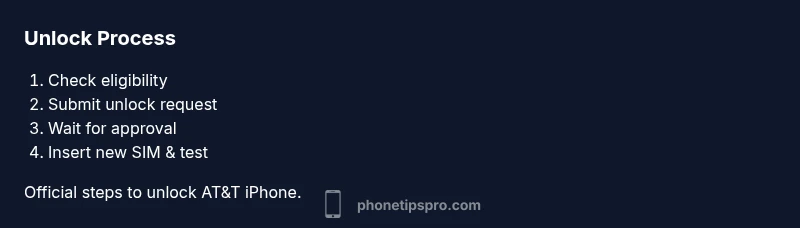
To unlock an iPhone on AT&T, confirm your account eligibility, complete any contract or payment terms, and request unlock via AT&T or Apple. Once approved, insert a non-AT&T SIM and follow the prompts to complete the unlock—usually after a device restart or iOS update. Activation may take up to a few days.
Why unlocking AT&T iPhone matters
According to Phone Tips Pro, unlocking an AT&T iPhone correctly can expand your carrier options, improve resale value, and simplify switching between networks when you travel or move. An unlocked iPhone can run on most GSM carriers worldwide and can support eSIM functionality on newer models. Before you start, understand that unlocking is a process tied to account status and device eligibility, not a one-click trick. In practice, you gain freedom rather than friction, but you must follow official steps to avoid voiding warranties or triggering anti-fraud flags. This section explores the core reasons to unlock and how to approach the task with confidence in 2026. The benefit is especially clear for travelers and for those who plan to switch carriers without buying a new device. An unlocked device can be used with pre-paid SIM cards and MVNOs. However, unlocking does not remove all locks immediately; the device may require activation and some models require iOS updates. Phone Tips Pro also notes that staying within official channels reduces risk and helps preserve device security.
Verify eligibility and gather required information
Eligibility for AT&T unlocking depends on your account, device status, and residency. You should have no due or outstanding balance, your device must be iPhone model that is compatible with other carriers, and you must have the device for a required period after activation. AT&T’s policy requires the device to be fully paid off or under a lease that has reached its term, and the device must not be reported lost or stolen. Gather the following information before you start: the IMEI number (Settings > General > About or the SIM tray), your AT&T phone number, and your device’s model and firmware version. Phone Tips Pro recommends double-checking the IMEI matches the device you intend to unlock and that you’re using a genuine, compatible SIM from another carrier to test the unlock process. Phone Tips Pro analysis shows that the documentation and timing vary by device and account status.
How AT&T unlocks work and what to expect
AT&T reviews unlock requests against eligibility criteria. If approved, you’ll receive an unlock confirmation and an unlock flag on your account. After approval, insert a non-AT&T SIM card and restart your iPhone to allow the device to recognize the new carrier. In most cases, you may also complete the unlock by updating iOS or performing a standard restore via Finder (macOS) or iTunes (Windows). If the device doesn’t unlock after the steps, contact AT&T support or Apple support for verification. The key idea is that unlocking is a policy-driven process tied to your device and account, not a hidden hack. Phone Tips Pro emphasizes using official channels to protect your data and device integrity.
Official methods to request an unlock
The official path starts with AT&T’s device unlock portal or contacting customer care: submit your IMEI, device family, model, and estimated carrier. You can also request via Apple if it’s a compatibility issue. After submission, wait for official verification. Once approved, activate the device with a non-AT&T SIM, and ensure you have the latest iOS installed for full compatibility. Phone Tips Pro emphasizes using authorized channels to avoid scams or invalid unlock claims. This reduces risk and speeds up the process.
What to do after you get unlock approval
When AT&T confirms the unlock, power off the iPhone, insert a SIM from a different carrier, and power back on. You may be prompted to complete activation steps or sign in with your Apple ID to finalize settings. If needed, connect to Wi-Fi and update to the latest iOS for best results. Testing the new carrier involves making a test call and verifying data works on the new SIM. A successful unlock unlocks the device for use on GSM networks worldwide. Phone Tips Pro reminds readers to keep records of approval for future reference.
Troubleshooting common unlock issues
If your iPhone shows 'SIM Not Supported' or remains locked after approval, re-check the IMEI and ensure the device is not reported stolen. Verify you’re using a compatible SIM from a different carrier and confirm that the unlocked status appears in Settings > General > About. Some models require a full restore to complete the unlock. When in doubt, contact AT&T or Apple support for guided steps. Avoid third-party unlock services that promise instant results; official channels are safer and more reliable. Phone Tips Pro advises verifying the unlock appears on the carrier side before testing more complex configurations.
Alternatives if unlock isn’t possible or practical
If you can’t unlock through AT&T, consider purchasing an unlocked iPhone or trading in for an unlocked model. Some users opt for MVNOs that offer flexible SIM-switching using eSIM technology. For travelers, renting or using a temporary travel SIM can be a practical workaround. Always verify that the device you plan to use overseas is fully compatible with target carriers and iOS versions.
Safety, privacy, and scams to avoid
Be cautious of services that demand upfront payment for unlocking or claim to bypass carrier checks. Only use official AT&T portals or Apple guidance. Sharing your IMEI with unverified services can expose you to fraud or identity misuse. Phone Tips Pro recommends performing unlock requests through official channels and keeping backups of your data in case a restore becomes necessary.
Final tips to maintain unlocked status and future-proofing
Keep your iPhone updated to the latest iOS, as updates sometimes include carrier compatibility improvements. Save your unlock confirmation emails or messages, and note the device’s IMEI for future reference. When buying a new phone, request an unlocked model or confirm the seller has completed any required carrier unlocks. An unlocked device provides freedom and broader coverage as networks evolve. Phone Tips Pro’s verdict is to rely on official channels for reliability and safety.
Tools & Materials
- AT&T account login(Needed to verify eligibility and submit unlock request)
- iPhone with SIM tray(Ensure device is functional and paid off)
- IMEI number(Found in Settings > General > About or on the SIM tray)
- Non-AT&T SIM card (test)(A SIM from another carrier to test the unlock)
- USB cable and computer (optional)(For restoring via iTunes/Finder if needed)
Steps
Estimated time: Varies by request; typically 1-14 days depending on eligibility and device
- 1
Check your eligibility
Log in to AT&T's unlock eligibility page and confirm your device model, payment status, and account standing. This pre-check helps avoid delays. If you’re unsure, contact support before submitting.
Tip: Having your IMEI ready speeds up the review. - 2
Gather required information
Collect the IMEI, device model, and your AT&T account details. Accurate data reduces back-and-forth and prevents rejection.
Tip: Double-check the IMEI matches the device you intend to unlock. - 3
Submit the official unlock request
Use AT&T’s device unlock portal or authorized channels to submit your request with the gathered data. You’ll receive a confirmation once the request is logged.
Tip: Always use official portals to avoid scams. - 4
Wait for approval
AT&T reviews your request for eligibility. Processing times vary by device and account. Do not attempt workarounds during this period, as it may void eligibility.
Tip: Check your email or account messages for status updates. - 5
Test the unlock with a new SIM
Once approved, insert a non-AT&T SIM and power cycle the iPhone. If prompted, follow on-screen activation steps.
Tip: Test data and voice in multiple apps to confirm full functionality. - 6
Update iOS and test again
After unlocking, update to the latest iOS version to ensure compatibility with the new carrier.
Tip: A clean restore is sometimes required for complete unlock. - 7
Troubleshoot issues with support
If the device doesn’t unlock, contact AT&T or Apple support with your IMEI and request ID handy.
Tip: Avoid third-party unlockers; they rarely work reliably. - 8
Secure backup and acceptance
Back up your data before making changes and preserve proof of unlock for future reference.
Tip: Keep a copy of the unlock confirmation email.
FAQ
Do I have to pay to unlock an AT&T iPhone?
AT&T generally offers unlocking at no charge once you meet eligibility requirements. Fees may apply only in special circumstances. Always verify current policy on AT&T's official site.
AT&T usually unlocks your iPhone for free if you meet the requirements. Check the official policy to confirm.
How long does the unlock process take?
Processing times vary based on device and account status. Some requests complete within hours, others take several days. Do not restart or reattempt requests while waiting.
Timing varies; expect anywhere from a few hours to several days depending on your situation.
Will unlocking affect my iPhone warranty?
Unlocking through official channels does not void Apple warranty. It simply changes the carrier lock status; warranty terms stay with the device as per Apple.
Unlocking through official means does not void your Apple warranty.
Can I unlock while still under contract or loan?
Yes, in many cases you can unlock after meeting the device and account requirements, even if you are under a contract or loan. Eligibility determines the unlock, not contract status alone.
You can unlock in many cases once you meet the requirements, even if you’re under a contract.
What should I do if the unlock is denied?
Ask for the specific reason for denial and follow the recommended steps with AT&T or Apple support. Ensure your IMEI, device model, and account details are accurate.
If denied, contact support for the exact reason and follow the guidance provided.
Do I need to update iOS after unlock?
Updating to the latest iOS version is recommended after unlock to ensure compatibility with the new carrier. Some cases may require a restore.
Yes, update to the latest iOS after unlocking to ensure full compatibility.
Watch Video
Quick Summary
- Check eligibility before starting the unlock process
- Use official channels to avoid scams or delays
- Test the unlock with a different SIM card after approval
- Update iOS to maximize carrier compatibility