Is My iPhone Overheating? Quick Troubleshooting Guide
Discover if your iPhone is overheating, the common causes, and proven fixes to cool it down fast. Practical guidance from Phone Tips Pro for iPhone owners.


If your iPhone feels unusually hot during use, it's overheating. Start with quick, safe steps: move to shade, remove the case, close heavy apps, pause charging if it's hot, update iOS, and restart. If the device continues to heat, stop using it and contact Apple Support. This is your first line of defense.
Understanding Overheating: What It Means for Your iPhone
Not every warm device is broken, but sustained heat can wear down components and performance. According to Phone Tips Pro, overheating is typically a result of software strain, battery health, and environmental factors piling up together. When an iPhone runs hot, you may notice slower performance, screen dimming, or apps crashing. Prolonged heat can degrade battery capacity and, in extreme cases, reduce the device's lifespan. The key is to act quickly and methodically to cool the device and identify the root cause. In this guide, you’ll learn what counts as overheating, how to verify it, and a practical, step-by-step plan to bring the temperature down safely.
Immediate, Safe Steps to Take Now
If you suspect overheating, don’t ignore it. Start with quick, low-risk actions that usually restore normal temperatures. First, move the iPhone out of direct sun and heat sources and into a cooler, shaded area. Remove any thick case if the exterior feels hot. Pause charging until the device cools. Then, close visually intensive apps and those running in the background. Reduce screen brightness or enable automatic brightness. If you’ve just installed a large app or update, consider restarting the device. Finally, ensure you’re on the latest iOS version by checking Settings > General > Software Update. These steps are designed to lower the load on the processor and reduce heat generation, often in minutes.
Decoding the Common Causes Behind the Heat
Overheating usually results from a mix of factors. Software: background tasks, automatic photo backups, or large updates can keep the CPU busy. Environment: direct sunlight, a hot car, or a warm room accelerates heat buildup. Battery health: an aging or degraded battery can generate extra heat under normal use or charging. Accessories: third-party chargers or faulty cables can cause heat during charging. When you see the device heat up during gaming, navigation, or streaming, it’s a strong sign that the load is too high for the current conditions.
Diagnostic Flow: From Symptom to Solution
Symptom: iPhone feels hot or shows a warning. Likely causes and corresponding checks:
- Cause: Heavy CPU usage from apps or background processes. Likelihood: high. Fix: close resource-heavy apps and disable unnecessary background refresh. Difficulty: easy.
- Cause: Environmental heat or charging in heat. Likelihood: high. Fix: move to shade, remove case, unplug charging if hot. Difficulty: easy.
- Cause: Degraded battery or battery health issues. Likelihood: medium. Fix: check Battery Health in Settings > Battery > Battery Health; consider replacement if capacity is low or performance management is on. Difficulty: medium.
- Cause: Software glitches or outdated iOS. Likelihood: medium. Fix: update iOS, reset settings if needed. Difficulty: easy.
- Cause: Hardware or case-related obstruction. Likelihood: low. Fix: remove bulky accessories and ensure vents are clear. Difficulty: easy.
If none of these resolve the issue, professional assessment is advised (Apple Support or an authorized service provider).
Step-By-Step: Detailed Fix for the Most Common Cause
- Identify the dominant heat source: check if temperature spikes when gaming, streaming, or charging. 2) Close heavy apps: swipe up to reveal multitasking and swipe apps off the screen to quit. 3) Pause charging if hot: unplug and allow cooling for 15-20 minutes. 4) Remove the case: a tight case can trap heat; remove it to improve ventilation. 5) Lower brightness and disable background refresh: Settings > Display & Brightness; Settings > General > Background App Refresh. 6) Update iOS and reboot: Settings > General > Software Update, then power cycle. Tip: avoid intensive tasks in direct sunlight and keep iPhone out of hot environments.
Safety, Warnings, and Prevention
- Do not disassemble the device yourself; internal components can be damaged and void warranties. If overheating persists after applying fixes, seek professional help.
- Prolonged heat can degrade battery health and performance. Regularly check Battery Health and plan for a replacement if capacity falls consistently below 80%. Avoid charging in hot conditions or using demanding apps while charging.
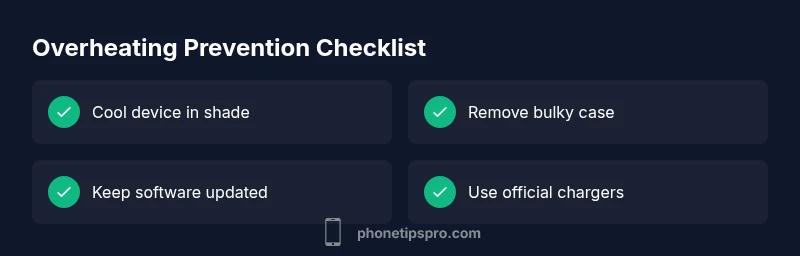
- Preventive habits matter: keep iPhone out of direct sun, use original chargers, and maintain moderate ambient temperatures during use. Phone Tips Pro emphasizes proactive monitoring and timely maintenance to extend device lifespan.
Real-World Scenarios and Final Checks
Users often notice that the iPhone cools down after performing some fixes, but if it continues to get hot during normal tasks, a hardware issue may be present. Run a quick check by observing whether overheating occurs with minimal apps running, then compare with battery health and charge cycles. If heat persists after all steps, contact Apple Support for a diagnostic assessment or a battery replacement if required. Keeping a log of when the device heats up can help technicians diagnose intermittent issues more quickly.
Steps
Estimated time: 30-45 minutes
- 1
Assess and cool
Move the iPhone to a shaded, cooler area and unplug if charging. Remove the case to improve airflow and let the device cool for 10-15 minutes before testing further.
Tip: Avoid stacking on soft textures like blankets that trap heat. - 2
Close heavy apps
Double-click the home gesture area (or swipe up) to view recent apps and swipe away resource-hungry ones. This reduces CPU load and heat generation.
Tip: If you’re unsure which apps are heavy, check Settings > Battery to see per-app impact. - 3
Pause charging if hot
If the device is hot while charging, unplug and let it cool. Avoid fast charging until temperature stabilizes.
Tip: Charge in a cool environment and consider a slower charging rate temporarily. - 4
Adjust display and background tasks
Lower screen brightness or enable auto-brightness and disable nonessential background refresh.
Tip: Limiting background activity reduces idle power draw and helps keep temps down. - 5
Update and reboot
Check for iOS updates and install if available. Reboot after updates to ensure all components start fresh.
Tip: Back up important data before major updates as a precaution. - 6
Check battery health
Go to Settings > Battery > Battery Health to check maximum capacity and peak performance capability; consider a replacement if health is poor.
Tip: If you notice rapid temperature rise with charging and poor battery health, prioritize a battery replacement.
Diagnosis: Phone feels unusually hot to the touch during normal use or charging
Possible Causes
- highHeavy CPU usage from apps or background processes
- highCharging in a hot environment
- mediumDegraded battery health
- mediumOutdated or glitchy software
- lowFaulty accessories or third-party chargers
Fixes
- easyClose heavy apps and disable background activity
- easyCool the device, pause charging, and remove bulky case
- mediumCheck Battery Health and update iOS
- easyUpdate or reset software if needed
- mediumReplace charger with official accessories if suspected
FAQ
What counts as overheating on an iPhone?
Overheating means the device feels unusually hot to the touch and performance throttling or warnings occur. If the temperature stays high after safe fixes, it’s a sign to investigateBattery health and software activity.
Overheating means the phone feels very hot and slows down. If it stays hot after safe fixes, check battery health and software activity.
Can overheating damage my iPhone?
Yes, repeated overheating can degrade battery health and internal components over time. It’s important to cool the device promptly and seek service if it recurs.
Yes, repeated overheating can harm the battery and internals. Cool the phone quickly and seek service if it keeps happening.
Should I use external cooling accessories?
External cooling accessories are usually unnecessary for typical use. Focus on software management, environment, and battery health first; seek professional advice before attempting hardware cooling solutions.
External cooling usually isn’t needed. Start with software and environment checks, then talk to a professional if it keeps overheating.
Is it safe to continue using an hot iPhone?
If the device is hot, stop using it for a while and let it cool. Continuing usage while hot can cause temporary throttling and potential long-term damage.
No—stop using it briefly to cool down. Using it while hot can damage the battery over time.
Why does my iPhone get hot while charging?
Charging, especially fast charging, generates heat. If the device gets hot, unplug and allow cooling, then switch to a cooler environment and check the charger quality.
Charging can generate heat; unplug and cool down, then verify your charger and environment.
When should I contact Apple Support?
Contact Apple Support if overheating persists after following the troubleshooting steps, or if you notice rapid battery drain, unexpected shutdowns, or swelling of the battery.
If overheating keeps happening after these steps, contact Apple Support or visit an Apple Store.
Watch Video
Quick Summary
- Check for heavy apps and background tasks first
- Cool the device and avoid charging in heat
- Update software and monitor battery health
- Use official accessories and environment-friendly charging
- Seek Apple Support if the issue persists