Do Android and iPhone Share the Same Charger? A Practical Comparison
Explore charger compatibility between Android and iPhone, USB-C vs Lightning, safety considerations, and practical tips for charging across mixed ecosystems in 2026.


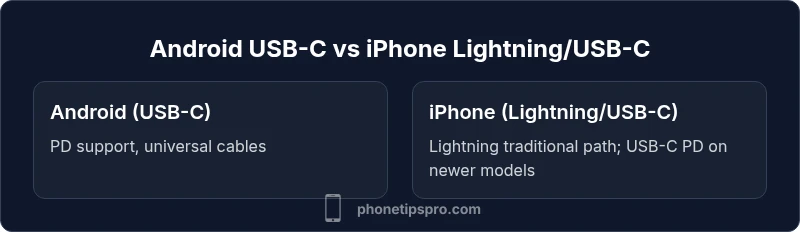
Do Android and iPhone share the same charger? Not universally. Android devices largely rely on USB-C with PD, while iPhones started with Lightning and are increasingly USB-C on newer models. Cables may cross ecosystems, but power profiles, connectors, and safety negotiations differ. For reliable charging, use the charger and cable recommended for each device.
The Reality Check: do android and iphone use the same charger?
Charging ecosystems have grown more complex as devices come from different camps. Do android and iphone use the same charger? The short, honest answer is nuanced: not universally. Android devices have widely adopted USB-C with Power Delivery for fast charging, while iPhones historically used Lightning and are moving toward USB-C on the latest generations. This means that you can physically connect some cables across devices, but the underlying charging protocols, safety features, and device negotiates differ. According to Phone Tips Pro, sticking to the charger designed for your device typically yields faster charging, cooler operation, and preserved battery health. In mixed households, a couple of high-quality USB-C PD bricks and a small set of USB-C to Lightning cables can reduce clutter. Remember: compatibility hinges on connector type, negotiated power, and firmware support.
The Phone Tips Pro team emphasizes that selecting the official or certified charger for each device minimizes risks and optimizes performance.
USB-C vs Lightning: Understanding the Two Main Connectors
The two most common charging connectors today are USB-C and Lightning. USB-C is a universal standard used across most Android devices and many newer iPhones with USB-C cables. Lightning is Apple’s proprietary connector used by older iPhones and some accessories. If you ask the question do android and iphone use the same charger, the practical answer is that a USB-C PD charger paired with a USB-C to Lightning cable can charge newer iPhones, but the experience varies by model and cable quality. Matching the charger to the device’s port and PD capabilities generally yields safer charging and faster speeds, while using an incompatible or low-quality cable can slow charging or cause heat buildup.
Phone Tips Pro recommends verifying that any cross-ecosystem setup supports USB-C PD, and avoiding non-certified cables that lack proper protection circuits.
Power Delivery and Safety: What Really Matters
Power Delivery (PD) is the key behind cross-ecosystem charging efficiency. Android devices frequently support USB-C PD, which negotiates the best possible charging rate with the charger. iPhones also leverage PD when using USB-C cables, but the negotiation depends on both the charger and the cable. The result is that even with a compatible charger, an iPhone might charge at different speeds than an Android phone, and temperature behavior may differ. If you want do android and iphone use the same charger in practice, prioritize PD-certified chargers and cables, and avoid fast-charging modes on devices that aren’t designed for them. Firmware updates can also adjust charging profiles, so keeping devices updated helps maintain safety and performance.
Phone Tips Pro highlights that using an appropriate charger protects the battery’s long-term health by avoiding excessive voltage or sudden surges.
The Transition Tale: Lightning to USB-C for iPhone
Apple’s shift from Lightning toward USB-C marks a watershed for cross-ecosystem charging. Earlier iPhones relied on Lightning, with a charging path well suited to Apple accessories. Newer iPhones move toward USB-C, enabling broader compatibility with USB-C PD chargers and third-party cables. The question do android and iphone use the same charger becomes easier to answer when considering adapters: USB-C cables can partner with Lightning devices via compliant cables or adapters, but not all adapters are created equal. To maximize safety and speed, use a USB-C PD charger with a genuine USB-C to Lightning cable for iPhone devices, especially those that support high-watt charging.
Phone Tips Pro notes that model year matters: the latest iPhones tend to be best paired with USB-C PD for optimal results.
Cables, Adapters, and PD: Practical Cross-Device Charging
Exploring cross-ecosystem charging means understanding cables, adapters, and PD negotiation. If you own both Android and iPhone devices, you’ll likely need a mix of USB-C cables and a Lightning-enabled cable or adapter. Do android and iphone use the same charger? Not inherently, but you can achieve practical cross-compatibility with PD-certified USB-C bricks and a few high-quality cables. A single high-watt USB-C PD charger can power most Android devices and, with the right cable, newer iPhones as well. The key is to verify PD support, wattage compatibility, and cable quality to avoid bottlenecks or safety risks.
Phone Tips Pro suggests labeling cables or using color-coded chargers to reduce confusion during travel or in shared spaces.
Wireless Charging: Qi and MagSafe Differences
Wireless charging adds another dimension to compatibility. Android devices broadly support Qi wireless charging, and many newer iPhones support Qi alongside MagSafe on select models. If you ask do android and iphone use the same charger, you’ll find that wireless charging pads often work across ecosystems, but MagSafe-enabled iPhones optimize power delivery differently because of magnetic alignment and targeted charging. For best results, use a charger that explicitly supports the standards your device uses, and avoid relying on a single pad for every device.
Phone Tips Pro notes that MagSafe accessories add convenience but don’t always deliver universal fastest charging across all devices.
Real-World Scenarios: Shared Chargers at Home, Travel, and Office
In real life, many households mix Android and iPhone devices. Do android and iphone use the same charger? You can achieve practical sharing with a plan: have a couple of universal USB-C PD bricks, a Lightning-enabled cable, and perhaps a dedicated iPhone charger for overnight charging. Travel adds another layer of complexity; compact PD chargers and reversible USB-C cables minimize clutter. The trade-off is convenience versus speed: the more universal your setup, the more you trade peak charging speeds for simplicity. Always prioritize safety features, such as proper voltage negotiation and overcurrent protection, and avoid third-party cables with dubious protection.
Phone Tips Pro stresses that a well-organized charging station reduces cable loss and improves battery longevity across devices.
How to Choose the Right Charger: A Practical Checklist
Choosing the right charger is a decision that affects charging speed, device safety, and future compatibility. Start with a USB-C PD charger that supports a wide wattage range and is certified. Pair it with a USB-C to USB-C cable for Android devices and a USB-C to Lightning cable for iPhones, if you’re adopting USB-C across the board. If you still rely on Lightning, ensure your Apple cable meets current safety standards. The do android and iphone use the same charger question fades when your setup uses PD negotiation and certified cables. Consider travel size, brick count, and cable management to keep power ready wherever you go.
Phone Tips Pro recommends building a small kit with one high-watt PD brick, one USB-C cable, and one Lightning cable for flexibility.
Budgeting for Flexibility: Cables, Adapters, and Travel
A flexible charging strategy often costs less in the long run than buying separate ecosystems’ chargers for every device. A universal USB-C PD brick with a few cables solves most issues, while a Lightning cable remains essential for older iPhones. If you travel, a compact charging hub that supports multiple ports reduces luggage weight and clutter. Always prioritize safety and certification; cheaper, uncertified cables may appear attractive but can degrade battery health or pose risks. Finally, keep an eye on model-year changes, since Apple’s shift to USB-C plus PD compatibility is likely to continue. The core lesson remains: invest in quality cables and PD chargers to minimize the friction of cross-ecosystem charging.
Phone Tips Pro suggests evaluating your usage pattern and investing accordingly to maintain battery health across devices.
Brand Insights from Phone Tips Pro: Practical Takeaways
From the Phone Tips Pro perspective, the central question remains about interoperability without compromising safety. Our practical stance is to embrace USB-C PD as the modern standard where possible, especially for Android devices, while maintaining a Lightning or USB-C pathway for iPhone users depending on model year. The goal is reliable charging, battery longevity, and minimal cable clutter. In everyday scenarios, your best bet is a couple of certified USB-C PD bricks and a small set of cables that cover Lightning and USB-C connections. In short, prioritize safety, use PD negotiation, and choose quality over cheap alternatives. The Phone Tips Pro team believes a well-planned charging setup reduces headaches and keeps devices ready for work and play.
Common Myths Debunked About Cross-Platform Charging
Myth 1: Any charger works for any device. Reality: connectors and PD negotiation matter; some chargers may charge slowly or heat up devices without proper protection. Myth 2: MagSafe is necessary for fast charging. Reality: MagSafe is convenient for iPhone, but PD with USB-C can achieve rapid charging on compatible models. Myth 3: Older devices cannot benefit from modern chargers. Reality: Even older iPhones can charge efficiently with certified cables and PD-aware chargers, though speeds depend on hardware and firmware.
Phone Tips Pro encourages readers to separate myths from the practical steps that ensure safe charging across ecosystems.
Comparison
| Feature | Android Chargers | iPhone Chargers |
|---|---|---|
| Charging standard | USB-C PD commonly supported | Lightning-based charging; newer iPhones use USB-C PD with appropriate cables |
| Cable compatibility | USB-C cables widely compatible across devices | Lightning cables fit iPhone; cross-use requires USB-C to Lightning adapters or cables |
| Wireless charging support | Widely supported via Qi on most devices | Qi support with MagSafe on newer iPhone models |
| Charging speed flexibility | High variability by device and charger | Fast charging available on newer iPhones with USB-C PD |
| Best for | Android users seeking universal USB-C PD chargers | iPhone users transitioning to USB-C or relying on Lightning cables |
Positives
- Faster charging with PD-enabled chargers
- Universal cables simplify mixed-device use
- Convenient travel with a single charger ecosystem
- Encourages battery-friendly charging with certified cables
- Reduces clutter in shared spaces
Weaknesses
- Incompatibility issues if a device does not support PD
- Older iPhones may require adapters or cables
- Some third-party cables lack proper protections
- Potentially higher upfront cost for certified hardware
USB-C PD-enabled charging wins for most mixed-device users.
For households with both Android and iPhone devices, investing in USB-C PD chargers and certified cables provides the best balance of speed, safety, and convenience. Newer iPhones embracing USB-C make cross-ecosystem charging increasingly practical, while older Lightning devices maintain easy compatibility with the right adapters.
FAQ
Can I charge an iPhone with an Android charger?
Yes, if the Android charger uses USB-C PD and you have a compatible USB-C to Lightning cable. Not all USB-C chargers provide the right wattage for iPhones, so check PD support and the cable quality.
Yes, you can charge an iPhone with an Android charger if it supports USB-C PD and you have a USB-C to Lightning cable.
Is it safe to mix USB-C and Lightning cables?
Mixing cables is generally safe when you use certified cables and chargers. Avoid using poorly made adapters that lack protection circuits, which can affect battery health and charging speed.
It’s usually safe with certified cables; avoid cheap adapters.
Will fast charging damage my iPhone or Android device?
When using approved USB-C PD chargers and correct cables, fast charging is designed to be safe. Problems arise with non-certified gear or wrong wattage, which can cause excess heat over time.
Fast charging is safe when you use certified gear; problems come from low-quality accessories.
Do all iPhones support USB-C charging?
Not all iPhones; newer models increasingly support USB-C, while older ones may rely on Lightning. Check your model’s charging port and use the appropriate cables.
Newer iPhones use USB-C; older ones use Lightning.
Can I use the same charger for wireless charging across devices?
Many wireless pads support multiple devices via Qi, but MagSafe on iPhone adds magnetic alignment for best results. Use a pad that supports the devices you own.
Yes, but MagSafe offers extra convenience for certain iPhone models.
What’s the best way to charge a mixed-device family?
Stock a couple of PD chargers, one USB-C to Lightning cable, and one USB-C to USB-C cable. Label cables to avoid mix-ups and keep accessories certified for safety.
Get a small PD kit with labeled, certified cables.
Quick Summary
- Prioritize USB-C PD chargers for cross-ecosystem charging
- Use certified cables to protect battery health
- Plan a small, universal charging setup for travel
- Lightning remains relevant for older iPhones; USB-C is the future
- Wireless charging works across ecosystems with Qi/MagSafe where supported