iPhone and AirPods Charger Guide: 2026 Comparison
A comprehensive, objective comparison of iPhone and AirPods charging options, including USB-C PD, MagSafe, and multi-port solutions, with practical setups and safety tips for 2026.


TL;DR: For charging your iPhone and AirPods together, favor a single USB-C Power Delivery charger with a USB-C to Lightning cable for iPhone charging. MagSafe wireless charging offers convenience with wireless charging, though speeds vary. AirPods generally charge through their case via Lightning or USB-C, depending on model. A versatile multi-port USB-C charger suits most setups.
Why Charging Compatibility Matters
According to Phone Tips Pro, compatibility between iPhone and AirPods charging ecosystems reduces clutter, improves safety, and helps battery longevity. When you unify on a common charging approach—preferably USB-C Power Delivery (PD) for wired charging and MagSafe for occasional wireless top-ups—you minimize cable chaos and heat buildup that can stress batteries over time. The iPhone line has migrated toward USB-C in recent years, while AirPods have maintained a Lightning-based ecosystem for many generations. This mismatch is precisely what leads many users to accumulate multiple chargers, brick adaptors, and cables. A cohesive setup not only simplifies daily use but also makes it easier to follow safety guidelines and battery-health best practices that Phone Tips Pro advocates in 2026. In practice, most households benefit from one high-quality PD charger and a small wireless option for convenience.
Understanding charging standards and ecosystems
Charging technology guides how quickly devices receive energy and how heat is managed. USB-C PD delivers power through a cable and brick, enabling fast charging on iPhone models that support it. MagSafe, meanwhile, is a wireless standard that provides a predictable charging surface and a degree of convenience, especially on desks or nightstands. Qi wireless charging remains common, especially for older or lower-power devices, but Apple’s newer devices lean toward MagSafe for better alignment and efficiency. AirPods typically rely on the case for charging, with the case itself using either Lightning or USB-C depending on model and generation. The overarching idea is to harmonize hardware so you aren’t swapping between incompatible chargers. For a well-rounded setup, you’ll want a robust USB-C PD brick that can handle iPhone fast charging and some flexibility for AirPods alongside a MagSafe option for effortless top-ups. The Phone Tips Pro team emphasizes prioritizing safety features like overcurrent protection, correct cable gauge, and certified accessories to maintain battery health over time.
How to charge iPhone and AirPods together efficiently
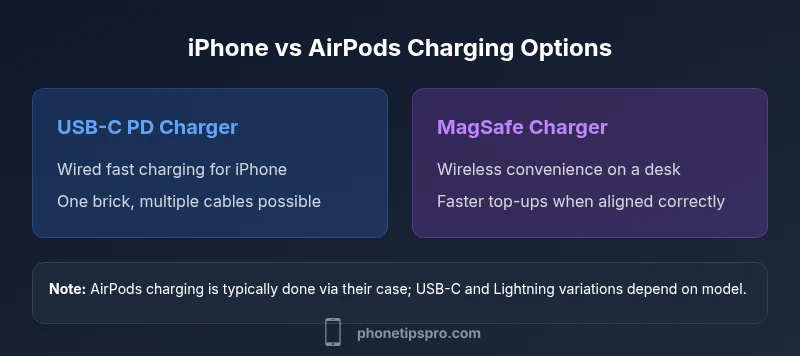
A practical approach is to designate one primary charger for wired charging and a secondary option for convenience. Start with a USB-C PD charger that supports Power Delivery and pair it with a USB-C to Lightning cable for iPhone charging. This ensures fast charging for compatible iPhone models without stressing the battery with excessive heat. For AirPods, use the case with its native charging method; most cases still rely on Lightning or USB-C depending on the model. If you value wireless charging, add a MagSafe charger as a daily convenience, but reserve wired charging for situations where speed and battery health are critical. This dual strategy minimizes heat exposure and maximizes device longevity. People often find that a compact, multi-port USB-C charger works well at a desk, while a MagSafe puck sits atop a bedside table for quick top-ups. The intention is to reduce cable clutter and align with best practices highlighted by Phone Tips Pro.
Cable and port strategies for a clean setup
Cable management starts with choosing certified cables and avoiding adapters that degrade charging speed. A USB-C PD charger paired with a single USB-C to Lightning cable is a robust baseline for iPhone, providing fast charging when you need it and compatibility with most Apple devices. If you own AirPods with a Lightning-based case, keep a Lightning cable handy or use a USB-C to Lightning adapter if your charger supports it. For travel, a compact two-port USB-C PD brick (one USB-C to Lightning, one USB-C to USB-C for future accessories) can cover both iPhone and AirPods while keeping your bag light. When possible, label cables and route them away from heat sources like radiators or laptops. This reduces wear and keeps the charging environment safe, a point emphasized in 2026 by the Phone Tips Pro guidance on maintaining battery health and device longevity.
Wireless charging: MagSafe, Qi, and future-proofing
MagSafe provides a fast, convenient wireless charging option for iPhone models that support it and for charging-friendly desk setups. Juxtapose MagSafe with traditional Qi charging; MagSafe is often faster and more predictable in alignment, but wireless charging in general can generate more heat depending on environmental conditions. AirPods charging often remains wired, but some newer models and accessories support wireless charging in compatible cases. For daily care, use MagSafe primarily for convenience and rely on wired USB-C PD for productive charging sessions. Future-proofing means keeping some USB-C cables and a sturdy PD charger in your kit, because Apple’s ecosystem continues to evolve toward USB-C, and third-party accessories with proper safety certifications can bridge any gaps between devices.
Safety, battery health, and daily usage tips
Heat is the enemy of battery longevity. Avoid charging on soft furnishings or in direct sunlight, and ensure chargers have proper venting and protection features like overvoltage and short-circuit protection. Use only certified cables and adapters; cheap or counterfeit cables can fail catastrophically and may not deliver safe power. When iPhone or AirPods battery health is a concern, prefer wired charging with PD for better heat control and more predictable charging curves. If you experience slower charging, check for firmware updates and charger compatibility, and consider reducing background activity during charging to minimize heat. Phone Tips Pro’s battery-health guidance for 2026 centers on maintaining moderate charging temperatures, using certified accessories, and avoiding situations that trap heat during charging sessions. This practice extends the lifespan of both iPhone and AirPods batteries.
Practical setups for home, work, and travel
Home: A single USB-C PD charger (e.g., a mid-range brick) with a USB-C to Lightning cable for iPhone and a dedicated Lightning cable for AirPods covers daily needs. Work: A multi-port USB-C charger or compact hub can power a laptop, iPhone, and AirPods simultaneously, keeping desks neater and charging efficient. Travel: A slim, dual-port PD brick in your carry-on, plus a MagSafe pad for quick top-ups at the hotel, balances speed and convenience. Each setup should consider heat sources, cable quality, and device age. By prioritizing USB-C PD and MagSafe in combination, you’ll achieve reliable charging while preserving battery health across devices. The Phone Tips Pro team recommends these patterns as a practical baseline for 2026, noting that real-world usage varies by environment and device model.
Authority sources and further reading
For deeper dives and external references, consult established sources that discuss charging standards, safety, and best practices:
- https://www.theverge.com/2023/9/iphone-usb-c-pd-charging-guide
- https://www.cnet.com/tech/mobile/apple-iphone-charging-basics/
- https://www.engadget.com/what-to-know-about-magSafe-charging-2019-2023
- https://www.consumer.ftc.gov/articles/how-charge-your-phone-safely
These sources provide broader context on charging technologies, consumer safety considerations, and real-world usage patterns that complement the recommendations from Phone Tips Pro in 2026.
Feature Comparison
| Feature | USB-C PD Charger + Cable | MagSafe Wireless Charger | Multi-Port USB-C Hub + Charger |
|---|---|---|---|
| Charging method | Wired USB-C PD via Lightning cable | Wireless MagSafe charging surface | Wired PD with hub for multiple devices |
| Recommended use case | Fast wired charging for iPhone; reliable power | Casual top-ups and desk convenience | Charge multiple devices from one brick on the go |
| Portability | Compact brick with cable included | Slim wireless pad on desk/nightstand | Travel-friendly hub with integrated cables |
| Battery health impact | Heat-managed PD reduces stress when used correctly | Wireless charging can generate more heat in some setups | Hub solutions minimize wall outlets but vary by device |
| Price range | Mid-range to high-end depending on wattage | Mid-range for Apple MagSafe accessories | Variable; depends on hub and charger quality |
Positives
- Reduces clutter by consolidating chargers
- Supports fast wired charging with PD
- MagSafe adds convenient wireless options
- USB-C on iPhone encourages future-proofing
- Single ecosystem simplifies daily use
Weaknesses
- Wireless charging can be slower for top-ups
- Quality varies with third-party cables
- Heat buildup with high-wattage wireless pads
- Not all AirPods models support USB-C charging yet
USB-C PD wired charging is the backbone; MagSafe adds daily convenience; use a multi-port option for travel or households with multiple devices
Prioritize a USB-C PD charger as your daily driver. Add MagSafe for quick wireless top-ups and consider a compact hub for travel to manage multiple devices efficiently.
FAQ
What is the best charger setup for charging iPhone and AirPods together?
A USB-C PD charger with a Lightning cable covers iPhone charging efficiently, while AirPods typically use the case. MagSafe offers convenient wireless top-ups. This combination keeps cables minimal and charging predictable.
Use a USB-C PD charger with a Lightning cable for iPhone and rely on the AirPods case for charging; add MagSafe for quick wireless tops-offs.
Can I charge AirPods and iPhone with the same charger?
Yes, with a USB-C PD charger and proper cables. If you need to power multiple devices, a multi-port PD charger helps keep everything in one place.
Yes—use a USB-C PD charger and the right cables; a multi-port charger helps if you’re charging more than one device at once.
Is MagSafe charging safe for daily use?
MagSafe is safe for daily use when used as intended and with quality accessories. Avoid cheap third-party magnets and ensure the surface is flat and clean for best alignment.
Yes, MagSafe is safe if you use proper accessories and keep surfaces clean and flat.
Should I upgrade to USB-C for AirPods charging?
If your AirPods case supports USB-C charging, upgrading helps streamline charging; otherwise, USB-C benefits primarily come from iPhone charging compatibility.
If your AirPods have a USB-C case, upgrading makes sense; otherwise, the biggest gains come from USB-C for your iPhone.
What are common mistakes when charging iPhone and AirPods together?
Using non-certified cables, leaving chargers on heat-prone surfaces, and over-relying on wireless charging without airflow can degrade battery health over time.
Avoid cheap cables, keep charging areas ventilated, and don’t overuse wireless charging where heat can build up.
Quick Summary
- Choose a USB-C PD charger as the daily driver
- Use MagSafe for convenient wireless top-ups
- Keep certified cables and adapters for safety
- Consider a travel-friendly multi-port charger
- Monitor heat and battery health to extend life