When to Change iPhone 15 Battery: A Practical Guide
Learn practical signs, checks, and options to determine when your iPhone 15 battery needs replacement. Includes how to assess health, DIY vs professional routes, and a decision framework.


To know when to change iphone 15 battery, monitor Battery Health, performance, and charging habits in Settings. Signs like reduced capacity, unexpected shutdowns, and rapid drain indicate replacement is due. For most users, plan a replacement when health is below 80% or performance throttling appears. This approach helps you avoid outages and keep daily life uninterrupted.
Why battery health matters for the iPhone 15
Understanding when to change iphone 15 battery begins with recognizing how a healthy battery supports performance, longevity, and safety. The iPhone 15 uses a lithium-ion cell whose capacity declines over time, particularly with regular charging cycles, high temperatures, and prolonged idle periods. For many users, the key question is not whether the device can run longer between charges, but whether it can do so reliably without risking a sudden shutdown. According to Phone Tips Pro, reliable battery health tracking in iOS is your first line of defense against inconvenient outages.
Common signs of aging include shorter daily uptime, slower app launches, and a charger that always seems to be plugged in. When you notice predictable battery drain or when the device becomes unstable during tasks, that is a cue to assess the battery more closely. The goal is to maintain a balance between performance and safety, because a worn-out battery can swell, which poses a risk to internal components. In the context of the iPhone 15, the decision about when to change iphone 15 battery should factor in usage patterns (gaming, video streaming, camera work), environmental conditions (heat and cold exposure), and warranty coverage. This practical approach helps you avoid both wasted replacements and unmanaged battery wear, preserving device reliability in daily life. Phone Tips Pro's team emphasizes ongoing health checks as you age with your device, rather than waiting for a dramatic failure.
How to check your iPhone 15 battery health
The most straightforward way to gauge when to change iphone 15 battery is to examine Battery Health in iOS. Open Settings, scroll to Battery, and select Battery Health. Look at the Maximum Capacity number; it represents the current capacity relative to when the battery was new. Also check the Peak Performance Capability status, which indicates whether the phone is managing performance without throttling. If you see a message that the battery’s health has degraded significantly or a warning that service is required, it’s time to plan a replacement. If Maximum Capacity is still high and there are no performance alerts, you can continue using the device while monitoring it. Regularly reviewing these indicators helps you avoid surprise outages, especially during important activities like photography, travel, or remote work. For best results, make this check part of your quarterly device health routine, so you have a proactive view rather than a reactive scramble when the battery worsens.
Interpreting the health numbers and what they mean for when to change iphone 15 battery
Battery health is a practical gauge, not a fixed rule. Apple does not publish a single threshold for replacement; instead, it emphasizes performance and safety. In practice, many technicians consider a Maximum Capacity around 80% as a general marker indicating aging, while others may advise earlier action if you notice rapid drain, unexpected shutdowns, or overheating. When the iPhone 15 shows frequent throttling, reduced uptime, or battery swelling, those are clear signals that a change is warranted. Phone Tips Pro suggests using a combination of health data and real-world use to decide: if you rely on the device for critical work and you observe any of the above indicators, it is wise to begin discussing replacement options with Apple or an authorized service provider. Always factor in your personal tolerance for outages and the cost of replacement versus potential data risk or downtime.
Real-world signs that your battery needs replacement
Beyond raw health numbers, tactile signs can help answer when to change iphone 15 battery. Shorter daily uptime is common as capacity declines. If your device shuts down unexpectedly even when the charge indicator shows remaining juice, that is a red flag. Swelling is the most urgent warning: if you notice a bulge or the screen lifts slightly, stop using the device and seek professional help immediately. Overheating during charging or during intensive tasks can also indicate a failing cell. Listen for battery-related heat, which can degrade components over time. If you frequently charge to the full 100% and the phone becomes noticeably warm, you may be asking too much of a worn cell. Finally, if software updates no longer improve battery life or performance feels sluggish during simple tasks, it's prudent to evaluate a replacement plan. These symptoms, when combined with a health reading near or below 80%, strongly support taking action before a more disruptive failure occurs.
Replacement options: DIY vs professional for the iPhone 15
Choosing how to change iphone 15 battery involves weighing safety, warranty, cost, and convenience. Apple offers battery service through its network of stores and Authorized Service Providers, with timing and cost varying by region and warranty status. If the device is covered by AppleCare+ or still under the standard warranty, service is typically more economical or even free for qualifying issues. For most users, especially those who lack specialized tools, opting for official or authorized service minimizes risk and preserves device integrity. DIY replacement is technically possible, but it requires precision and proper tools to avoid puncturing the battery or damaging connectors. If you choose a DIY route, be sure to use a validated replacement kit, follow a proven guide, and strictly adhere to safety precautions. Remember that incorrect handling can create fire hazards or chemical exposure. In all cases, back up data before proceeding, and ensure the device is powered off to protect internal components. The final decision should balance your comfort with the safety of the process and the long-term reliability of your iPhone 15.
What to expect during a battery replacement
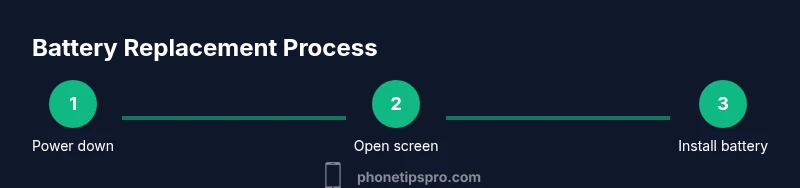
A typical battery replacement involves opening the display, disconnecting the battery, removing the old cell, installing a new one, reconnecting cables, and reassembling the device. Expect about 60–90 minutes for a professional replacement, including testing. If you opt for DIY, plan for a longer session and a careful, methodical approach. The iPhone 15 has a sensitive display assembly, so use a suitable suction tool and plastic prying tools to minimize the risk of damage. After installation, calibrate the new battery by charging to full, discharging once, and charging again to full. Run a few performance-heavy tasks to verify reliability and ensure the device ports, speakers, and sensors function correctly. Always reseal any adhesives or brackets securely to prevent dust ingress. If you notice any abnormal behavior after replacement, contact support promptly to avoid compounding issues.
Making the decision: a simple framework for when to change iphone 15 battery
Use a practical decision framework to answer when to change iphone 15 battery. Start with health and performance: if Maximum Capacity is below 80% or you experience unexpected shutdowns, plan a replacement. Consider age and usage: devices used for critical work or travel may warrant earlier replacement. Weigh the cost and time of replacement against the risk of further degradation or swelling. If your battery shows swelling, leaks, or hot spots, prioritize immediate professional service. Finally, factor warranty status and service options—an official replacement often provides the safest, most reliable outcome and preserves resale value. By combining health metrics, symptoms, and personal needs, you can decide confidently rather than reactively. Phone Tips Pro recommends documenting your battery health trend over time so you can anticipate when a replacement will maximize performance and minimize downtime.
Authority sources
For broader context on battery wear and safety, consult authoritative sources:
- https://www.energy.gov/ (U.S. Department of Energy – battery safety and performance)
- https://www.nist.gov/ (National Institute of Standards and Technology – battery health and safety insights)
- https://www.cdc.gov/ (Centers for Disease Control and Prevention – general safety tips for handling batteries and devices)
These sources provide foundational guidelines on battery longevity, safety, and best practices that complement device-specific recommendations. Phone Tips Pro concurs that staying informed about battery health helps you plan replacements before symptoms escalate, preserving data and device reliability.
Tools & Materials
- iPhone 15 device(Ensure device is fully charged before starting, and back up data)
- Pentalobe screwdriver(For opening the bottom screws near the lightning port)
- Spudger and plastic opening tool(To safely separate display without damage)
- Suction cup(Used to lift the display cautiously without cracking glass)
- Replacement battery compatible with iPhone 15(Use a reputable, tested battery from a reliable supplier)
- Adhesive strips and install tools(To reseal the battery and screen properly)
- ESD-safe mat and wrist strap(Optional but recommended for static safety)
- Backup power source during test(Power bank to test functionality after replacement)
Steps
Estimated time: 60-90 minutes
- 1
Power off and backup
Power down the iPhone 15 completely and back up your data to iCloud or a computer before starting. This protects your information if something goes wrong during replacement and ensures you don’t lose important files.
Tip: Back up first to avoid data loss; never work on a powered device. - 2
Gather tools and safety gear
Collect the required tools and wear eye protection if you’re handling the battery. Organize screws and components to avoid misplacement during reassembly.
Tip: Lay out screws in the order you remove them to simplify reassembly. - 3
Remove bottom screws and opening gap
Use the pentalobe screwdriver to remove the bottom screws near the charging port. Use the suction cup and plastic tools to create a small gap between the screen and frame.
Tip: Work gently to avoid damaging the screen cables. - 4
Disconnect battery safely
Carefully disconnect the battery connector using a plastic tool; avoid bending or puncturing the battery. Ensure the device remains powered off throughout.
Tip: Never use metal tools to disconnect the battery connector. - 5
Remove and replace the battery
Lift the old battery, then insert the new one in the same orientation. Reconnect the battery connector firmly and check for secure seating.
Tip: Be mindful of adhesive strips; replace with fresh ones if needed. - 6
Reassemble the device
Realign the display, reconnect connecting cables, and replace the screws in their original positions. Ensure no cables are pinched and the screen sits flush.
Tip: Avoid over-tightening screws to prevent frame damage. - 7
Test after replacement
Power on the iPhone and perform quick health checks: run a few apps, charge to 100%, and observe battery behavior for anomalies.
Tip: Calibrate the new battery by a full cycle (0–100%) after initial use. - 8
Finalize and monitor
Seal the device, confirm camera and sensors function, and monitor battery health over the next few days. If warnings persist, consult an authorized service provider.
Tip: Keep the device away from heat during the first 24 hours post-replacement.
FAQ
What are common signs that my iPhone 15 battery needs replacement?
Common signs include rapid battery drain, unexpected shutdowns, shorter daily uptime, and swelling. If you notice these patterns alongside a degraded health reading, replacement is worth considering.
Look for rapid drain, shutdowns, or swelling; these usually mean it’s time to consider a replacement.
Can I replace the iPhone 15 battery myself safely?
DIY replacement is possible with the right tools and instructions, but it carries safety risks such as puncturing the battery. If you’re not confident, use an authorized service provider.
You can replace it yourself if you have the right tools and care, but it’s safer to go with a professional.
Will replacing the battery affect water resistance?
Improper resealing can affect water resistance. A professional service will reseal the device properly and test for leaks.
If you replace it yourself, you may compromise water resistance; a pro will ensure proper sealing.
How long does a battery replacement take at a shop?
Most professional replacements take about 60 to 90 minutes, depending on queue and device condition.
Most shops finish the replacement in about an hour or so, depending on how busy they are.
Does AppleCare+ cover iPhone 15 battery replacement?
AppleCare+ typically covers battery issues that are deemed a manufacturing defect. If wear is normal due to usage, there may be a service fee.
If you have AppleCare+, battery issues may be covered; otherwise there may be a service fee.
What if my iPhone 15 won’t hold a charge after replacement?
If the new battery won’t hold charge, check for faulty connections, calibration, and software issues. If unresolved, contact support or return to the service provider.
If the new battery isn’t charging well after replacement, revisit connections or contact support.
Watch Video
Quick Summary
- Check health before replacing
- Consider professional service for safety
- Back up data and test thoroughly
- Avoid DIY if swelling or severe damage is present
- Use proper tools and care during replacement
- Monitor battery health after replacement for lasting performance