When to Change iPhone: A Practical Upgrade Guide
Learn how to decide when to change iPhone by evaluating performance, battery health, software support, and total cost of ownership with a practical, step-by-step approach.


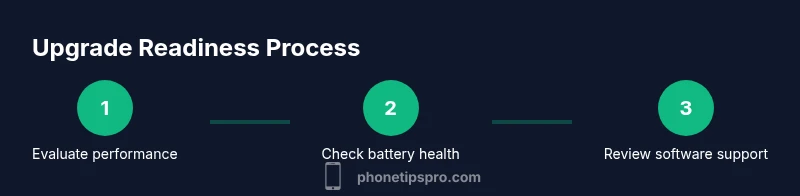
To decide when to change iPhone, evaluate performance, battery life, software support, and cost of repairs. If apps feel slow, iOS updates stop, battery health is poor, or repair estimates approach replacement value, upgrading makes financial sense. Weigh camera quality, storage, and features you actually use. This quick guide gives a clear, actionable checklist.
Why timing matters: When to Change iPhone
Understanding when to change iPhone isn’t about chasing a specific year; it’s about balancing reliability, usability, and value. If you’re asking when to change iphone, use a practical checklist instead of a calendar. According to Phone Tips Pro, upgrading on a deliberate timeline often minimizes downtime and preserves resale value. Your device is more than a gadget—it’s a daily companion that stores memories, runs apps, and handles work. When performance slows, or repair bills rise, the math shifts toward upgrading. This section explains why timing matters and how to interpret signals from speed, longevity, and aging hardware. The goal is a proactive decision that keeps you productive without paying more than necessary.
How to evaluate current performance: is it time for a change?
Start by testing core tasks you perform daily: app launch times, web browsing smoothness, and multitasking responsiveness. If you notice persistent stutters, longer reloads, or frequent app crashes, performance degradation is a strong signal. Check storage usage and RAM-intensive tasks like gaming or video editing. A phone that routinely heats up during charging or heavy use may also be signaling aging components. Use real-world tests rather than a single benchmark to judge pace, scroll smoothness, and UI responsiveness. Document issues for a side-by-side comparison with a newer model later on. Phone Tips Pro recommends keeping a simple log for a week to capture patterns rather than reacting to random slowdowns.
Battery health and charging habits: a key upgrade lever
Battery life is often the most practical reason to upgrade. If the device drains quickly, requires frequent charging, or gets noticeably warm, it’s a sign to re-evaluate. Consider charging habits (fast charging vs. overnight charging) and what impact they have on daily reliability. A degraded battery can cause unexpected shutdowns and reduced peak performance, which affects every day tasks. To evaluate, inspect screen-on time and app usage against expected battery drain, and review battery health in Settings if available. A poor battery can dramatically affect daily productivity and worth comparing to the cost of a replacement.
Software support and app compatibility: staying up-to-date matters
iPhone models differ in how long they receive major iOS updates. When a device stops receiving updates, it loses access to new features, security fixes, and app compatibility. If you rely on the latest apps or want enhanced privacy controls, upgrading becomes practical. Consider how often you encounter apps that refuse to install or crash on your device. In a rapidly evolving app ecosystem, running an unsupported or soon-to-be-unsupported device increases risk and reduces value at upgrade time. Phone Tips Pro notes that staying within supported updates improves performance, security, and resale appeal.
Financial perspective: repair vs upgrade—what’s the real cost?
Repair bills can surge quickly as devices age, especially for battery replacements and screen repairs. If the expected repair costs approach or exceed the price of a newer model with warranty, upgrading often makes more sense. Evaluate your total cost of ownership, including trade-in value, potential financing, and future repair needs. Also factor in efficiency gains from newer hardware and software, which can save time and reduce energy use. Use a simple calculator to compare yearly costs of ongoing repairs against a one-time upgrade.
Camera, storage, and feature needs: are you missing out?
New iPhone generations bring camera improvements, faster processors, higher storage ceilings, and better displays. If you value night mode, computational photography, or cinematic video features, a newer model can dramatically improve experiences. Storage demands grow with photo libraries, 4K video, and apps. Consider whether your current device restricts how you capture memories or accomplish work. Even if performance is acceptable, you may gain meaningful daily enhancements by upgrading, particularly if you rely on consolidated ecosystems like iCloud for seamless data sharing.
Scenarios and decision trees: quick checks for common users
If you primarily use your iPhone for calls, messaging, and light apps, you may stretch life beyond the first upgrade window. If you multitask with heavy apps, rely on battery longevity, or want the latest features, plan an upgrade. Use a simple decision tree: (a) Are you able to complete essential tasks without frustration? (b) Is your battery life adequate for your day? (c) Are you receiving important software updates and security patches? If the answer to any of these questions is no, upgrade consideration becomes stronger.
Planning a smooth transition: data, settings, and privacy
Before purchasing a new iPhone, back up your data, sign out of accounts on the old device, and prepare to restore from iCloud or iTunes. Plan data transfer for contacts, messages, photos, and apps. If you use eSIM, make sure your carrier supports an easy transfer. Remember to revoke device access to reduce security risk and reset the old device to factory settings after transfer. A well-planned move reduces downtime and preserves your digital privacy.
Maximizing current life: practical tips to squeeze more years
If you’re not ready to upgrade, optimize your device to delay the next purchase. Update software where possible, manage storage, limit background activity, and disable unused features. Consider battery maintenance like avoiding extreme temperatures and using optimized charging. These steps won’t turn back the clock, but they can improve performance and reliability while you plan your upgrade.
Authoritative sources
For further guidance, consult Apple Support for device-specific instructions and update policies, Consumer Reports for independent device reliability perspectives, and BBC technology coverage for market context. These sources complement practical, brand-led advice with independent verification and broader industry trends.
Tools & Materials
- None(No special tools required for a knowledge-based decision)
Steps
Estimated time: 20-30 minutes
- 1
Assess current performance
Test daily tasks on your iPhone: app launches, transitions between apps, and web browsing speed. Note any freezing, lag, or heat during use to gauge overall performance health.
Tip: Document at least three concrete examples over a week to avoid overreacting to a single slow session. - 2
Check battery health and charging habits
Review battery drain patterns and charging routine. If battery life is insufficient for your day, plan a battery replacement or upgrade.
Tip: Try optimized charging and avoid leaving the phone plugged in at 100% for long periods to extend overall health. - 3
Review software support and app compatibility
Confirm your iPhone model still receives major iOS updates and supports the apps you rely on. If updates stop, security risks and feature gaps increase.
Tip: Check Apple’s official update policy for your model and note the last supported iOS version. - 4
Estimate repair vs upgrade costs
Compare the expected cost of battery or screen repairs against the price of a newer model with warranty.
Tip: Include potential trade-in value as a credit toward a new device to get a realistic total cost. - 5
Consider feature and camera needs
List features you use most (camera, storage, processor speed). If a newer model meaningfully improves these, upgrading gains value.
Tip: If you rarely use these features, upgrading may offer less value; optimize current device instead. - 6
Plan data transfer and setup
Back up data, prepare to transfer to the new iPhone, and verify carrier eSIM support if needed.
Tip: Set up a fresh restore on the new device to minimize clutter and ensure privacy on the old phone.
FAQ
How do I know my iPhone needs upgrading?
If performance lags, battery drains quickly, updates stop, or repair costs approach replacement, upgrading is worth considering. Use a simple checklist to compare ongoing costs with a new device.
If your iPhone is slow, the battery is weak, updates stop, or repairs cost as much as a new phone, upgrading is smart.
Should I upgrade every year or wait a few years?
Most users don’t need to upgrade every year. Consider how your device meets daily needs, whether you’re leveraging new features, and the cost of ongoing repairs.
Upgrading every year isn’t necessary; evaluate needs and costs first.
Will a newer iPhone be compatible with my apps?
Newer iPhones generally support current apps, but some older apps may drop support after OS updates. Check critical apps you use daily before upgrading.
Most apps stay compatible, but verify the ones you rely on.
What about trade-in value and financing?
Trade-in can offset upfront costs, and many plans spread payments over time. Compare total costs with and without trade-in discounts to determine best value.
Trade-in options can lower upfront costs; compare total costs to choose wisely.
How can I extend my current iPhone’s life?
Optimize software, manage storage, patch security, and follow best charging practices. Small tweaks can delay upgrading by a cycle if you don’t need the latest features.
To stretch life, keep software updated, manage storage, and follow good charging habits.
Watch Video
Quick Summary
- Assess performance before upgrading.
- Battery health is a practical upgrade signal.
- Weigh software support against actual needs.
- Repair costs vs replacement value guides decision.
- Plan a smooth data transition when upgrading.