Are iPhone X Unlocked? How to Check & Unlock Today
Learn how to verify if your iPhone X is unlocked, what that status means for service, and practical, official steps to unlock it with your carrier. Phone Tips Pro.


What does unlocked mean for iPhone X?
For most iPhone users, the essential question is: what does it mean when a phone is unlocked? In the context of the iPhone X, unlocked generally means the device will accept SIM cards from any carrier, and can be activated on different networks without restriction. Conversely, a carrier-locked iPhone X is tied to a specific carrier and may refuse SIMs from other providers until unlock is granted. This division matters for travelers, buyers of used devices, and people switching carriers. According to Phone Tips Pro, understanding unlock status begins with knowing what 'unlocked' means for iPhone X devices. Understanding the status before you buy, sell, or swap networks can save you time and money. The phrase are iphone x unlocked appears frequently in forums because buyers want to know if a phone can truly be used globally. In practice, there are two common realities: factory unlocked devices, which are sold directly for universal use, and carrier-locked devices, which are restricted until the carrier completes an unlock process. Apple’s own devices do not include a universal "unlock switch." Instead, unlock eligibility is managed by the carrier or the seller, and the device must meet certain conditions before the SIM can be used with another network. Read on to learn how to verify and, if needed, facilitate an official unlock.
Carrier-locked vs factory-unlocked: the basics
When you buy an iPhone X from a carrier, the device is often locked to that carrier. This means the SIM card from another carrier will not activate until the carrier completes an unlock. A factory-unlocked iPhone X, by contrast, is sold without any carrier restrictions and will generally accept SIMs from any compatible network right out of the box. Understanding which category applies to your device helps you avoid frustration during travel, when upgrading service, or when buying second-hand. The distinction also influences warranty support and eligibility for software updates in some cases. If you are unsure whether your iPhone X is locked or unlocked, start with a quick test using a non-original SIM, then validate with the carrier. In many markets, keeping track of purchase receipts and original carrier terms can speed up the unlock process. Phone Tips Pro's analysis highlights how variable carrier policies can be.
How to check if your iPhone X is unlocked
There are several reliable, official ways to confirm unlock status. The simplest is a hardware test: insert a SIM card from a different carrier and attempt to place a call or use mobile data. If the call goes through and data works, the phone is likely unlocked. If the device shows a “SIM not supported” or “Carrier Lock” message, it is probably locked. You can also check in Settings: go to General > About and look for a line labeled Carrier Lock or SIM Restrictions. If you see “No SIM restrictions,” the device is unlocked. Another method is to contact the account owner or the original carrier and provide the device’s IMEI. They can confirm unlock eligibility and provide expected timelines. Finally, you can use Apple’s or the carrier’s online tools to verify the device’s status using your iPhone’s IMEI or serial number. Remember that the exact wording can vary by iOS version and carrier, so rely on multiple checks to be sure. Phone Tips Pro's analysis reinforces that cross-checking with more than one method reduces error.
How to unlock legally: what to expect
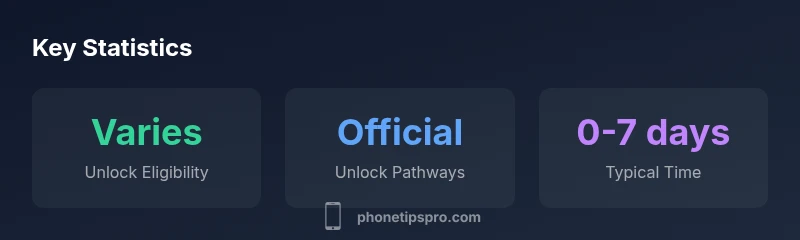
Official unlocking should be initiated through the carrier or the original seller. Start by confirming you meet the carrier’s eligibility criteria—such as having paid off the device and no outstanding balance—and request an unlock through your account portal or customer service. The carrier will typically remove restrictions on the device and may instruct you to restore the phone after unlocking. Important caveats: never use third-party unlock services that require you to provide your device’s IMEI outside trusted channels; such services can compromise security, violate terms, or void warranties. If you leased or financed the iPhone X, the provider usually requires you to complete the payments before approving the unlock. Processing times vary, but many unlocks are completed within days rather than weeks. Phone Tips Pro emphasizes using official channels to protect your data and device.
Special considerations for used iPhone X and trade-ins
Buying a used iPhone X or trading in a device can be convenient, but you should verify its unlock status before completing the sale. Ask for proof of unlock from the seller or check the device with the carrier. If Find My iPhone is enabled or the device is linked to someone else’s account, you must disable Activation Lock first and sign out of iCloud. To avoid surprises, request the IMEI and check its record with the carrier or a reputable checker. A device that is locked to a previous carrier can restrict service, overage charges, or eligibility for software updates until officially unlocked.
Data privacy and activation after unlocking
Unlocking a device does not erase content, but activation processes can reveal security settings. After unlocking, ensure you sign out of iCloud on any old account and re-sign in with your own credentials. Update carrier settings and iOS to the latest supported version to ensure compatibility with the new network. If you use an eSIM, you may need to reconfigure the line in Settings > Cellular. As always, back up before any major changes. If you encounter activation issues after unlocking, contact your carrier first, and then Apple Support for guidance.
Myths vs reality and practical tips for 2026
- Myth: Unlocking voids warranty. Reality: Unlocking via an authorized carrier generally does not void Apple warranty. However, actions outside official channels can cause problems.
- Myth: An iPhone X bought abroad cannot be unlocked. Reality: In many cases, unlocked devices can operate globally, but you may need to verify compatibility with local carriers.
- Tip: Keep records of unlock requests and confirmations; store receipts and carrier communications in a safe place.
- Tip: If you plan to travel, confirm that your new SIM works in the regions you’ll visit.
- Tip: When buying second-hand, insist on a warranty and proof of unlock status.
Next steps and how Phone Tips Pro can help
If you need personalized guidance on checking unlock status or navigating the unlock process for your iPhone X, the Phone Tips Pro team can walk you through official carrier requirements, document preparation, and status verification steps to keep your device secure and fully functional.