How to Use Credit Card Readers with iPhone: A Practical Guide
Learn how to choose, set up, and securely use credit card readers with your iPhone. This practical guide covers connectors, EMV, security, and buying tips for 2026.


In this guide, you will learn how to use credit card readers with an iPhone, compare common reader types, and set up secure, fast payments. According to Phone Tips Pro, choosing an EMV-capable reader and pairing it with the right payment app is essential for smooth checkout on iOS devices. This article walks you through connectors, setup, security basics, and buying tips for 2026.
Why iPhone compatibility matters for card readers
Choosing a card reader that works seamlessly with your iPhone isn't just a convenience — it's a security and efficiency decision. Apple devices offer strong hardware and software security features, streamlined app ecosystems, and consistent user experiences. In practice, this means faster checkouts, fewer pairing issues, and better fraud protection through EMV and Apple Pay integration. For business owners, ensuring the reader supports iOS updates and native Apple Pay reduces support calls and guest friction. The most reliable solutions are those that actively support the latest iPhone models and iOS versions, plus regular firmware updates from the manufacturer. According to Phone Tips Pro, iPhone-compatible readers typically deliver more consistent performance in busy environments, helping you avoid downtime during peak hours.
How credit card readers for iPhone work
Most readers connect to an iPhone via Bluetooth, USB-C/Lightning, or a combination of both. Internally, they tokenize card data and use EMV standards to prevent card numbers from ever crossing the device unencrypted. When you swipe, dip, or tap, the reader communicates with your payment processor through the iPhone's internet connection, applying encryption and tokenized data. The result is a secure transaction stream that reduces PCI scope for your business. In addition to EMV, contactless payments (NFC) and Apple Pay are supported by modern readers, enabling quick tap-to-pay experiences for customers. Remember: always update the reader firmware to maintain security and compatibility with latest iOS updates.
Types of readers: Lightning vs USB-C vs Bluetooth
The connector type you choose will depend on your iPhone model and how you work. If you have an older iPhone with a Lightning port, look for readers that offer Lightning or a dedicated Lightning-to-USB adapter. Newer iPhones with USB-C ports typically pair most readers over Bluetooth or use a USB-C dongle. Bluetooth readers excel in mobility, while USB-C or Lightning-connected devices can provide faster, more stable connections in a fixed checkout area. For most small businesses, a Bluetooth EMV reader balances portability, compatibility, and price. Keep in mind that some readers support multiple connection types, giving you flexibility as devices evolve.
Setup and pairing steps
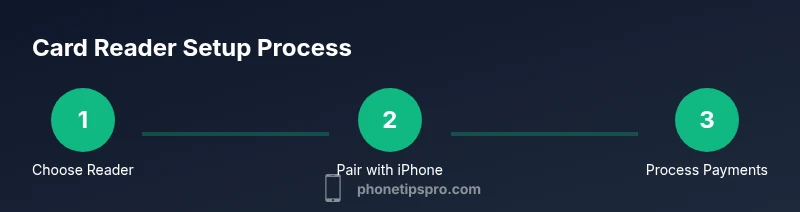
To start, verify that your iPhone is running a compatible iOS version and that your reader is charged. Install the reader's companion app from the App Store, then activate Bluetooth (or connect via USB-C/Lightning). In the app, follow the pairing prompts to link the reader with your iPhone. Once connected, enable the payment option(s) you plan to use (EMV, NFC, etc.). Finally, run a test transaction with a small amount to confirm the setup is working. If you encounter issues, check the cable connections and ensure the app has permission to access Bluetooth and location services.
Security, fees, and compliance
Security should be your top priority. Use EMV-capable devices and ensure data is encrypted at rest and in transit. Tokenization prevents sensitive data from being stored or transmitted in a readable form. Always review the processor's fee schedule; most readers incur a per-transaction percentage plus possible monthly minimums. Some readers also charge a small annual or monthly fee for software access. From a compliance perspective, PCI-DSS requirements apply to merchants who accept card payments, and keeping your devices updated helps maintain compliance. Phone Tips Pro analysis shows that businesses that keep devices updated and deploy EMV readers tend to experience fewer chargebacks and fraud attempts over time.
Connectivity and reliability tips
A stable internet connection is essential for online transactions, but you should also prepare for occasional offline scenarios. Choose readers with offline mode or batch processing options, and ensure you can reconnect quickly when the network returns. Battery life matters: opt for readers with long-standing batteries or the ability to charge during the day. Always carry spare charging cables and a portable power bank for mobile setups. If your store environment has poor Wi‑Fi, consider a SIM-enabled tablet or a dedicated hotspot to maintain connectivity during peak periods.
How to choose the best reader for your business
Define your environment first: a cafe with fast lines needs quick tap-to-pay readers, while a market stall may require battery life and portability. Consider the types of cards you encounter most (chip, magstripe, or contactless), and ensure the reader supports those options plus Apple Pay. Compare pricing models (per-transaction fees vs monthly fees), warranty length, and vendor support quality. Reading reviews from other iPhone users and testing a few models in-store can save you from costly returns. Finally, verify compatibility with your existing payment processor and any loyalty programs you run.
Common pitfalls and troubleshooting
Common issues include pairing failures, unresponsive readers, and slow transaction processing. Start by confirming Bluetooth is enabled, the reader is powered, and the app has the proper permissions. If a reader isn’t recognized, re-pair it or try another USB-C/Lightning port. For slow transactions, ensure a stable internet connection and update the app and firmware. If you encounter fraud alerts or unexpected declines, check that you are within your processor's supported card networks and that you are in compliance with PCI standards. Regularly restarting devices and rotating batteries can prevent random crashes.
Tools & Materials
- iPhone with latest iOS(Ensure Bluetooth is enabled and OS is up to date)
- EMV-capable credit card reader (Bluetooth/USB-C/Lightning)(Choose based on iPhone model and workspace)
- Payment processor account or merchant services(Have a active agreement and pricing plan)
- Stable internet connection(Wi-Fi or cellular; offline mode if supported)
- Companion app for the reader(Download from the App Store)
- Receipts printer (optional)(Useful for in-person receipts)
Steps
Estimated time: 30-60 minutes
- 1
Verify compatibility
Check that your iPhone model and iOS version are compatible with the reader you plan to use. This prevents conflicts and ensures access to the latest security features.
Tip: Review the reader’s supported devices before buying. - 2
Choose the right reader type
Decide between Bluetooth, USB-C, or Lightning-connected readers based on your checkout setup and mobility needs.
Tip: Bluetooth offers better mobility for on-the-go sales. - 3
Prepare your payment processor
Confirm you have an active merchant account and the processor supports mobile card readers with iPhone.
Tip: Ask about per-transaction fees and monthly minimums. - 4
Install the reader app
Download and install the provider’s app from the App Store, then grant necessary permissions.
Tip: Turn on location sharing only if required by the app. - 5
Pair the reader with iPhone
Follow pairing prompts in the app to connect the reader via Bluetooth or, if needed, via USB-C/Lightning.
Tip: If pairing fails, toggle Bluetooth off/on and retry. - 6
Enable payment options
In the app, enable EMV, NFC, and Apple Pay as needed for your customers.
Tip: Keep only the necessary options enabled to reduce confusion. - 7
Run a test transaction
Process a small test payment to confirm the setup is working correctly.
Tip: Check receipts and transaction logs for accuracy. - 8
Secure and finalize
Ensure firmware is up to date and configure receipt settings; educate staff on handling card data securely.
Tip: Never store card numbers; use tokenization and PCI-compliant storage.
FAQ
Do I need a separate merchant account to use iPhone card readers?
In most cases you can use a card reader with your existing merchant account or through a payment processor. Ensure you have an approved agreement and that the processor supports mobile readers.
Most readers work with your current merchant account; check compatibility with your processor.
Are there fees for using iPhone card readers?
Yes. Readers incur processing fees that vary by processor and card type. Look for transparent per-transaction rates and monthly minimums.
Expect processing fees and possible monthly minimums.
Can I use magstripe cards with iPhone readers?
Some readers support magstripe, but many processors require EMV chips or contactless payments. Check your reader specs.
Some readers handle magstripes, but EMV and NFC are standard.
Is Apple Pay supported by iPhone card readers?
Most modern readers support Apple Pay via NFC. Ensure the reader and app advertise native Apple Pay support.
Yes, most readers support Apple Pay.
What should I consider when buying a reader for a small business?
Consider compatibility with iPhone, EMV support, connectivity type, fees, and whether you need receipts. Read reviews and test with your setup.
Look for EMV, compatibility, and low fees.
Watch Video
Quick Summary
- Choose EMV-capable readers for the safest transactions.
- Verify compatibility with your iPhone model (Lightning vs USB-C).
- Test transactions before going live to catch issues.
- Keep readers updated and follow PCI guidelines.
- Consider your business use case to pick the right reader type.