iPhone vs Samsung Camera: A Thorough Side-by-Side Comparison
A thorough, analytical comparison of iPhone and Samsung camera systems, covering photo quality, night mode, zoom, video, RAW workflows, storage, and editing—helping you decide which ecosystem fits your photography style.


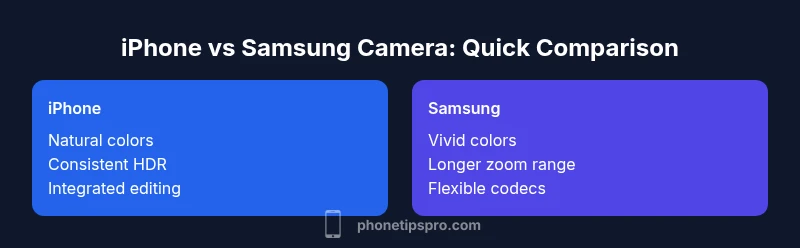
According to Phone Tips Pro, the iphone vs samsung camera debate reflects two distinct design philosophies. The iPhone emphasizes natural color rendering, consistent HDR, and dependable computational photography, while Samsung emphasizes bold, punchy color, versatile zoom, and flexible shooting modes. For everyday use, the iPhone camera often delivers reliable results across scenes; for creative control and standout social media flair, Samsung can offer more punch.
Photo Quality: Sensor, Color, and Processing
Both Apple and Samsung leverage advanced sensors and image processing, yet they chase different artistic outcomes. The iPhone tends to produce natural-looking skin tones, balanced exposure, and restrained highlight clipping, which yields consistent results across diverse lighting. Samsung devices typically deliver punchier colors and greater contrast, which can make landscapes and architectural shots pop straight out of the camera. Behind the scenes, differences in sensor design, lens coatings, and color pipelines influence how RAW data, noise, and dynamic range are interpreted. The result is that outputs feel distinct: iPhone images often read as honest representations that editors can trust, while Samsung images tend to feel more expressive and ready for bold social media edits. Your ultimate choice depends on whether you want a dependable baseline for quick sharing or a distinctive starting point for creative processing.
Night and Low-Light Performance
Low-light performance is a major battleground between iPhone and Samsung cameras. iPhone Night mode relies on multi-frame capture and smart exposure blending to preserve color fidelity while reducing noise, producing natural shadows and subtle tonal transitions. Samsung’s night solutions, by contrast, frequently push brighter shadows and higher overall exposure, which can reveal more detail in dark scenes but may introduce color shifts or warm/cool biases depending on settings and lighting. In practice, if you shoot often in challenging light and want skin tones to stay natural without aggressive processing, the iPhone often provides a reassuring baseline. If you prefer a brighter, more cinematic look that emphasizes visibility in shadows, Samsung can be very effective. Always consider shooting in RAW to retain maximum control over noise reduction and white balance in post.
Color Science and Personal Style
Color rendering is a fundamental part of how you perceive camera performance. iPhone imagery tends to favor realism and uniform color across different scenes, which reduces guessing when editing across devices. Samsung imagery is frequently bolder, with deeper blues and higher saturation that can feel striking straight from the camera. This difference matters because it shapes your editing approach: a natural baseline on iPhone makes color grading in apps and desktop software more predictable, while Samsung’s vibrant look can cut through social feeds with minimal processing. Both ecosystems offer extensive post-processing options, so your preferred workflow—mobile apps or desktop software—will largely determine how you finalize your images. If you want flexibility, try shooting with neutral white balance and tweak in post to see which look aligns with your style.
Zoom, Lenses, and Stabilization
Lens versatility and stabilization options influence how often you reach for a camera. iPhone systems typically include a set of prime-like focal lengths (wide, ultra-wide, and a usable telephoto in newer models) designed for smooth transitions and consistent exposure across lenses. Samsung devices often push the envelope on zoom range, offering longer optical reach and broader focal choices through dedicated telephoto lenses, sometimes with periscope arrangements, which can be advantageous for distant subjects. Stabilization methods—whether sensor-based, lens-based, or sensor-shift techniques—play a role in maintaining sharpness during handheld imaging. In practice, if your subject requires close framing from a distance or you shoot a lot of travel scenes with changing light, Samsung’s broader zoom can reduce cropping and post-crop sharpening, while the iPhone offers a reliable, cohesive multi-camera experience for quick social sharing.
Video Capabilities and Filmmaking Tools
Video is a growing priority in mobile photography, and both platforms offer strong options. The iPhone tradition emphasizes color accuracy, smooth motion, and robust editing workflows within and beyond the native Camera app, often including features such as cinematic exposure and reliable stabilization that translate well to social media and professional editing pipelines. Samsung emphasizes flexibility in frame rates, codecs, and field-of-view options, which can benefit creators who want more control over the final look without extensive post-processing. For most creators, the choice hinges on your preferred color aesthetic, how you intend to edit, and whether you value post-production efficiency or on-device versatility. Regardless of platform, shoot with a consistent frame rate and resolution, and keep an eye on color grading settings to maintain coherence across clips and stills.
RAW, Pro Modes, and Editing Workflows
RAW capture provides the most latitude for post-processing. The iPhone ecosystem offers ProRAW on supported devices, giving editors more data to work with in highlights and shadows while preserving a natural baseline. Samsung devices also support RAW captures and frequently integrate well with third-party editing apps, which can be appealing for photographers who favor a modular workflow. If you routinely rely on RAW or ProRAW, establish a consistent white balance reference and organize your files by scene so you can reproduce your look across sessions. For mobile-first editors, explore LUTs, color grading presets, and selective sharpening to enhance detail without introducing artifacts. Your preferred software and file organization strategy will strongly influence how you execute complex edits.
Storage, Transfer, and Backup Considerations
Storage is the silent constraint on camera performance. iPhone users often lean on iCloud and seamless device-to-device syncing, which simplifies cross-device editing but depends on cloud storage costs and network access. Samsung users balance local storage with expandable options and cloud services, giving more control over when and where data is stored. If you shoot high-bitrate video or long RAW sequences, plan ahead for storage or invest in external solutions. A robust backup routine—whether automated to the cloud or executed on a desktop drive—mitigates risk of data loss. Consider your travel patterns, editing habits, and whether you prefer continuous cloud syncing or offline archival. A disciplined approach to backups ensures your camera work remains secure across devices and platforms.
Ecosystem and Editing Apps
The camera experience is inseparable from software. iPhone users benefit from a tightly integrated Photos app, iCloud syncing, and a broad array of high-quality mobile editing apps that streamline color grading and sharpening. Samsung users enjoy a flexible Gallery experience with QuickShare and access to a diverse ecosystem of editors, filters, and non-linear workflows. If you’re already immersed in one ecosystem, you’ll likely prefer the built-in tools, cloud options, and cross-device benefits that come with it. Regardless of platform, learning a few high-impact editing techniques—color grading, selective sharpening, and exposure control—will elevate your results beyond the camera’s default output, making your shots feel intentional and polished.
Real-World Scenarios: Travel, Portraits, and Food
In real-world use, the choice often boils down to your typical subjects and environments. Travel shots benefit from Samsung’s longer reach and vibrant color, especially when you’re capturing distant landmarks or diners under ambient lighting. Portraits can lean toward iPhone’s skin-tone accuracy and smooth bokeh rendering, delivering flattering results with minimal editing. Food photography benefits from bright, appealing hues; Samsung may deliver more saturated tones that help dishes pop, while iPhone tends to preserve texture and highlights more conservatively. When you’re evaluating the two, prioritize your most common scenes, preferred editing workflow, and how much you value out-of-camera “ready-to-share” images versus post-production flexibility.
Comparison
| Feature | iPhone | Samsung Galaxy |
|---|---|---|
| Photo Quality (color & processing) | Natural, consistent tones across scenes | Vivid, punchier colors with strong contrast |
| Low-Light / Night Mode | Balanced exposure, natural shadows | Brighter shadows, higher contrast in many shots |
| Zoom & Lenses | Multi-camera system with cohesive transitions | Longer optical reach with broader zoom range |
| Video Capabilities | Consistent color, stable footage, strong editing workflow | Flexible frame rates and codecs with bold color options |
| RAW & Pro Modes | ProRAW; strong post-processing baseline | RAW/advanced modes with flexible third-party apps |
| Storage & Backup | Cloud-first workflow; seamless cross-device syncing | Local + cloud options; strong offline control |
| Ecosystem & Apps | Tight Photos app integration; easy sharing | Flexible editing via Gallery and third-party apps |
| Best For | Natural look, ease of use, quick sharing | Bold color, zoom versatility, creator-focused editing |
Positives
- Consistent results across a wide range of lighting conditions
- Strong ecosystem support for editing and sharing
- Solid video stabilization and color management in post
- Reliable, predictable performance with minimal setup
Weaknesses
- Pros may require editing to achieve personal style
- Some color biases may require post-processing to reach preferred look
- Premium features can be subscription-dependent
- Device-specific quirks can affect RAW workflows
iPhone is the safer all-rounder for most users; Samsung excels in bold color and zoom versatility.
Choose iPhone if you want natural colors and a smooth, integrated editing flow. Choose Samsung if you prefer vibrant colors and powerful zoom with flexible shooting options.
FAQ
Which camera is better for low light?
Both platforms handle night scenes well, but iPhone typically preserves natural skin tones and avoids over-processing. Samsung tends to brighten shadows more aggressively, which can reveal more detail but may shift colors. Your preference for natural look or bright, high-contrast results will guide your choice.
For low light, iPhone generally preserves skin tones, while Samsung brightens shadows. Choose based on whether you prefer natural or bold night shots.
Do both cameras offer RAW shooting?
Yes. iPhone offers ProRAW on supported devices, and Samsung also supports RAW capture with third-party apps and just-in-time editing workflows. RAW gives maximum control in post, especially in challenging lighting.
Both support RAW captures, giving you more control in editing.
Is it easier to edit photos on iPhone or Samsung?
Editing ease depends on your preferred ecosystem. iPhone provides a tightly integrated set of mobile editing tools and iCloud syncing, making quick edits straightforward. Samsung offers a broader app ecosystem and flexible sharing options, which can speed up field edits for some creators.
It depends on your workflow—iPhone for integrated tools, Samsung for app flexibility.
Should I switch ecosystems for camera quality?
If your priority is color naturalness and predictable post-processing, sticking with iPhone may reduce friction. If you value extended zoom, bold color, and greater on-device customization, Samsung is compelling. Consider your current devices, apps, and backup strategy.
Switching ecosystems is a trade-off between color preference and workflow flexibility.
What’s the best approach for a new buyer?
New buyers should test both in-store or via hands-on demos, focusing on skin tones, color saturation, zoom reach, and editing flow. If you want a quick, reliable, natural look with easy sharing, start with the iPhone. If you crave more dramatic color and longer reach, explore Samsung.
Test both cameras to see which look and workflow you prefer.
Can I achieve the same results on both platforms with editing?
You can bring outputs closer through careful editing on either platform, but each system starts from a different baseline. Your final look will depend on your editing choices, color grading, and the inherent color tendencies of the camera.
Editing can level the look, but the starting point differs by platform.
Quick Summary
- Define your priority: natural realism vs bold color
- Test both cameras in your common lighting scenarios
- Leverage RAW/Pro modes for maximum post-processing control
- Align purchase with your existing ecosystem and editing habits
- Invest in a solid backup plan for photos and videos