Is iPhone the Same as Android? A Thorough Comparison
Is iPhone the same as Android? This analytical comparison breaks down ecosystems, updates, app stores, privacy, and hardware variety to help iPhone users and Android fans decide which platform aligns with their priorities.


Short answer: no, iPhone and Android are not the same. They differ in ecosystems, app availability, OS update cadence, privacy controls, and how they customize user experiences. The best choice depends on whether you value seamless Apple integration and uniform updates, or broader hardware options, customization, and cross‑platform flexibility. Consider your priorities, like app quality, device ecosystem, and privacy needs.
Why platform differences matter
According to Phone Tips Pro, the decision between iPhone and Android often hinges on how you use devices across services and apps, not just raw specs. Both platforms deliver excellent performance, but the value comes from ecosystem alignment, update policies, and how comfortable you are with cross‑device workflows. If you live in a single ecosystem—Apple or Google—the experience is smoother and more predictable. If you juggle multiple brands or prefer broad hardware options, Android often offers greater flexibility. For most users, the key question is not which phone is technically faster, but which platform better supports your daily routines, privacy preferences, and future plans.
Core differences at a glance
- Ecosystems define the default experiences: iPhone emphasizes a tightly integrated suite, while Android emphasizes openness and device variety.
- Updates affect daily use: iOS devices typically receive regular, uniform updates, whereas Android updates vary by manufacturer and model.
- App gatekeeping matters: Apple’s App Store enforces stricter review standards, potentially improving consistency and security but limiting some third‑party options.
- Privacy and security models differ: iOS focuses on privacy controls built into the platform; Android relies on device‑level safeguards and provider choices. These governance differences shape defaults, permissions, and how data is shared across apps.
- Customization vs. consistency: Android offers deep customization, while iPhone prioritizes a uniform, predictable user experience across devices.
Ecosystem integration and updates (part I)
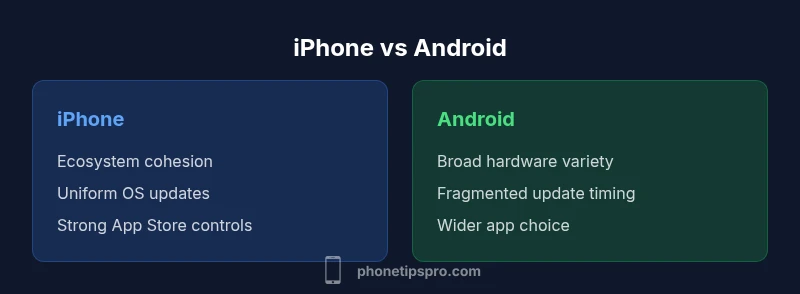
A central differentiator is how updates are handled and how devices feel cohesive. iPhone users typically enjoy synchronized OS updates, app compatibility, and a consistent interface across phones, tablets, and wearables. This cohesion reduces the friction of switching between devices and often enhances features like Continuity, Handoff, and iCloud integration. On Android, you gain choice in hardware, but updates can be fragmented by maker, carrier, and region. This fragmentation can delay new features or security patches on some devices, even as others receive them promptly. Phone Tips Pro analysis shows that update cadence strongly influences long‑term user satisfaction and perceived security, particularly for users who value fast access to new features.
App experience and policy differences
The App Store on iPhone is curated with a controlled submission process, prioritizing consistency, privacy, and security. While this can limit some experimentation, it reduces risks from malicious software and low‑quality apps. Android’s Google Play and alternative stores offer broader selection and more flexibility for developers, which can translate to more choice for users but also more variance in app quality and security practices. For users who rely on niche apps or custom workflows, Android may deliver more options; for those who want a tight, polished app experience with fewer surprises, iPhone often delivers that reliability.
Privacy and security models (part II)
Apple emphasizes privacy as a system-wide feature—minimized tracking, limited data sharing, and transparent controls are baked into iOS. Android privacy controls have improved substantially, but outcomes depend on device maker and software skin. This means that on Android, user experience can vary widely depending on the device vendor’s policies. For security, both platforms have strong base protections, but iPhone’s walled garden and strict app vetting create a slightly different threat profile than Android’s broader ecosystem, where user choices and settings can shape exposure. Your comfort with app permissions, location sharing, and data management will guide which platform better aligns with your privacy expectations.
Hardware variety vs software uniformity
Android shines with an expansive hardware landscape—from flagship premium models to affordable devices—giving buyers a broad range of prices, sizes, and features. iPhone offers a narrower lineup but emphasizes premium build quality, consistent performance, and cohesive software experiences across generations. If device variety and price tiers matter, Android is the clear winner; if you value long‑term software support and a uniform user interface, iPhone is more attractive. This trade‑off influences long‑term satisfaction, resale value, and how quickly you can adopt new features across devices.
User experience, customization, and everyday use
Customization is a strong point for Android, including home screen widgets, default apps, and third‑party launchers. iPhone emphasizes a refined, consistent experience with predictable navigation, fewer surprises, and seamless inter‑device workflows. For those who frequently switch between a phone, tablet, and laptop, iPhone’s continuity features can save time and mental load, while Android’s flexibility can speed up specialized tasks and personal setups. In daily use, think about how often you customize, how important cross‑device workflows are, and whether you value tailored experiences over a uniformly polished interface.
Price, value, and total cost of ownership
Pricing strategy differs between platforms. iPhones often command higher upfront costs but maintain strong resale value and longer software support windows. Android devices cover a broader price spectrum, which can lower entry costs but may incur higher total costs if updates or many different devices are used over time. Evaluating total cost of ownership means considering not just sticker price, but ongoing expenses like accessories, repairs, and potential switching costs if you migrate between ecosystems.
Practical scenarios: when each platform shines
If you prioritize a frictionless ecosystem, consistent updates, strong privacy defaults, and reliable customer support, iPhone is likely the better fit. If you value hardware variety, customization, and the option to choose from multiple price points, Android provides more flexibility. In work contexts, consider app availability and compatibility with colleagues or company policies. In family setups, think about device balance (parents using iPhones, kids on Android can complicate cross‑device sharing), data transfer needs, and the ease of coordinating between platforms.
Data transfer and cross‑platform workflows
Moving data between iPhone and Android is feasible but varies by data type. Contacts and calendar entries are generally straightforward, while app data and platform‑specific purchases may require extra steps or be restricted by policy. Cloud services and cross‑platform apps can ease this process, but there will often be trade‑offs in what can be migrated and how quickly. Planning a switch or shared device ecosystem benefits from a structured checklist: backup, decide core apps and data, prepare for app reinstallation, and verify data integrity after transfer.
How to choose: a practical decision framework
Start with your priorities: ecosystem alignment, update cadence, privacy controls, customization, price range, and device availability. Use a simple scoring rubric for each criterion and compare results across iPhone and Android. Consider a test period with a family member or friend who uses the other platform, and read independent reviews to capture real‑world experiences. The decision framework should reflect your daily use, not just headline specs.
Common misconceptions and myths
A common myth is that one platform is universally superior for all tasks. In reality, both offer strong experiences in different dimensions. Another misconception is that Android is always cheaper long‑term; while initial devices may be cheaper, total cost of ownership depends on updates, device longevity, and ecosystem purchases. Finally, some believe app availability is wildly different; in most mainstream categories, both platforms offer robust apps, though some exclusives exist. Understanding these nuances helps avoid oversimplified conclusions.
Key factors to test before buying
Before purchasing, test in a controlled way: try app availability for your must‑have services, test cross‑device features if you own other devices, evaluate notification and privacy settings, compare camera and multimedia experiences, and assess repair costs and warranty coverage. If possible, borrow or demo both devices for a week to observe real‑world use, then decide based on which platform aligns with your daily workflows, privacy expectations, and long‑term plans.
Comparison
| Feature | iPhone | Android |
|---|---|---|
| Ecosystem integration | Strong Apple integration across devices (iPhone, iPad, Mac, Watch) | Wide variety of ecosystems across manufacturers (Google, Samsung, OnePlus, etc.) |
| OS update cadence | Regular, uniform updates across supported devices | Update timing varies by maker, device, and carrier |
| App store and policy | Curated App Store with strict vetting | Google Play and other stores; broader selection, variable quality |
| Privacy controls | Built-in privacy features with centralized controls | Privacy features vary by vendor and skin/ROM |
| Customization | Restricted customization for consistency | Extensive customization options (launchers, defaults, widgets) |
| Hardware variety | Limited by Apple device lineup | Extensive hardware choices across brands and price points |
| Security approach | App sandboxing and strict app vetting | Diverse security practices across manufacturers and app ecosystems |
| Cross-device features | Strong continuity features (Handoff, AirDrop, iCloud) | Cross‑device workflows exist but vary by vendor and ecosystem |
| Total cost of ownership | Generally higher upfront with strong resale value and long support | Lower entry cost with broader selection; total cost varies by usage |
Positives
- Clear ecosystem advantages for seamless integration and support
- Strong privacy controls and regular updates on iPhone
- Excellent device longevity and resale value
- Reliable customer support and service network
Weaknesses
- Higher upfront cost and limited hardware choices
- Greater customization limitations on iPhone
- Fragmentation in updates and device lifecycles on Android
Choose based on ecosystem priority: iPhone for cohesive experience and timely updates; Android for hardware variety and customization.
If you prize seamless integration and uniform security, iPhone is a better fit. If you want more hardware options and highly customizable experiences, Android offers greater flexibility. Use the decision framework to align with your daily use and long-term needs. The Phone Tips Pro team notes that both platforms excel in different ways.
FAQ
Do updates arrive faster on iPhone than Android?
In general, iPhone devices receive uniform updates directly from Apple on a planned schedule, which can result in faster and more consistent access to new features and security patches. Android updates vary by device maker and carrier, so timing can differ across models.
Typically, iPhone updates arrive more uniformly, while Android updates depend on the device and carrier. If speed matters, consider the latest iPhone model for a smoother experience.
Is the App Store safer than Google Play?
The App Store enforces strict review policies, which can improve consistency and security, but may limit some app types. Google Play offers broader selection but with more variability in app quality and risk profiles. Both ecosystems have safeguards, but your choice may depend on risk tolerance and app needs.
App safety differs by store: Apple emphasizes strong review policies; Google Play offers more choice but more variability. Your risk tolerance and app needs matter.
Can I run the same apps on both platforms easily?
Most major apps are available on both platforms, but data portability, features, and purchases can vary. Some apps offer cross‑platform login or cloud sync, while others require platform‑specific versions or replacements.
Many big apps exist on both platforms, but not all data and purchases transfer perfectly. Check cloud sync options and cross‑platform support.
How does privacy differ between iOS and Android?
iOS emphasizes built‑in privacy protections and transparent controls, often limiting data collection by default. Android privacy varies with device maker and software skin; newer Android versions have improved controls, but enforcement can differ by device.
iOS generally prioritizes privacy with strong defaults, while Android's privacy depends on the device maker and software version.
Which is cheaper to own long‑term?
Initial prices for iPhone tend to be higher, but resale value and longer software support can offset costs. Android offers a wide price range, but total ownership depends on device longevity, updates, repairs, and ecosystem purchases.
Long‑term cost depends on device choice and maintenance; iPhone may retain value, while Android offerings vary in price and update support.
Quick Summary
- Define your ecosystem priorities before deciding
- Expect different update cadences and app experiences
- Consider privacy expectations and customization needs
- Weigh hardware variety against a consistent user interface
- Use a structured decision framework before buying