Why iPhone vs Android: An Objective Guide for 2026
A balanced, data-driven comparison of iPhone and Android across ecosystems, updates, privacy, customization, price, and daily usability to help you decide. Learn how to weigh trade-offs with expert guidance from Phone Tips Pro.


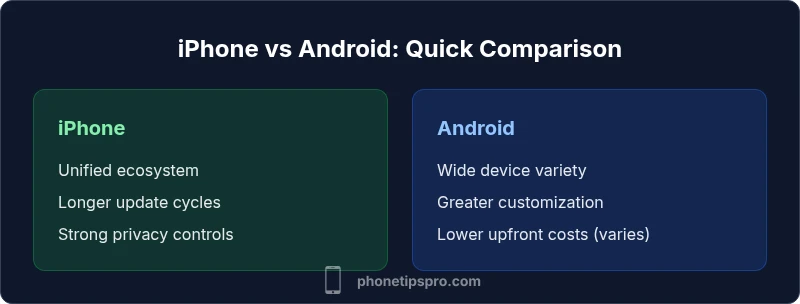
Choosing between iPhone and Android comes down to priorities: if you value a tightly integrated, predictable experience, or strong privacy, iPhone is typically the better fit. If you prefer hardware variety, deeper customization, and a wider price range, Android offers more flexibility. In short: ecosystem and updates favor iPhone; customization and price favor Android.
The fundamental premise: iPhone vs Android ecosystems
In 2026, the core difference between iPhone and Android isn't just feature lists; it's how those features integrate with your daily life. According to Phone Tips Pro, the decision often comes down to two questions: do you want a tightly integrated, predictable experience, or do you prefer broad hardware choices and deep customization? Apple’s model stitches hardware, software, and services into a consistent whole, delivering a dependable user journey across calls, messages, payments, and media. Android, by contrast, emphasizes openness and flexibility, with a wider range of devices, price points, and customization options from multiple manufacturers. This section lays out those philosophies with practical implications for everyday use—updates, app quality, privacy controls, and the way you actually interact with your phone all day. The goal isn't to crown a winner, but to map your priorities to real-world outcomes, so you can choose with confidence.
How software updates influence daily life
Software updates shape everything from app compatibility to battery life and privacy safeguards. iPhone updates arrive on a predictable cadence across most devices, typically bringing new features and security fixes in sync with Apple’s yearly release cycle. This consistency means you can rely on a similar experience on older devices for several years. Android, by design, spans many device makers, each with its own update schedule. You’ll see faster uptake on Google Pixel devices and certain OEMs, but broader fragmentation means some devices receive updates later or not at all. For practical daily use, this affects whether you can run the latest apps, enjoy new privacy features, or maintain device performance over time. Phone Tips Pro notes that update velocity often correlates with device selection and vendor support policies.
Privacy and security: what users should care about
Privacy and security are not single features; they are ongoing practices embedded in software design, hardware security, and user controls. iPhone emphasizes a unified privacy framework: app tracking transparency, strong on-device encryption, and consistent security patches that follow Apple’s roadmap across devices. Android relies on Google’s privacy controls plus OEM-specific implementations; while some devices offer granular controls, the experience can vary by brand and model. In practice, you’ll want to review app permissions, install from trusted sources, keep devices updated, and enable features such as biometric locks, device encryption, and secure backups. The best approach is to align privacy settings with your real-world risk tolerance and daily routines.
Customization and control: from launcher to settings
Android is historically the platform for customization: home screens, widgets, default apps, and even launcher choices let you shape how information appears and flows. iPhone, in contrast, prioritizes a clean, consistent user interface with fewer knobs to tweak; you can still personalize with widgets, app layout, and limited themes, but the system aims for predictability. Everyday usability tilts toward Android if you enjoy rearranging your workflow, while iPhone favors consistency for speed, reliability, and cross-device handoff. For most users, a balanced approach—customizing essential pieces while preserving a core flow—delivers the best of both worlds.
App quality, availability, and performance
App quality and performance are influenced by platform policies, developer tooling, and distribution channels. The iOS App Store applies rigorous review processes, which can lead to polished experiences but sometimes slower updates. The Google Play Store and other Android app stores offer broader catalogues and quicker iteration, which can benefit early adopters but occasionally introduce more variability. Developers also optimize for each platform’s hardware and software stack, meaning some apps feel more cohesive on iPhone than on many Android devices, while others leverage Android’s flexibility to innovate rapidly. In practice, you’ll notice differences in onboarding flows, animations, and feature parity across devices.
Hardware and hardware-software integration
Apple’s hardware-software integration includes the secure enclave, specialized silicon, and tightly coupled services that create smooth performance and longer device lifespans. Android devices span a wider range of manufacturers, sensors, and form factors, offering more choices but sometimes with inconsistent software integration. If you rely on features like seamless Continuity across devices, iPhone often provides a more cohesive experience. If you want diverse hardware—foldables, styluses, multiple camera modules—the Android ecosystem offers breadth. The practical takeaway is to evaluate how critical hardware features (camera system, battery life, display quality) align with your typical daily activities.
Value, price, and total cost of ownership
Price considerations are a major part of the iPhone vs Android discussion. iPhones tend to come with premium price tags and strong resale value, which some buyers factor into long-term ownership costs. Android devices cover a very wide price range, from entry-level to flagship, creating a broader spectrum of upfront costs but potentially higher maintenance or repair variability. Total cost of ownership includes accessories, warranties, repairs, and software services over years. Phone Tips Pro analysis shows that choosing the best value often means balancing upfront cost with expected device lifespan, support terms, and how quickly you expect to upgrade.
Use-case driven recommendations: who wins for which user
Different user personas will tilt the balance toward one platform. A student prioritizing affordability and a vast app library might lean Android; a professional who needs reliable upgrades, tight security, and effortless cross-device work could prefer iPhone. Families balancing devices across a household may benefit from iPhone if privacy and parent controls are a priority, while tech enthusiasts who enjoy experimenting with features may enjoy Android’s openness. The key is to map your daily tasks—communication, productivity, camera use, gaming, and media consumption—to the platform strengths you value most.
How to test-drive both ecosystems before committing
Before making a switch, try a practical test. Borrow or borrow-time on devices, use trade-in programs, or visit a store to run through your core tasks for a week. Create a checklist: app availability, cloud integration, messaging compatibility, privacy controls, and how your favorite services (photos, notes, payments) work across platforms. Use trial accounts or demo devices to simulate your usual routines; do not rely solely on marketing promises. A structured test helps you decide which ecosystem matches your habits rather than your wishlist.
Common myths and reality about switching
Myths about switching often center on data transfer difficulty, app gaps, or losing features. In reality, both ecosystems support migration paths for contacts, messages, and media, along with app reinstallation and cloud-backed data. The reality is that certain services may require adjustments—e.g., switching messaging protocols or reconfiguring default apps—but with time, most daily tasks fall back into a smooth rhythm. Remember that neither platform is perfect; the best choice aligns with your daily patterns, privacy expectations, and willingness to adapt to a new workflow.
Comparison
| Feature | iPhone | Android (general) |
|---|---|---|
| Ecosystem integration | Seamless hardware-software suite (Apple) | Broad device and service ecosystem across many brands |
| Software update cadence | Long, uniform updates across devices (Apple) | Updates may vary by device/brand; can be slower or delayed |
| Customization | Moderate customization (settings, limited widgets) | High customization (launchers, themes, ROMs) |
| App quality and availability | Curated App Store with strong quality controls | Broader app store options with variable quality across devices |
| Privacy controls | Integrated, system-wide privacy controls | Flexible privacy controls but depends on OEM integrations |
| Price range | Premium pricing with strong resale value | Wide range from budget to flagship devices |
| Repairability & support | Consistent nationwide support with Apple Stores | Varies by brand/model; third-party options common |
| Security model | Tightly controlled app ecosystem and rapid updates | Open ecosystem with device/vendor-level updates |
Positives
- Clear, cohesive ecosystem and user experience
- Strong privacy and security posture with regular updates
- Long-term software support and resale value
- Broad hardware choices and price points on Android
- Flexible customization options on Android
Weaknesses
- Fragmentation can delay updates on some Android devices
- App quality and integration may vary across stores and OEMs
- Privacy controls can be more opaque on some Android devices
Neither platform is universally superior; your best choice matches your priorities.
If you value a cohesive ecosystem and predictable updates with strong privacy, iPhone is the safer bet. If you want maximum customization and price flexibility, Android delivers more options. The right pick depends on your daily use and long-term preferences.
FAQ
Which platform offers better security for the average user?
Both platforms can be highly secure with proper practices. iPhone tends to have a tightly controlled app ecosystem and timely updates, while Android security depends on the device and OEM support. The most important steps are keeping software updated, installing from trusted sources, and using strong authentication.
Both platforms can be secure if you stay updated and use proper privacy practices. The choice often comes down to update cadence and how you manage apps and permissions.
Is it easy to switch from Android to iPhone and vice versa?
Switching is increasingly straightforward with built-in transfer tools. You can migrate contacts, photos, and messages using cloud backups or official transfer helpers. Some app data may require re-setup, but most daily tasks can be re-established within days.
Moving between platforms is easier than ever, though some app data may need a reconfiguration after the switch.
Do updates reach older devices quickly on both platforms?
iPhone updates are typically available for several years across supported devices. Android updates vary by device and OEM, with flagship devices often getting faster updates than mid-range or older models. Plan for potential gaps if you stay on older hardware.
iPhone tends to offer longer support across devices; Android updates depend on the device you own.
What about app availability and quality?
Apps generally appear on both platforms, but iOS apps often debut with more polished launches due to stricter guidelines. Android offers a broader catalog and faster iterations, which can mean more options and sometimes more variability in quality across devices.
Most popular apps are on both platforms; iOS may feel more polished at launch, while Android gives you more options.
Which is better for customization?
Android provides deeper customization—launchers, default apps, widgets, and often system-level tweaks. iPhone offers limited but meaningful personalization through widgets and layout choices, with a focus on consistency and ease of use.
If you want to customize deeply, Android wins; if you want a simpler, more predictable setup, iPhone wins.
Is there value in Android at the high end?
High-end Androids bring cutting-edge hardware, broad feature variety, and often competitive pricing relative to premium devices. They can deliver comparable performance and camera quality, with more variety to match personal tastes and budgets.
Yes—premium Androids offer excellent features and flexibility at various price points.
Quick Summary
- Map your priorities before choosing
- Value ecosystem and updates if privacy matters
- Prefer hardware variety and customization for flexibility
- Consider total cost of ownership, not just upfront price
- Test-drive both ecosystems to confirm your workflow